Participant
April 25, 2022
Answered

Why can't I upload files to my cloud?

  • April 25, 2022
  • 1 reply
  • 6118 views

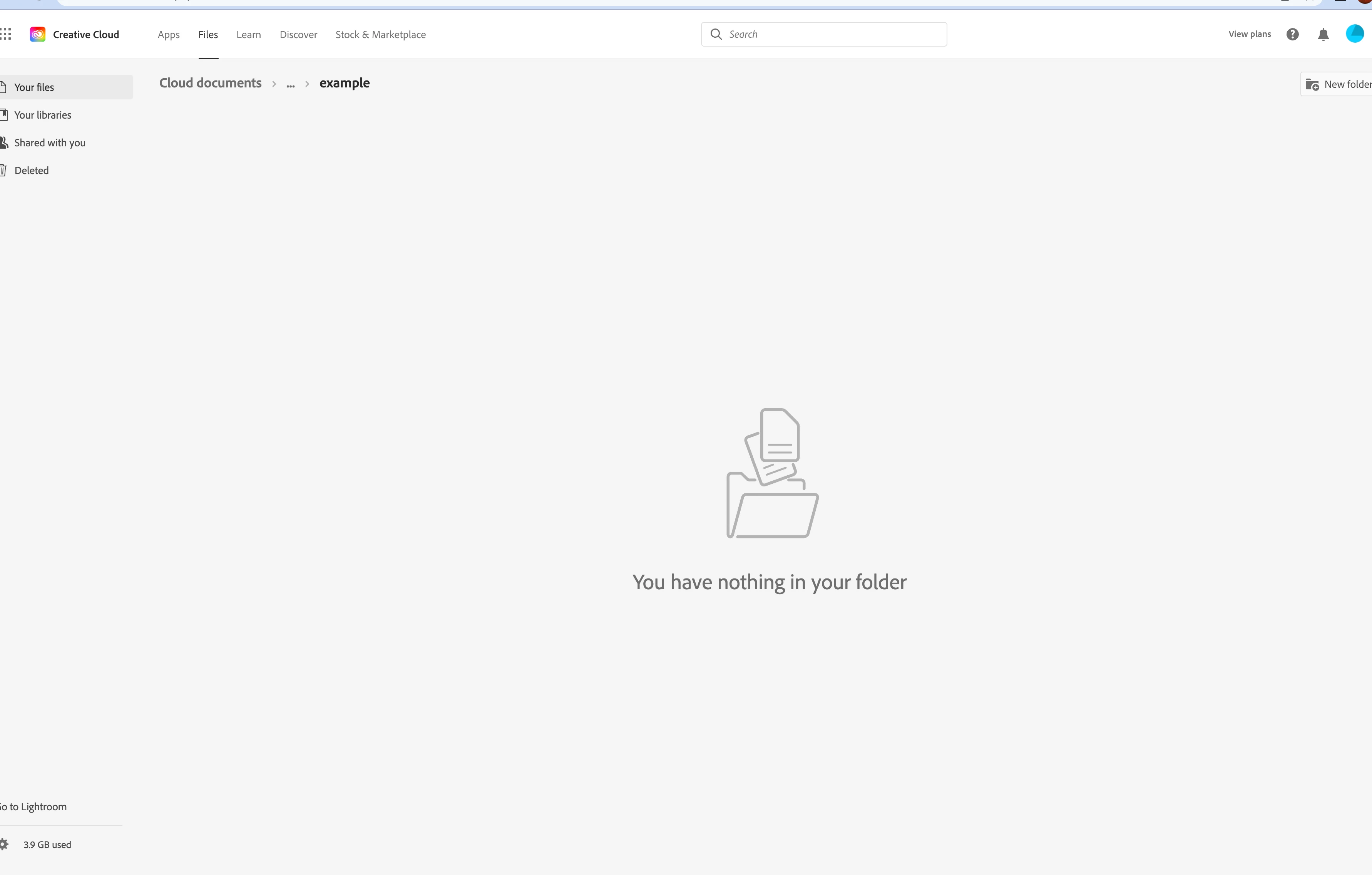
Really annoying. I am paying for 100GB and cannot upload a THING.

There is no upload button (first pic). So I drag and drop (2nd pic).

Nothing. Still nothing in my folder.  I honestly cannot believe this -- you can't make this stuff up.

Can anyone help? I tried Adobe on Facebook, Twitter and they are useless. Thanks.
This topic has been closed for replies.
Correct answer Vikrant R

Do take a look at this document how to work with files in Creative Cloud.

https://helpx.adobe.com/creative-cloud/help/sync-creative-cloud-files.html

1 reply

Legend
April 25, 2022

You don't upload. Or drag. It isn't a cloud store for general files. It isn't like Dropbox.  It's a cloud store for Adobe apps, you choose to use the cloud when saving. You also have a sync folder. But don't assume...

Participant
April 26, 2022

Thank you.

Vikrant R
Vikrant RCorrect answer
Inspiring
April 26, 2022

Do take a look at this document how to work with files in Creative Cloud.

https://helpx.adobe.com/creative-cloud/help/sync-creative-cloud-files.html