


Participant
January 16, 2020
Answered

Why "Included in your Subscription" shows all products regardless of assigned products?

  • January 16, 2020
  • 1 reply
  • 903 views

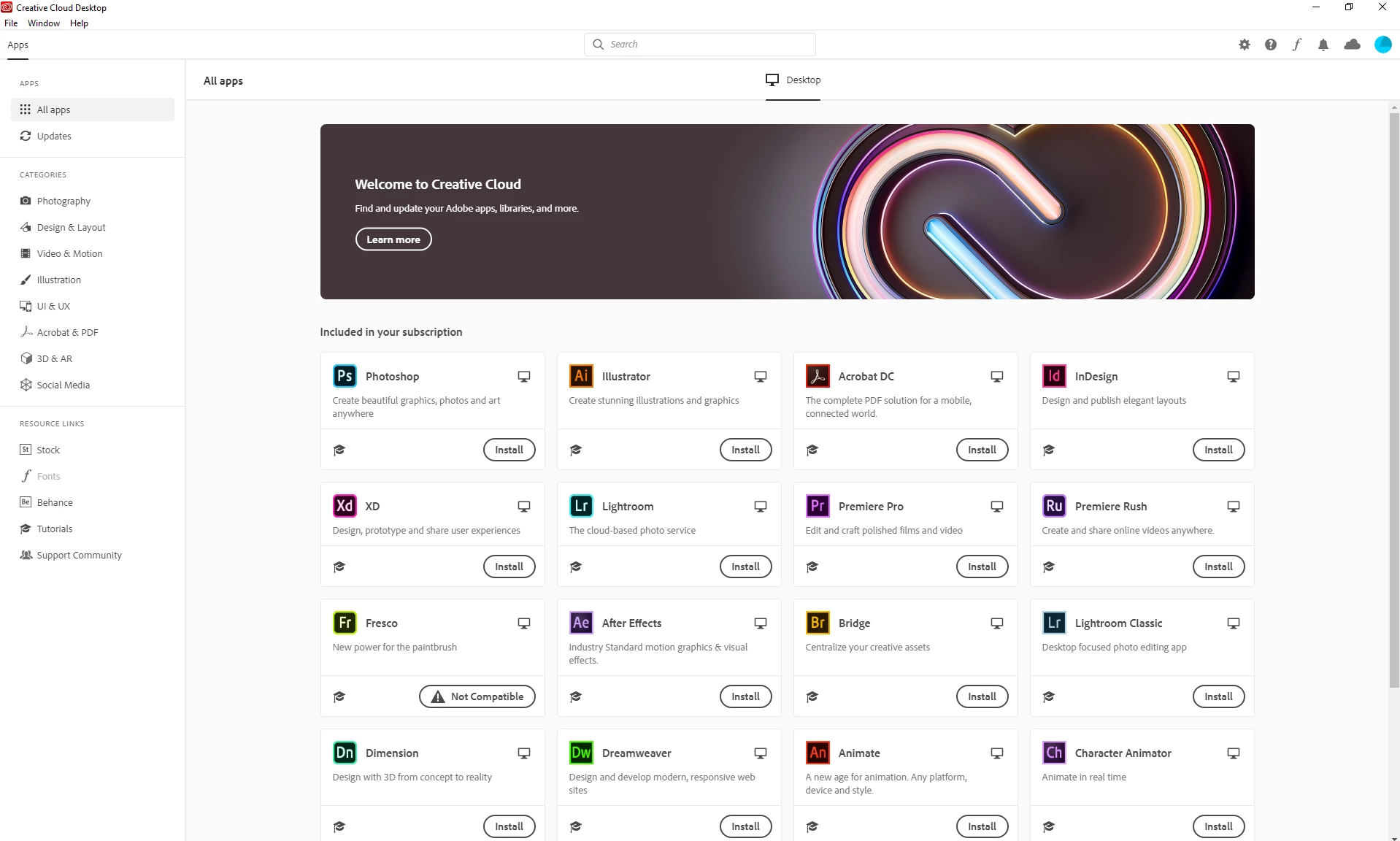
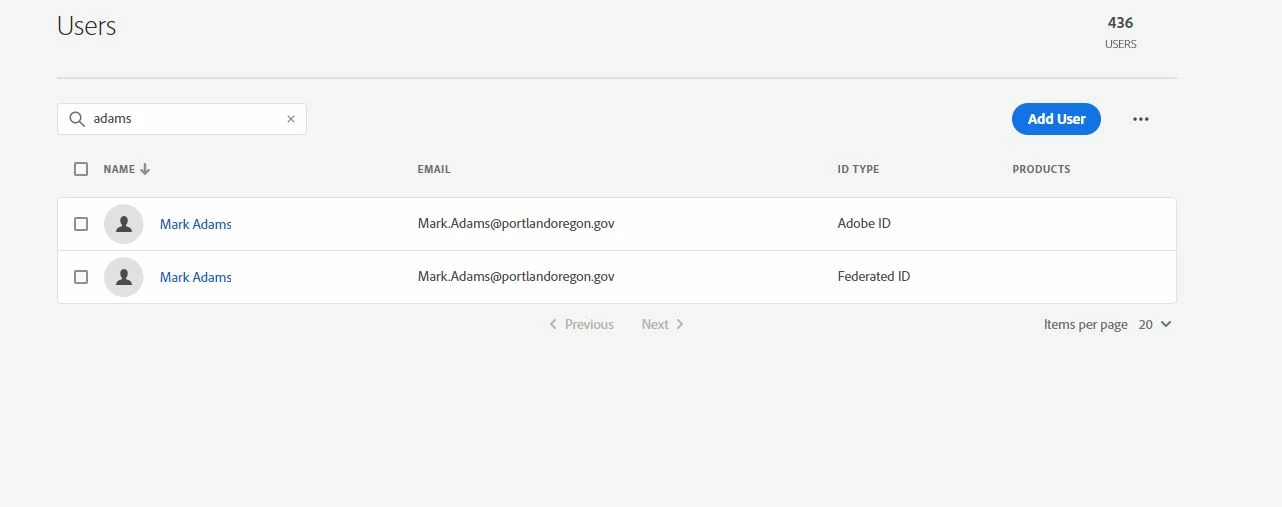
Hi i am rolling out adobe CC app and named accounts in our environment in next few months. I have noticed even if i dont assign a user any products, all creative cloud apps shows "Included in your subscription"

Please see attached example - Mark has no app access assigned to his ID

It deceives the customer as they can install it and then prompted for trial. I think it would be helpfull if the product app defines them as "NOT included in your subscription" as i am logging in with Adobe ID anyways


This topic has been closed for replies.
Correct answer Nikhil R Gupta

Hello Andy,
Creative Cloud desktop application always checks the subscription associated with the email used to login. It will only show the install option in front of the applications assigned to that particular account. If a free user logs in to the Creative Cloud application, it will show him the option to use it as a free trial.


If the machine has a Shared device license installed and then a user logs in to the device, he will get an option to install. With the new update for the Shared device, you can allow users on shared devices to install and update Adobe apps using the Creative Cloud application. It could be possible that the screenshot you have for the device has a Shared device package installed.
https://helpx.adobe.com/enterprise/using/sdl-whats-new.html

Thanks,
Nikhil Gupta

1 reply

Nikhil R Gupta
Nikhil R GuptaCorrect answer
Legend
January 20, 2020

Hello Andy,
Creative Cloud desktop application always checks the subscription associated with the email used to login. It will only show the install option in front of the applications assigned to that particular account. If a free user logs in to the Creative Cloud application, it will show him the option to use it as a free trial.


If the machine has a Shared device license installed and then a user logs in to the device, he will get an option to install. With the new update for the Shared device, you can allow users on shared devices to install and update Adobe apps using the Creative Cloud application. It could be possible that the screenshot you have for the device has a Shared device package installed.
https://helpx.adobe.com/enterprise/using/sdl-whats-new.html

Thanks,
Nikhil Gupta
