
Participant
February 26, 2023
Answered

Why my shared files does not show on another user Synced Files?

  • February 26, 2023
  • 3 replies
  • 592 views

We have 2 mains users on our company Adobe account but when I share the files that we need to work on sync it does not appear on their Cloud.


- I made sure that all the folders are shared:
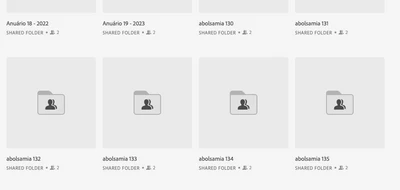


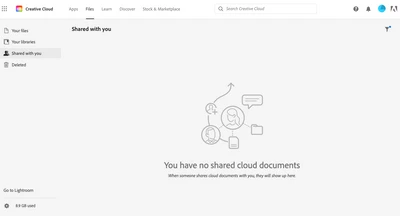
But for some reason, it does not appear on the other account:


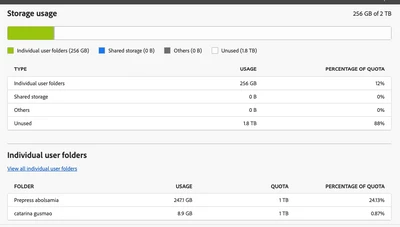
We also checked the Storage from Adobe Console and we can't see difference on the storage usage of the other account after uploading the new files:
 

Anyone can tell what are we missing here?


Thanks.

This topic has been closed for replies.
Correct answer Nikhil R Gupta

@Prepress5C4F If the shared folders should be available under files (https://assets.adobe.com/files). Could you check if the user can see the shared folders under the Files tab?


As @Abambo mentioned, in case the other user cannot find those folders, you may try to remove the user and share again and make sure he/she accepts the invite.

3 replies

Nikhil R Gupta
Nikhil R GuptaCorrect answer
Legend
February 28, 2023

@Prepress5C4F If the shared folders should be available under files (https://assets.adobe.com/files). Could you check if the user can see the shared folders under the Files tab?


As @Abambo mentioned, in case the other user cannot find those folders, you may try to remove the user and share again and make sure he/she accepts the invite.

Abambo
Community Expert
Community Expert
February 27, 2023

Unshare, share again. Make sure the other party accepts the sharing invitation.

ABAMBO | Hard- and Software Engineer | Photographer
kglad
Community Expert
Community Expert
February 26, 2023

<moved from cc services>