
Purnomo.oke
Participant
February 20, 2026
Question

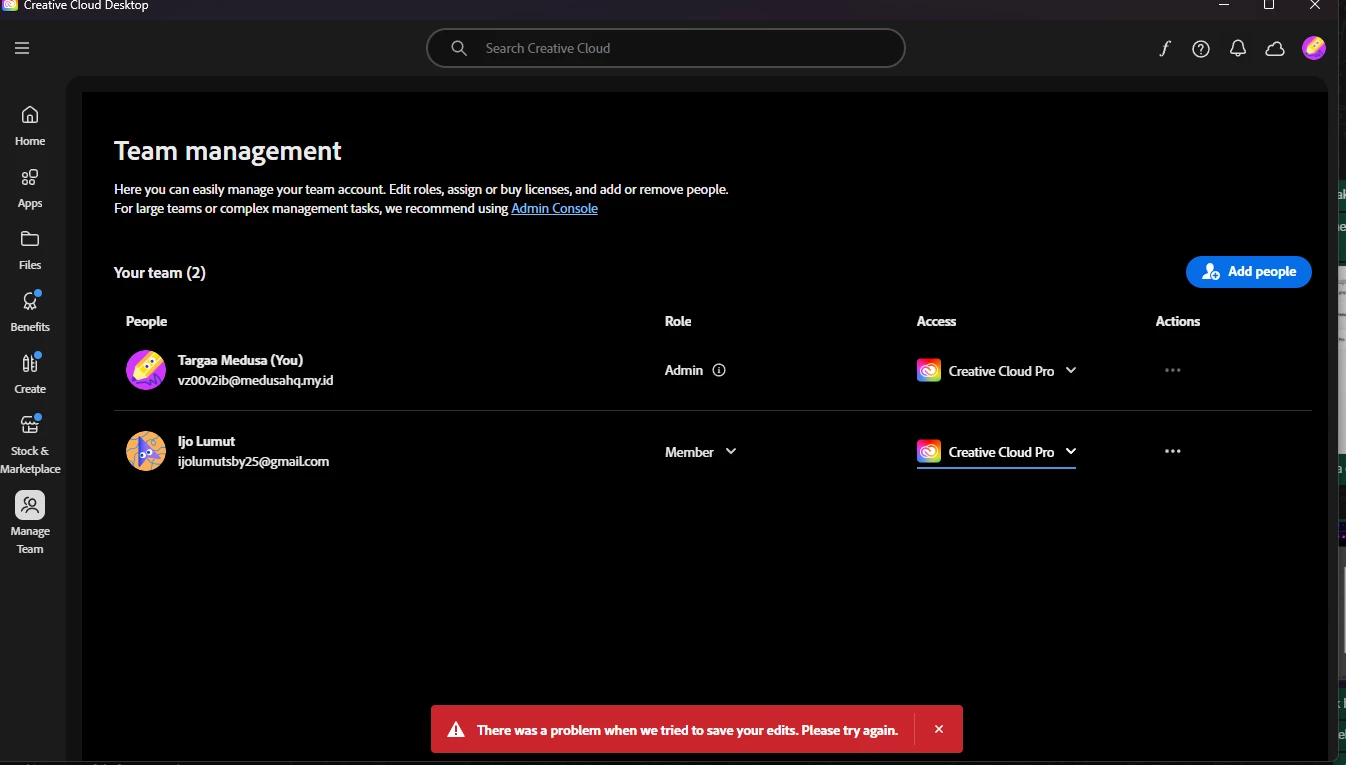
why when i add people it says there was a problem when we tried to save your edit adobe
  • February 20, 2026
  • 4 replies
  • 37 views


why when i add people it says there was a problem when we tried to save your edit adobe

 

4 replies

Community Manager
February 20, 2026

Hi ​@Purnomo.oke 

Thank you for reaching out. Based on your query, it seems that when you are trying to add a user through the Manage Team option from CCD app in your Teams contract, you are encountering an issue. Please confirm if this is the issue you need assistance with.


I would recommend following the steps below:


Sign out of Creative Cloud Desktop

Sign back in

Try again


If the issue persists, and you are on a corporate network, VPN, or firewall, it may be blocking the request.


Try the following:

Use a different network

Disable VPN


Once you have followed these steps, please refer to the steps in this document: https://helpx.adobe.com/enterprise/using/creative-cloud-desktop-app-team-management.html


If you still face the issue, you can add the user from the Admin Console by following this document: https://helpx.adobe.com/enterprise/using/assign-licenses-to-teams-users.html


I hope this helps. Please let us know if you need further assistance.

Regards,
^AN

Shivangi_Gupta
Community Manager
Community Manager
February 20, 2026

Hi ​@Purnomo.oke ,

As per your account details, you have individual subscription associated with this email address. Are you making these updates to any other account with enterprise subscription?

If yes, please start a new discussion here: https://community.adobe.com/enterprise-teams-622

^Shivangi

Peru Bob
Community Expert
Community Expert
February 20, 2026

https://community.adobe.com/enterprise-teams-622

Note: You will need to slightly change the wording of the title of the thread or you will get a duplicate question error.


kglad
Community Expert
Community Expert
February 20, 2026

@Purnomo.oke 


post this in the enterprise & teams forum.  or use your console for help.