Participant
March 13, 2023
Question

Adobe Substance 3D add-on for Blender: not showing any graph options

  • March 13, 2023
  • 3 replies
  • 884 views

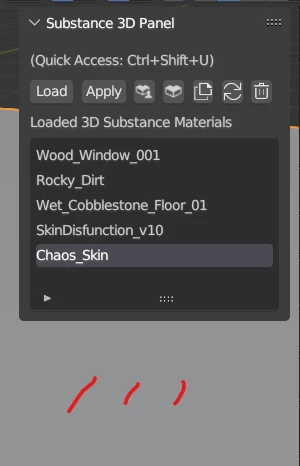
Hi, on 3.3 & 3.4, latest addon and tools, no sbsar has its graph options displaying, it just applies the default textures from the sbsar, no way to customize any of them:

 

This topic has been closed for replies.

3 replies

Participant
May 26, 2023

Any news with this topic? Try to instal it for Bleder 3.5 wit most updated files, but its not working. Ive tried almost everything, but still getting bewlo error message after instaling "Substance3DIntegrationTools-1.4.5+default-89-x64-win".


Adobe Employee
May 26, 2023

Hi @Vladimír300466718xu2 , we're currently working on an update that will hopefully resolve install issues.
In the meantime, can you check task manager to see if another instance of substance remote engine is running? Some times it will not shut down properly and interrup the add-on from loading properly. Also, try the method I shared above for manually removing these files to see if a clean re-install works.

Adobe Employee
March 17, 2023

Hi there, I'm sorry to hear that you encountered the issue, but glad to hear that it has been resolved for you both! Yes uninstalling the integration tools will likeley resolve these types of errors. Should you ever need to manually remove the tools from disk, you can find steps for doing so here on our documentation page.

@Loïc_Bramoullé Thanks for the heads-up on this. Renaming the tab group with another add-on may cause issues when the tab is referenced by other functions, so it is best to not modify this. If you continue to run into this issue however, do let us know.

Participant
March 13, 2023

Ok solved it, classic, to update the addon first delete the tools (in preference>addon>substance) and then delete addon, then reinstal addon, tools.

Loïc_Bramoullé
Known Participant
March 13, 2023

ok nope, all options disappeared again.

Loïc_Bramoullé
Known Participant
March 14, 2023

ok, the options area ctually apearing in another N-panel tab, because I use Simply Tab to give a shorter name to tabs.. I think..