Participant
August 7, 2021
Answered

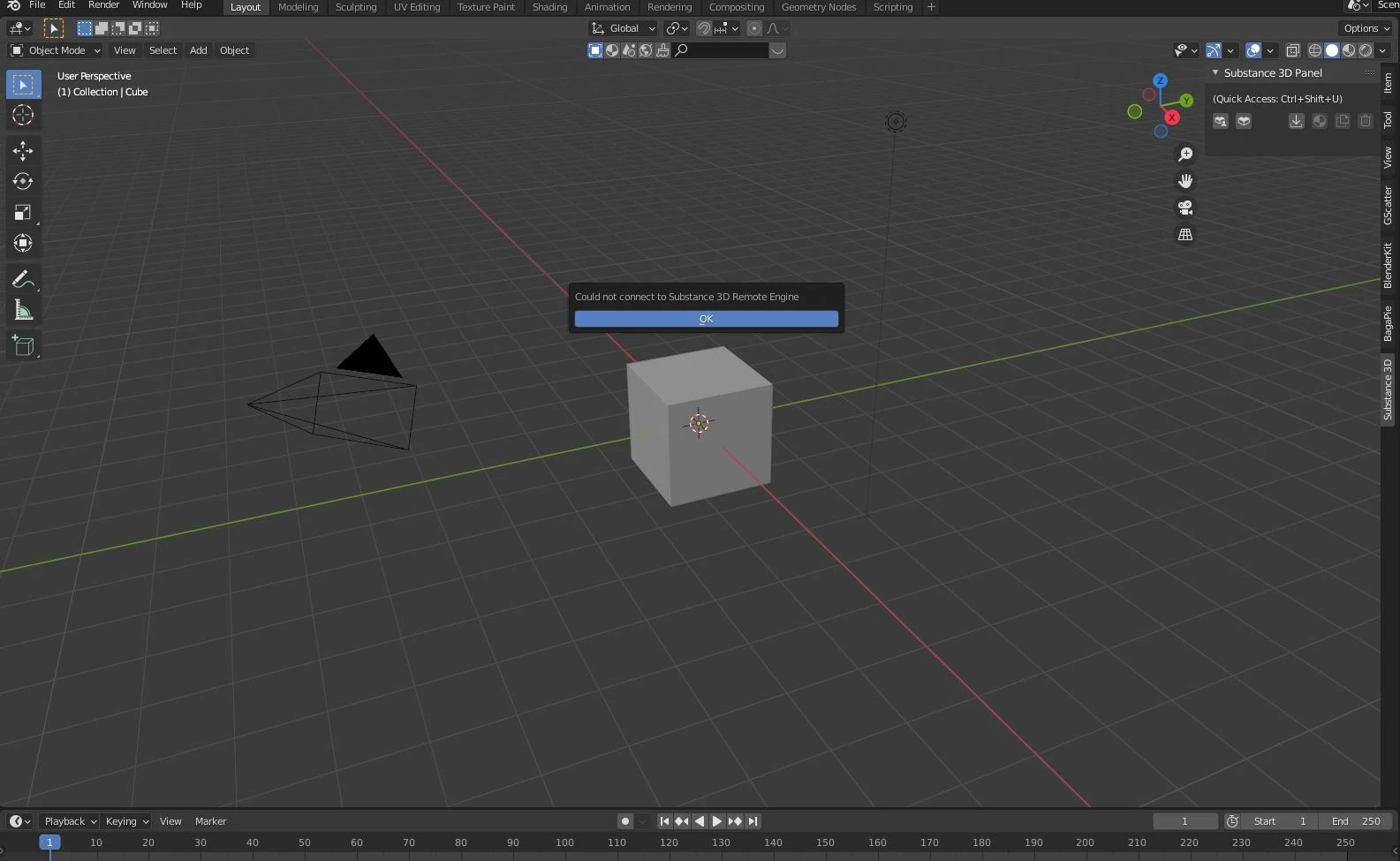
Adobe Substane can not connect to Remote Engine Error

  • August 7, 2021
  • 3 replies
  • 4234 views

Hey, i have been experiencing a weird problem out here that no one ever mentioned in anywhere that i could find. Anyone knows that how i can solve this issue?

This topic has been closed for replies.
Correct answer Jill.T

Hi @oyas86196929!


There could be a couple reasons why you are receiving this message. In order for the team to determine what is causing this, we'll need a bit more info like what @Alireza5EAF detailed.


Since the Substance 3D add-on for Blender is in public prerelease/beta feel free to submit your feedback including bugs and feature requests at the Adobe Prerelease site:

https://www.adobeprerelease.com/beta/68A24EE2-2EA8-416F-D95B-23B8E64E5DE8/feedback/bugs/

This way, you are able to get your bug reported directly to the team working on the add-on and provide the details such as repro steps, platform, versions, etc


Thanks,

Program Admins

3 replies

Participant
April 30, 2022

Its beacause you don't have admin rights.

Jill.TCorrect answer
Inspiring
August 9, 2021

Hi @oyas86196929!


There could be a couple reasons why you are receiving this message. In order for the team to determine what is causing this, we'll need a bit more info like what @Alireza5EAF detailed.


Since the Substance 3D add-on for Blender is in public prerelease/beta feel free to submit your feedback including bugs and feature requests at the Adobe Prerelease site:

https://www.adobeprerelease.com/beta/68A24EE2-2EA8-416F-D95B-23B8E64E5DE8/feedback/bugs/

This way, you are able to get your bug reported directly to the team working on the add-on and provide the details such as repro steps, platform, versions, etc


Thanks,

Program Admins

Mahmoud230726396xxp
Participant
February 9, 2022

I have same problem what could i do?


Community Manager
February 23, 2022

@Mahmoud230726396xxp We recently released a beta version of the plugin for Blender 3.0. You can find that here: https://www.adobeprerelease.com/beta/68A24EE2-2EA8-416F-D95B-23B8E64E5DE8# 

Could you try completely uninstalling the addon and integration tool (maybe even the Blender tool too)? Just make sure there is no instance of the Substance remote engine is running in your task manager. Once it is completely uninstalled, please follow the step on the prerelease page to install the latest version of the plugin.

Community Manager
August 7, 2021

Looks like SRE (Substance Remote Engine) is not running. Did you install Substance Integration Tool along with Substance 3D plugin? You can check if SRE is running in the background. Plcease check Activity Monitor on Mac and Task Manager on PC and you should see "substance_remote_engine" running or not.

What version of Mac/Win10 are you running? If you are running MacOS Monterey 12 Beta, Remote Engine/plugin does not work with it yet. We have a fix for it that will be available in the future release of the Remote Engine/plugin.