


Participating Frequently
Apr 28, 2025 10:15 PM UTC
Question

How To Uninstall Substance 3D from Unreal Engine 5

I removed within the Plugins-->Marketplace Folder the Substance Folder

However, when I try to re-install the Epic Launcher is telling me, that the plugin is still installed.
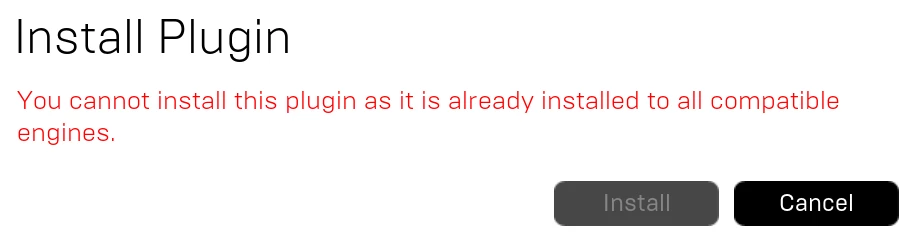
 

How to succesfully un-install the Substance 3D Plugin and then re-install?

Thanks for any ideas, appreciate it!

3 replies

Adobe Employee
Apr 29, 2025 4:35 PM UTC

Hi @bromampfer , it looks like Epic expects for the plugin to be removed a very specific way, otherwise it will still appear as installed.

Can you open the Installed Plugins popup under the egine version? You should still see the Substance plugin appear here, and you can click "remove" to try again. The launcher should let you isntall the plugin now.

Let me know if that helps
- Aldo

Translate
Participating Frequently
May 5, 2025 5:25 PM UTC

Can you open the Installed Plugins popup under the egine version? 

Where should that be you are refering too?
Can you please guide!

Thanks a bunch!

Translate
Adobe Employee
May 7, 2025 10:20 PM UTC

Hi @bromampfer , sure thing I am attaching a screenshot. You'll get this popup window when you click the orange"install plugins" text shown here.


Best,
Aldo

Translate