
guilhermes75028199
Participating Frequently
December 14, 2022
Question

Substance addon for Blender has preferences very different from the internet ones

  • December 14, 2022
  • 3 replies
  • 464 views

Hello, I installed SUbstance addon for Blender and its preferences look very different from what they should look like. In my preferences they are like that: 
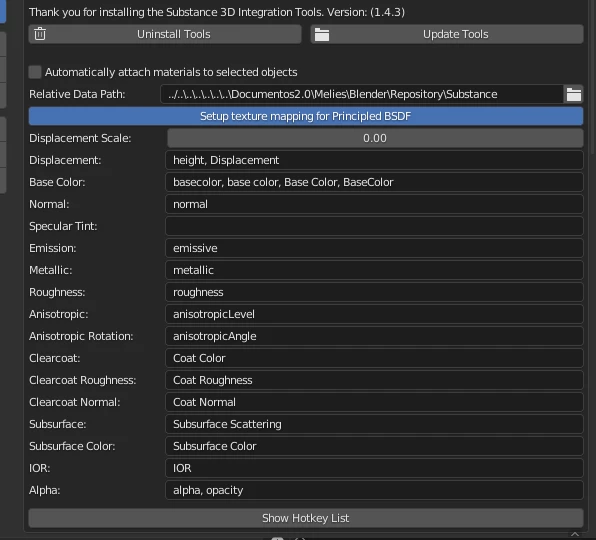
As for the internet ones they're like that:
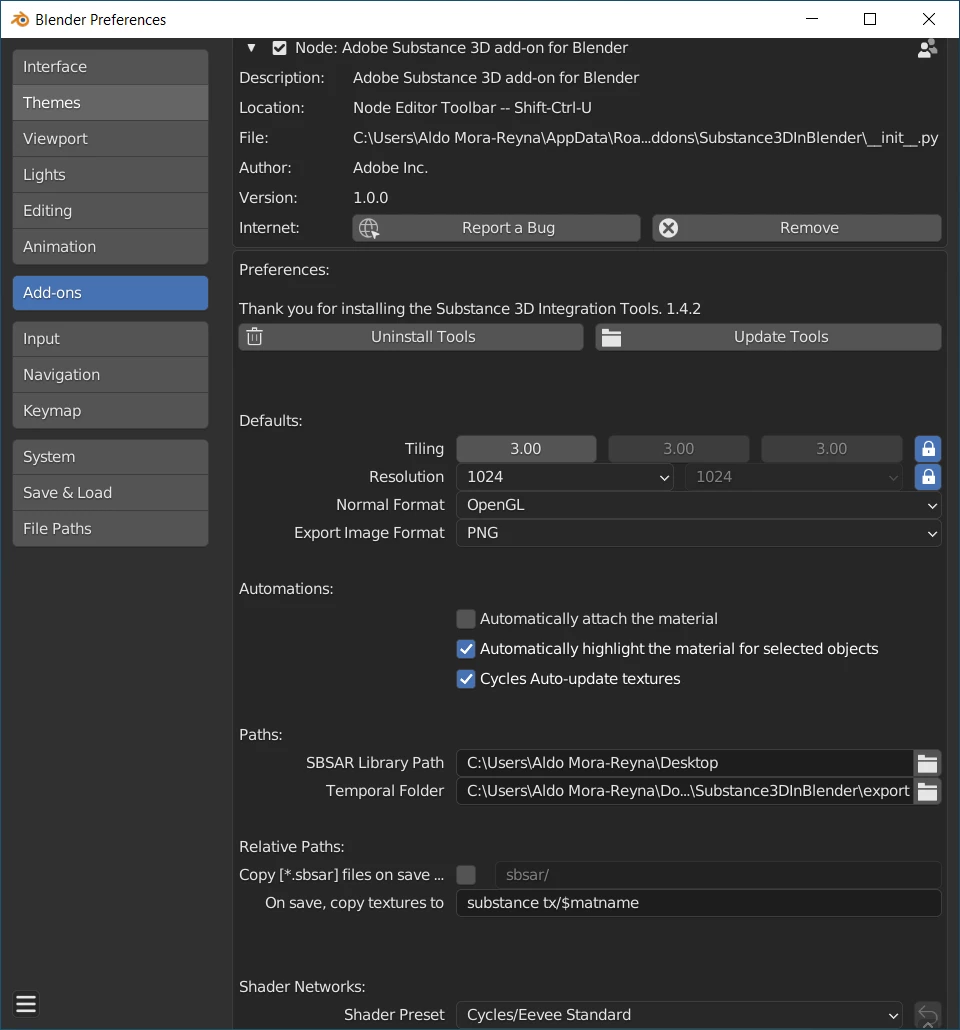
 I installed several versions including several Integration Tools versions, even the latest ones have the smae different options. Whats happening? Thx!

This topic has been closed for replies.

3 replies

Community Manager
January 12, 2023
davescm
Community Expert
Community Expert
December 15, 2022

I don't know why you are seeing differences, to the preferences I see here.


I am using Blender 3.3.1 on Windows 10 Pro v21H2

As said above the add on is v1.0.1 and the integration tools 1.4.5


I do have the node wrangler plug in enabled - although I am not sure that would make a difference.


Dave


davescm
Community Expert
Community Expert
December 14, 2022

'I installed several versions including several Integration Tools versions, even the latest ones have the smae different options.'


The add on is at version 1.01 and the integration tools at 1.4.5. I would uninstall the tools (using the ininstall tools button, then remove the add on using the Remove button. Then close and restart Blender and try again.


Current versions are here : https://substance3d.adobe.com/plugins/substance-in-blender/


Installation instructions here :  https://substance3d.adobe.com/documentation/integrations/preferences-232292581.html


This is what it looks like here, which matches the documentation:


Dave

davescm
Community Expert
Community Expert
December 14, 2022

I've moved this thread from Substance Painter to Substance 3D Plug Ins discussions

Dave