
Participant
February 29, 2024
Answered

Substance Plugin could for Blender 4.0 (material not be loaded)

  • February 29, 2024
  • 2 replies
  • 1074 views

Hello All,

When I select the material, I receive an error message as shown in the attachment and the material is not loaded. I deleted the plugin, cleared all folders and reinstalled it, but the problem  what is wrong?
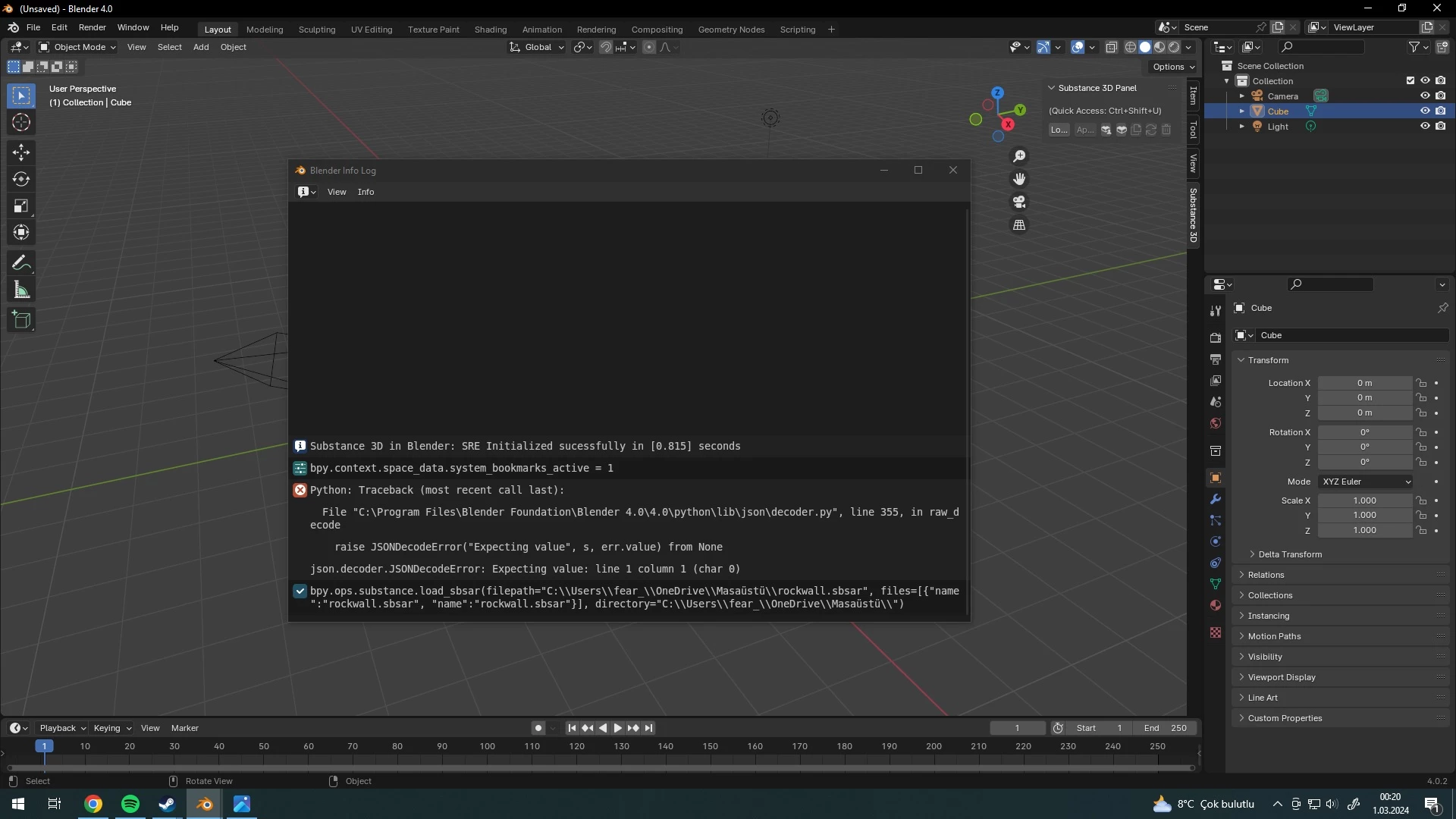
 

This topic has been closed for replies.
Correct answer Shwetha23063442qtvs

Thanks! We will investigate this. If you have additional questions, please check out our Discord channel for faster response: https://discord.gg/86Yq6JXy 


@Özgür311843156id9: It looks like the issue might be because of the special character in your user folder's name, specifically the 'ü' in "Masaüstü." If you try using a different folder without any special characters, it might resolve the issue. Could you please give that a try?

2 replies

Participant
March 9, 2024

Hello, an error is displayed when uploading material to Blender


Inspiring
March 13, 2024

Are you able to load other materials? 

Community Manager
March 1, 2024

Hi, thanks for reporting this issue. Did you fully uninstall both the integration tools and the addon? Also, I'm assuming you're using the latest version of the plugin from here: https://substance3d.adobe.com/plugins/substance-in-blender/, is that right?

What platform are you on? 

Participant
March 1, 2024

Hello

Yes, the plugin is latest version also i fully uninstall both the integration tools and the addon. the platform is windows 10 

Community Manager
March 1, 2024

Thanks! We will investigate this. If you have additional questions, please check out our Discord channel for faster response: https://discord.gg/86Yq6JXy