
Participant
January 25, 2023
Answered

Substance3D addon for Blender - Materials not showing properly

  • January 25, 2023
  • 1 reply
  • 545 views

Blender Version : 3.4.1

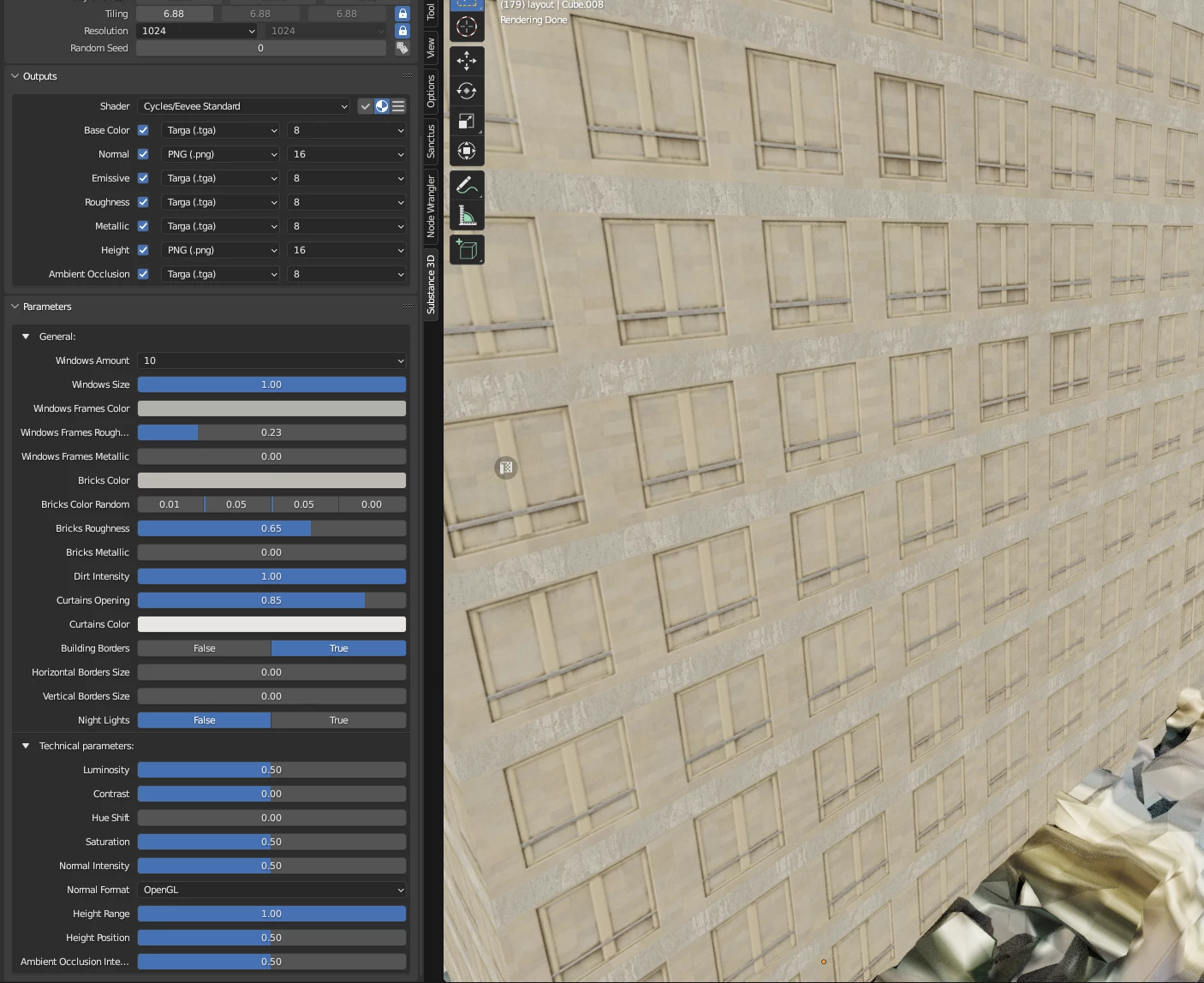
Hi, I just installed the Substance3D plugin for Blender with the Integration Tools. Most of the materials work perfectly well, but I just tried a facade material (Called "Dirty Concrete Block Building" in the marketplace) and the glass windows do not show up in Blender, instead showing the brick wall. (See attachment). I tried opening the .sbsar in Sampler and it works fine. Any idea why this isn't working as intended in Blender ?

Thanks ! 
This topic has been closed for replies.
Correct answer Aldo_3D

Hi @WolvenFX , thanks for letting us know! I can see this on my end too. It appears to only be occurring with a few of the build sbsar files on the asset page. While we take a look, consider using some of the other building sbsar files, such as Chamfered Concrete Building.

1 reply

Aldo_3DCorrect answer
Adobe Employee
January 25, 2023

Hi @WolvenFX , thanks for letting us know! I can see this on my end too. It appears to only be occurring with a few of the build sbsar files on the asset page. While we take a look, consider using some of the other building sbsar files, such as Chamfered Concrete Building.

WolvenFXAuthor
Participant
January 26, 2023

Hi @Aldo_3D, thanks for your quick reply. Yes I ended up using another material, thank you for the suggestion! This one will also be useful 🙂 Have a great day.