


Participant
Feb 26, 2020 10:52 AM UTC
Question

Areas of the Welcome screen are not displaying (FrameMaker 2019)

The Welcome screen is not adapting to a larger screen and is just missing (grayed out) at the bottom and side.
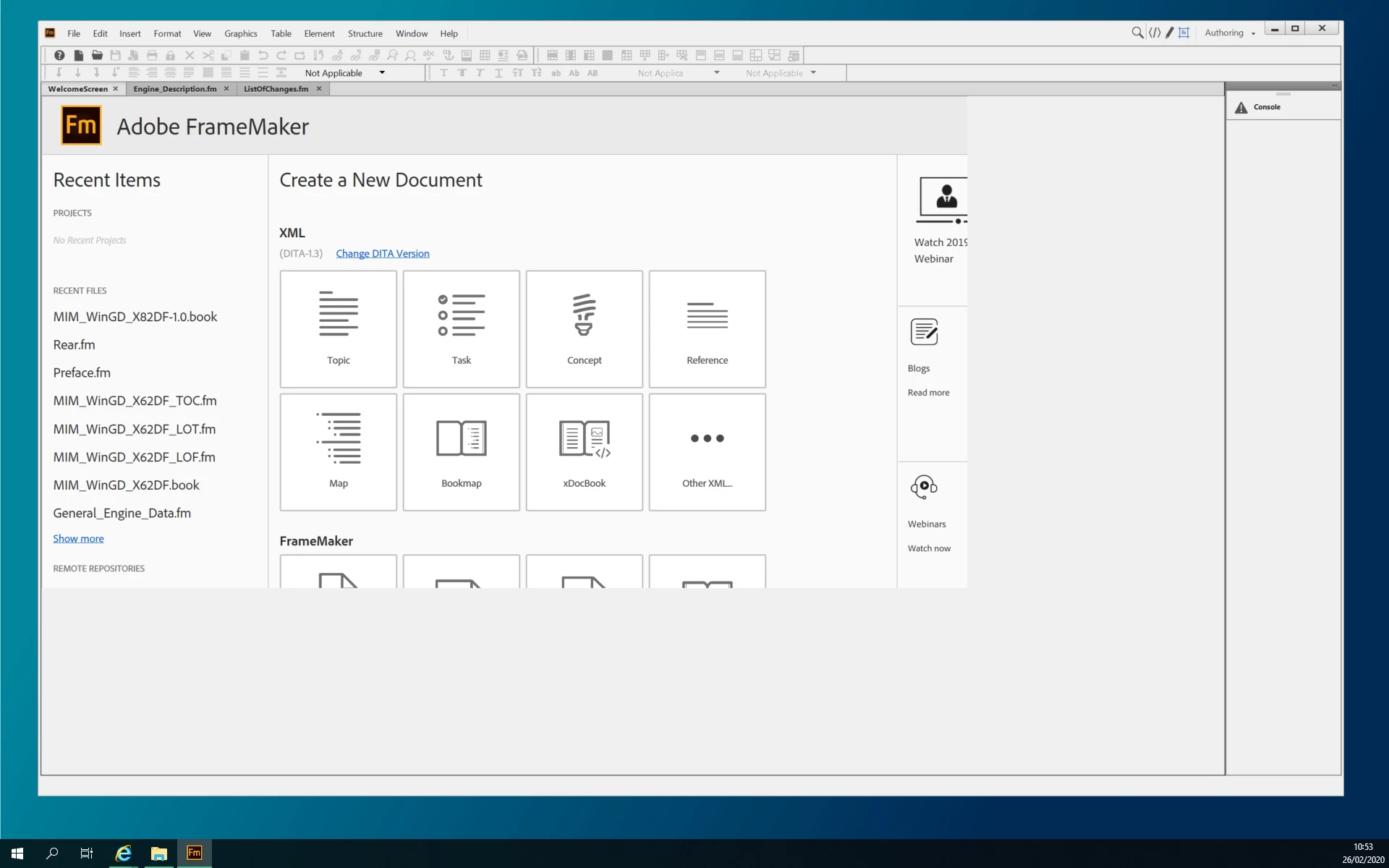


I can zoom in and out like normal to view the content, but this makes no changes to the missing areas. Changing the window size also makes no difference.
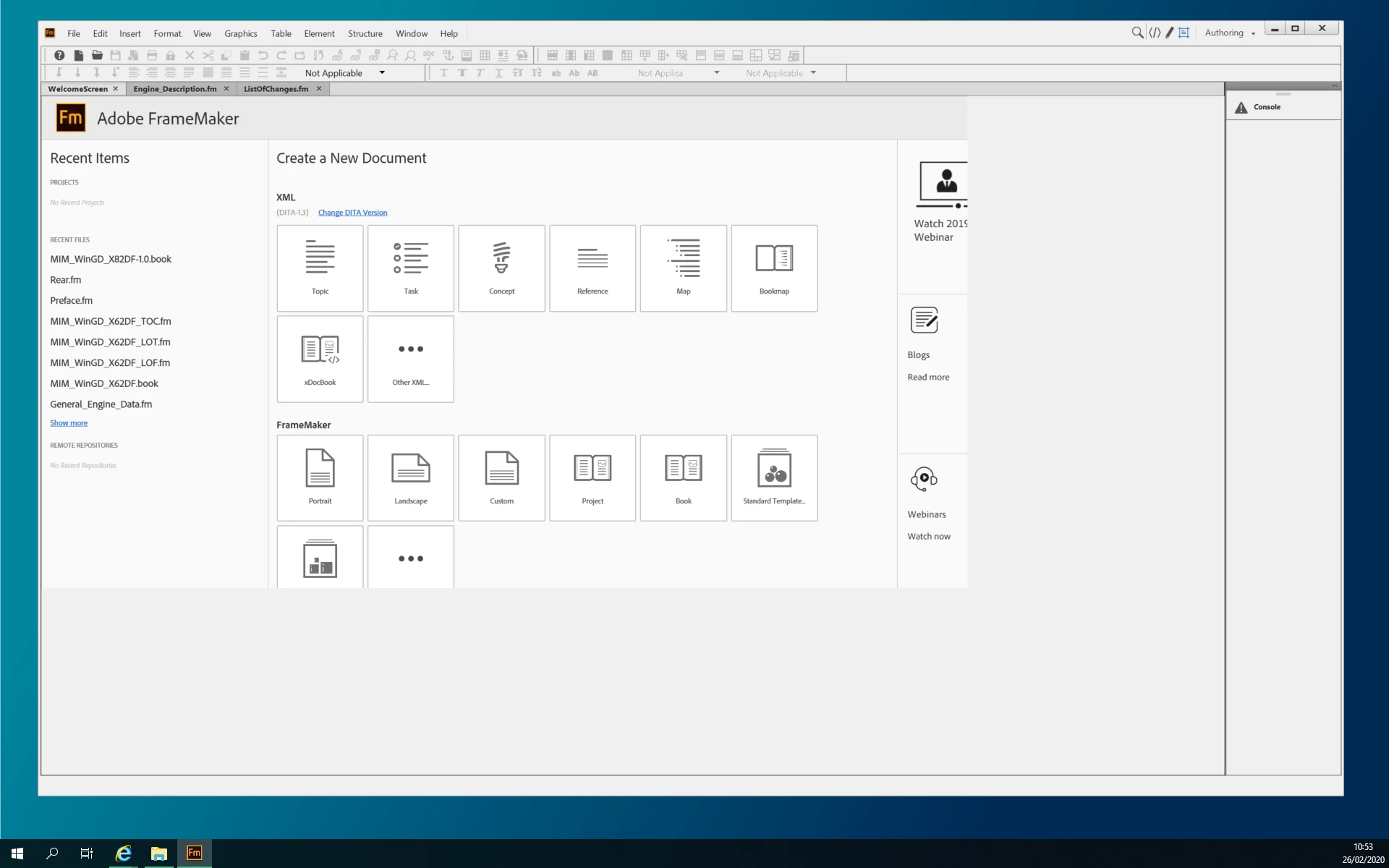
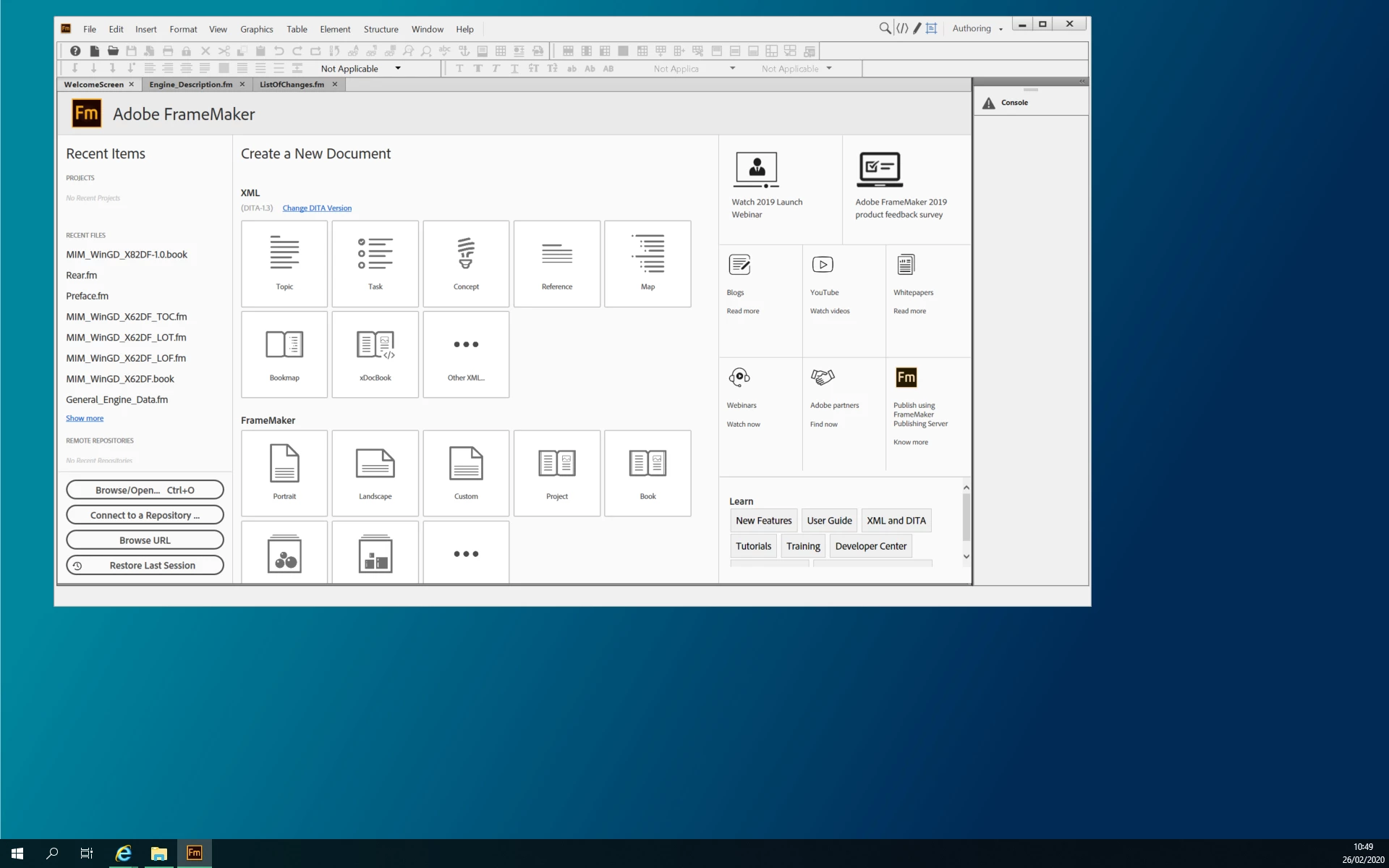


I think this is the same as the feed below but there is no solution.

https://community.adobe.com/t5/framemaker/i-just-installed-fm-2017-and-the-lowest-3rd-of-my-welcome-screen-is-always-missing/td-p/8884248?page=1 


Does one know why this is happening?


This topic is closed to new replies. Start a new post to keep the conversation going.

2 replies

Dave Creamer of IDEAS
Community Expert
Community Expert
Mar 1, 2020 9:46 PM UTC

What happens if you log out (not restart) and log back in again?

Translate
David Creamer: Community Expert (ACI and ACE 1995-2023)
Community Expert
Feb 26, 2020 11:23 AM UTC

Hi,


I see. Do you have the latest update for FrameMaker 2019?

The version number is: 15.0.5.838.

If you still have this issue, please describe this in the Adobe tracker:

https://tracker.adobe.com/#/home 


Best regards


Winfried

Translate