

JonBe
Inspiring
May 14, 2021
Question

Corrupted display with FrameMaker 2019 15.0.5.838 (x64)

  • May 14, 2021
  • 3 replies
  • 345 views

In testing the problem I reported in Bug where the Element Validation panel/pod is completely absent I am repeatly running the process to add and remove line numbers. This was working as expected up until after I created the aforementioned post.


Today, with 2019, I end up with a corrupted display as shown below:
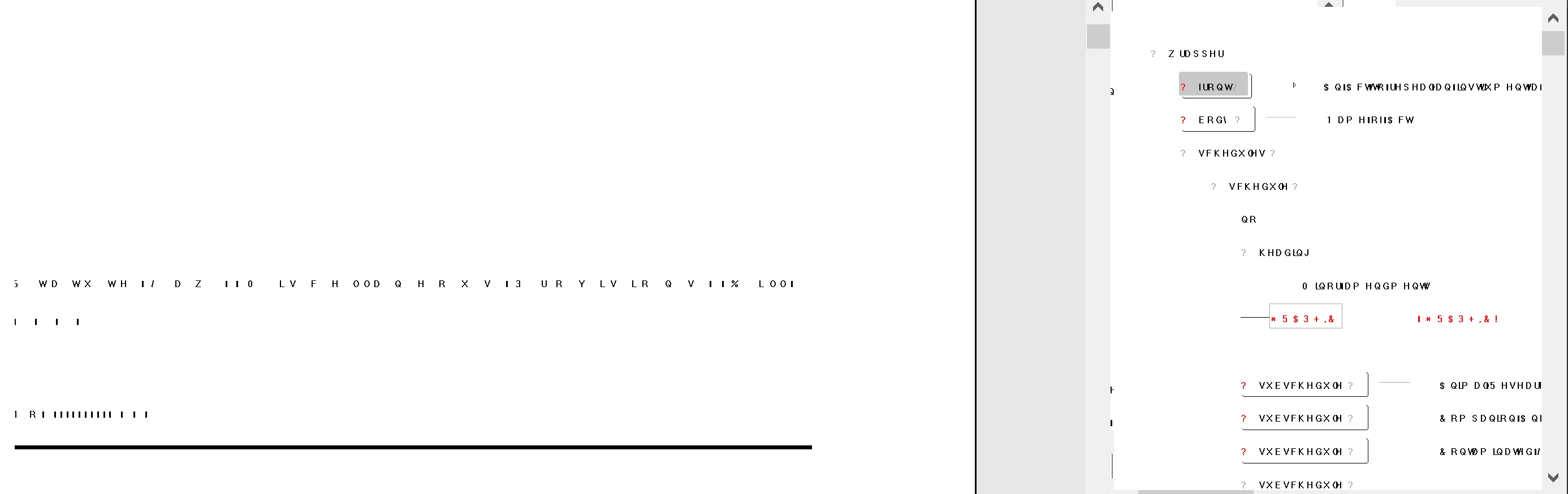
Ctrl+l does not work. If the document is closed and then re-opened, the display is still corrupted.

This does not occur with 2020 with update 1 (16.0.1.817).


The only change is that I installed a Windows update first thing this morning KB5003173. There are no reports that I can see that report graphics problems related to this update.


When the link to Update 8 is working I will try that to see if the problem is fixed.


Jon

This topic has been closed for replies.

3 replies

Community Manager
May 18, 2021

Hi Jon,

are you running FM 2019 32-bit or 64-bit with your plugin?

And: Does it also happen without your plugin? If not, hunt your code for possible memory leaks. This kind of display corruption usually happens when the memory spills over. With the 64-bit version, you will run into it much later, but have a look at it. Might be also the reason why you do not run it with the 2020 release (which is 64-bit only).

JonBe
JonBeAuthor
Inspiring
May 18, 2021

Hi Stefan,


Many thanks for replying. We are using the x64 bit version of 2019. This does not appear to be a memory leak as memory moves very little from the initial amount after the document is opened and the line numbering process run. Inspection of the code also reveals no memory leaks.


In another wrinkle, today, I cannot reproduce the problem. The computer has not been restarted since I verified a restart did not fix the corruption. I will get back if the problem reoccurs.


Jon

JonBe
JonBeAuthor
Inspiring
May 15, 2021

Not fixed with Update 8 (15.0.8.979).

Matt-Tech Comm Tools
Community Expert
Community Expert
May 14, 2021

I believe both the odd display and the odd files you're seeing (mentioned in the other post) will go away when you rename the prefs folder in your roaming directory.

https://techcommtools.com/find-framemaker-preference-folder/

-Matt

-Matt Sullivan, FrameMaker Course Creator, Author, Trainer, Consultant