
Participant
January 22, 2020
Question

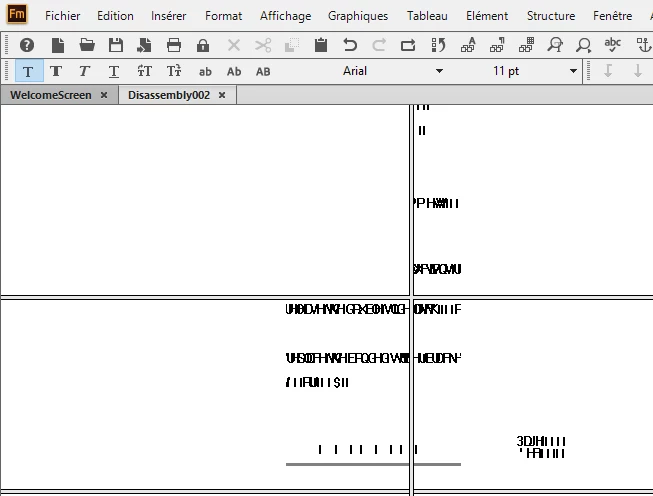
framemaker 2019 freeze and show scrambled symbols

  • January 22, 2020
  • 5 replies
  • 1278 views

Hi everyone;

I want to know if their is a solution to this framemaker problem.

It freezes and show scrambled symbols.


[Moving from generic Start/Help forum to the specific Program forum... Mod]
[To find a forum for your program please start at https://community.adobe.com/]

This topic has been closed for replies.

5 replies

Legend
January 23, 2020

I will add this... FM2019 crashes frequently for me on Windows 10, without displaying the text corruption. Normally when saving files. I like FM a lot and have gotten acustomed to its quirks and occasional crashes, but FM2019 is far less stable than any previous release. At least in my environment. Unfortunately, I can't reliably reproduce any crash. It just happens randomly, or so it seems.

pulkitn
Adobe Employee
Adobe Employee
January 24, 2020

Hi Russ,

These crashes are not generic crashes and could be due to some windows or .Net update. (System specific )

It would be nice if you can contact FM support at  tcssup@adobe.com.

They will surely help you in resolving these random crashes occurring on your system.

pulkitn
Adobe Employee
Adobe Employee
January 24, 2020

Further, I would like to know your windows and .Net version you are using currently on your system.


Legend
January 23, 2020

This has been reported before:


https://community.adobe.com/t5/framemaker/text-corruption-and-crash/m-p/10304926


It is an odd thing. I have only seen it one time.


Russ

Participant
January 23, 2020

It happend over 15 times just this week.

I was on Framemaker 15.0.2.503, I have updated to 15.0.4.751 today, I will test it and post my respond here.

Thanks for the help.

pulkitn
Adobe Employee
Adobe Employee
January 23, 2020

Hi,

This is really unfortunate, Is this repeatable crash??

Could you please mail us at fmerror-reports@adobe.com with crash log, Steps and files if any.

Please make sure, You are up-to-date with FM version.


Participant
January 23, 2020

Yes it's repeatable Crash, it happen to me and all my co-workers (the ones with FM 2019), usually when I want to save the file (but not always).

Famemaker dones't show any crash log, it just show those symbols and freezes until I close it from task manager.I was on Framemaker 15.0.2.503, I have updated to 15.0.4.751 today, I will test it and post my respond here.

Thanks for your time.

LinSims
Community Expert
Community Expert
January 22, 2020

In addition to making sure you are up to date on your FrameMaker version (should be 15.0.4.751), you might also want to make sure that your display drivers are up to date.

Jeff_Coatsworth
Community Expert
Community Expert
January 22, 2020

All up to date in your patches? Have you tried Ctrl-L to refresh the display?

Participant
January 23, 2020

I have tried it but nothing works, even FM can't close until I close it from Task Manager.