Issue solved:
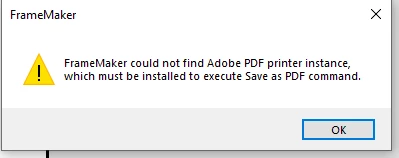
Issue:
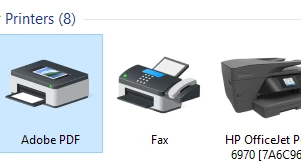
Verify you have the PDF Printer loaded:
If not Loaded:
https://helpx.adobe.com/content/dam/help/en/acrobat/kb/unable-to-install-pdf-printer-certificate-revoked-port-unknown/jcr_content/main-pars/procedure_710305163/proc_par/step_0/step_par/download_section/download-1/AdobePDF.zip
Download the driver zip file, extract and load the printer using the Adobepdf.inf file in the archive.
Once the printer is loaded, try FM again. If the problem persists, Try the following:
Remove Adobe Acrobat DC:
Try FM again. If the problem persists, reload distiller.
How to reload distiller:
(If you have Adobe Acrobat installed, remove it first.)
Follow the steps in this link: Missing Distiller error on saving a document as PDF in FrameMaker (adobe.com)
NOTE: In step 8 you might have to point to Program Files instead of Program Files (X86) if FrameMaker is loaded under Program Files.
Try FM again.
Reboot may be necessary.
Conclusion:
Missing Driver and Acrobat DC were causing these issues.
I installed Acrobat DC afterwards and it broke the save as PDF utility.



 AdChoices