

Susan305351693t3o
Inspiring
February 27, 2024
Answered

Is there a way to relink missing graphics within the document?

  • February 27, 2024
  • 3 replies
  • 480 views

Hello,


I know that when graphics become unlinked, it can be dealt with when you are opening the document (FrameMaker will alert you of the missing graphics and you can browse to the missing graphics and relink them). But what about when a document is open and there is a gray square where the graphic should be, because it has lost connection with the graphic for some reason?


In InDesign, you can simply select the graphic and there is a "relink" command under one of the menus, which, when selected, lets you browse to the missing graphic and relink it. There is no such thing in FrameMaker that I can find.

My "workaround" is I delete the graphic and reinsert it. This is fine if you know the exact name of the missing graphic. But what if the user doesn't? How do you link back to it then?

FrameMaker is such a mixed blessing. So many strange, bizarre ways of accomplishing what could be accomplished so simply and intuitively, and yet its obscurity means job security ;-).


Thanks for your help, everyone.
 

This topic has been closed for replies.
Correct answer Susan305351693t3o

Thank you. 


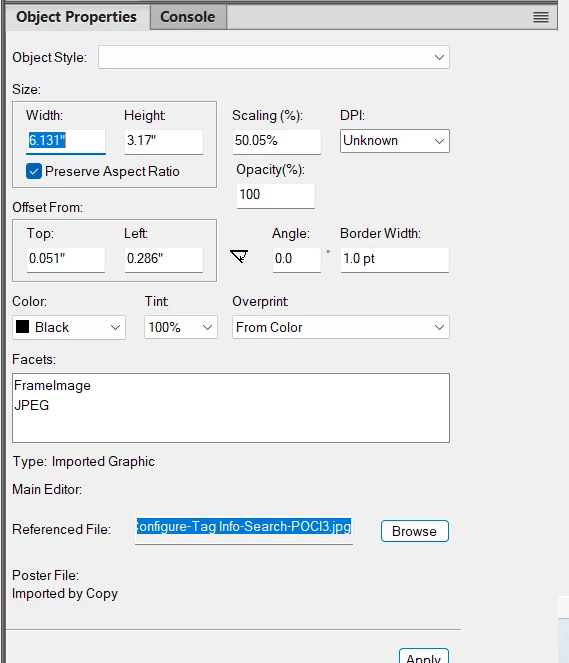
So as answer to the question, you can find the path in the Object Properties menu:


Thanks for your help!

3 replies

Community Expert
February 29, 2024

A simple way, that does not involve plugins or other magic, is to generate a list of references in the book file:

  1. Open the book file
  2. Click Insert -> List of
  3. Choose "References"
  4. 5 This will generate a list of imported graphics with the entire url written out.

Bjørn Smalbro - FrameMaker.dk
frameexpert
Community Expert
Community Expert
February 27, 2024

You could use my PathChanger script, which was written for that purpose. It is a commercial script but if you have a lot of missing graphics, it may be worth it. www.frameexpert.com/store

Bob_Niland
Community Expert
Community Expert
February 27, 2024

See if this helps: How to display full path of missing graphics?


For true job security, learn COBOL.🙄

Susan305351693t3o
Susan305351693t3oAuthorCorrect answer
Inspiring
February 27, 2024

Thank you. 


So as answer to the question, you can find the path in the Object Properties menu:


Thanks for your help!