Inspiring
May 12, 2020
Answered

Odd startup screen

  • May 12, 2020
  • 20 replies
  • 3602 views

Hi,

Any reason the startup screen suddenly looks like this in FM 2019?

Kind regards,

Mats
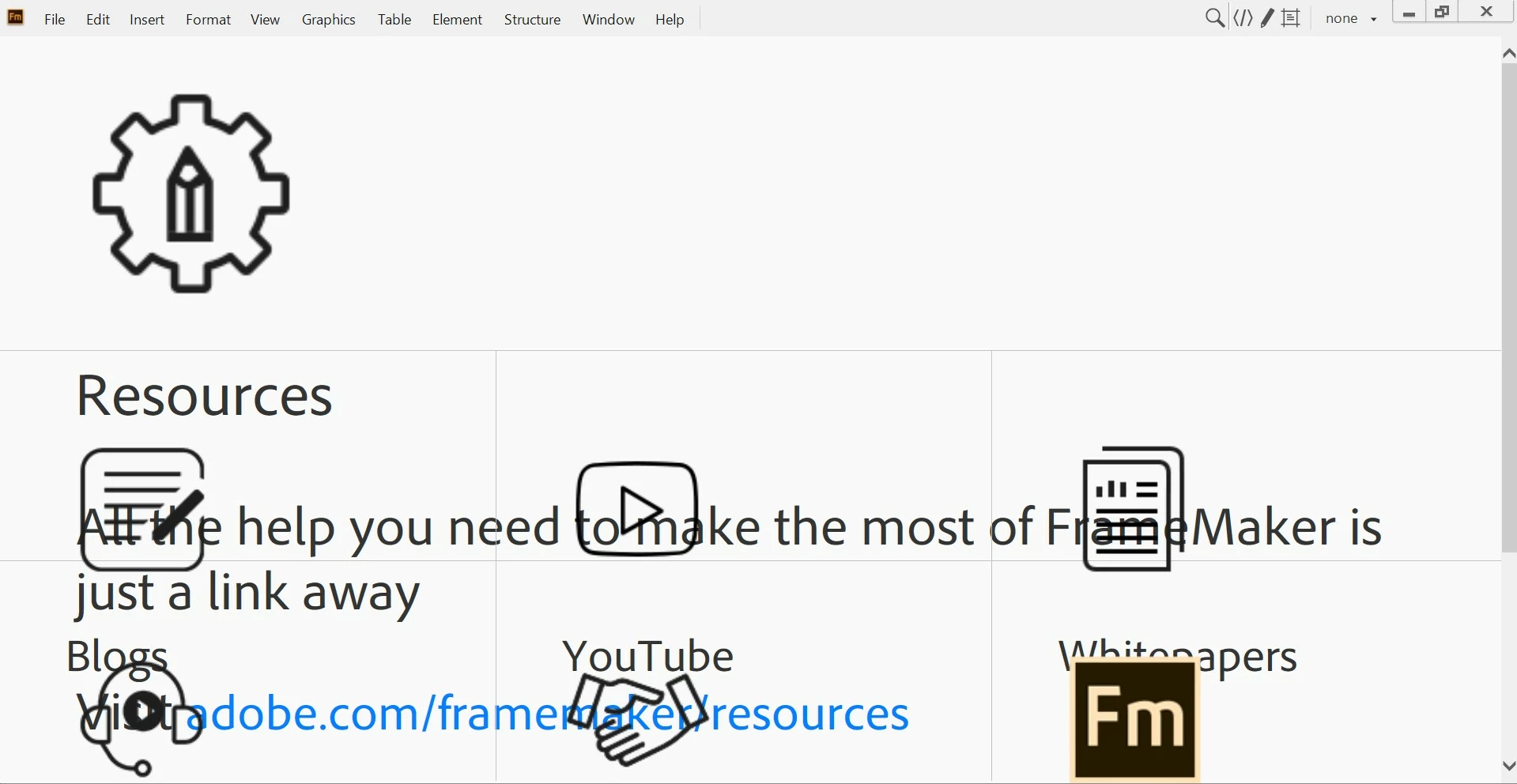
 

    This topic has been closed for replies.
    Correct answer Bill*n

    At our site we have this issue again – probably about the fourth time we've had it over the last two years.


    Don't hold your breath about Adobe fixing this 'redirection issue' with any great urgency, the problem at our site started (again) around February 17th!


    Note: As well as Shift+Scroll Wheel (mentioned by Matt S), you can also right click the Resources pane and select Back to 'readjust' the magnification of your Welcome screen.

    20 replies

    Participant
    February 25, 2022

    I had the same issue pop up on Framemaker 2019 when moving from a very old machine to a new Dell XPS 8950. What is the fix?


    Matt-Tech Comm Tools
    Community Expert
    Community Expert
    February 25, 2022

    Until Adobe adjusts the resources called out by the Welcome screen, Shift+Scroll Wheel should readjust the magnification of your Welcome screen.

    -Matt Sullivan, FrameMaker Course Creator, Author, Trainer, Consultant
    doug1120
    Known Participant
    May 13, 2020

    My FM2017 installation is back to normal again as well.  I agree, Adobe must have pushed something out incorrectly, then fixed it.

    Adobe Employee
    May 13, 2020

    Hi All


    The issue has been fixed. Due to some redirection going wrong, this issue started cropping up. Sorry for the inconvenience and hopefully welcome screen is displaying correctly for everyone now.


    Thanks

    Amitoj Singh

    Participating Frequently
    May 13, 2020

    Hi Amitoj,

    Thanks for fixing the problem in such a timely manner.

    Regards,
    Bill.

    Inspiring
    May 13, 2020

    Works fine now.

    Kind regards,

    Mats

    SecretOne
    Participating Frequently
    May 13, 2020

    After the windows 10 update everything is displaying correctly for me.
    Thanks for the tip to look for an update.

    Participating Frequently
    May 13, 2020

    Welcome screen back to normal today for me too. No Windows updates were installed on my machine since the problem emerged, so I suspect Adobe have fixed something at their end.

    Klaus Göbel
    Legend
    May 13, 2020


    <quote>so I suspect Adobe have fixed something at their end.</quote>

    If so, you should have seen an update. Did you?

    Klaus Göbel
    Legend
    May 13, 2020

    This update required a restart.

    So maybe in some cases it was a silent update and after restarting your pc everything is OK now

    K.Daube
    Community Expert
    Community Expert
    May 13, 2020
    1. Tested on another PC (with plain vanilla FM-15) - odd welcome screen
    2. Have reset the cable modem - about 8.00
    3. Starting FM now (09:20) on the Ethernet connection: all OK with FM-15

    So t he question remains: what is the cause of such a behaviour?

    BTW it is not a scaling effect: if welcome.html is opened in Firefox and scale is set to max (300%) then only the left part is scaled, not the  right one with the 'resources'.

    Klaus Göbel
    Legend
    May 13, 2020

    There was an update yesterday for 

    .NET Framework 3.5 und 4.8 Windows 10 Version 1909 for x64 (KB4552931)

    and

    Windows 10 Version 1909 for x64-basierte Systeme (KB4556799)


    Some of the strange displays may have disappeared.


    So please check for updates

    Community Expert
    May 13, 2020

    I did not get any updates. Nevertheless the welcome screen is displayed correctly now. If also other problems would be solved so easily.

    Almtuna
    Inspiring
    May 13, 2020

    My welcome page was weird yesterday. Today it's normal again. (Desktop pc, ethernet.)

    LinSims
    Community Expert
    Community Expert
    May 12, 2020

    If the welcome.html file is opened in Chrome, it displays correctly. If it is opened in either Internet Explorer or Edge, it does not.


    IE:


    Edge:


    I'm having suspicions of either the styles.css or the script.js files being at fault, or rather in the MS interpretation of them all of a sudden, because MS.

    doug1120
    Known Participant
    May 12, 2020

    Where do I click to get a Back button?  My right-clicks have effect.  FM2017 here.

    Participating Frequently
    May 12, 2020

    It might be different in FM2017, but in FM2019 you can right-click on any area of the "odd startup screen" that is not showing a graphic. In FM2019 a context menu then appears and Back is the top option on that menu (it is not a Back button).
