
Participant
May 28, 2021
Question

Adobe Fresco: Bit depth limit exceeded

  • May 28, 2021
  • 2 replies
  • 974 views

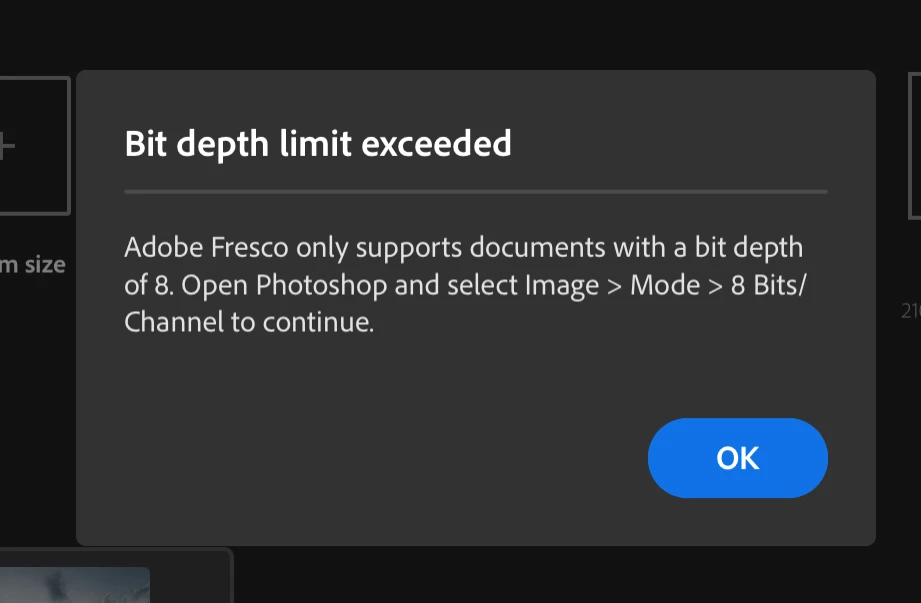
(iPad) I exported a file from Lightroom to Photoshop, been working on it but I need to use some customized brushes at this point, so, when I try to export this file to adobe fresco it says that FR only supports documents with a bit depth of 8... I want to know if there's a way to change this settings? cuz i can't find the suggested option (see the attached pic) + I don't have a desktop device so I really need to do all this from my iPad.


Thanks in advance.
 

This topic has been closed for replies.

2 replies

Inspiring
May 29, 2021

Encore et toujours les incohérances dans les diverses applications Adobe pour iPad, Ecoutez vos clients et rendez-nous ces applications compatible dès demain !

Yves Crausaz, Suisse, retraité actif dans le monde de la photo et des arts graphiques.
Michael J. Hoffman
Community Expert
Community Expert
May 29, 2021
algalezAuthor
Participant
May 29, 2021

Thanks! Many people like me, wrongly ditched the desktop computer for an iPad pro that promised to replace laptops at some point. I hope that we will soon have access to these much needed tools to streamline our workflow.


As a photographer, I need to work on my photos in lightroom, then correct details in photoshop and, finally, refine and retouch with personal brushes in fresco, which until now has made me think of other alternatives like procreate.


Apparently I don't even have the option to export as JPG to Fresco directly from photoshop.


Michael J. Hoffman
Community Expert
Community Expert
May 31, 2021
quote

Apparently I don't even have the option to export as JPG to Fresco directly from photoshop.


Correct, you have to export to Camera Roll or to Files and then import it into Fresco. Not the ideal workflow, for sure.