FlexAce
Inspiring
Nov 30, 2019 2:36 PM UTC
Answered

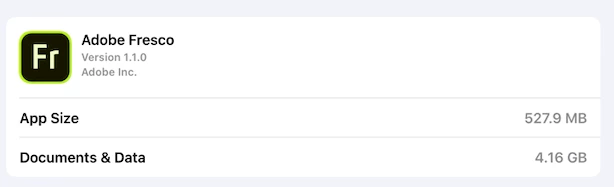
Documents & Data Seems REALLY big?

New to iPad & Fresco
Looking at the storage on my iPad I noticed the size for Documents & Data seems quite big
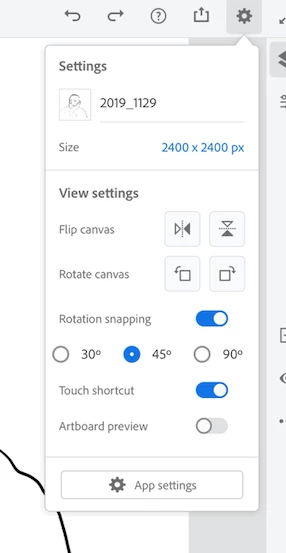
I only have one image with one layer. No cloud files. Nothing deleted.
But, I did download all of the free brush sets
----
Is this normal?
Could it be the brushes?
        If brushes, how do I delete some of them?
This topic is closed to new replies. Start a new post to keep the conversation going.
Sheena Kaul
Sheena KaulCorrect answer
Legend
Dec 3, 2019 10:21 AM UTC

Hi there,


It toally depends on what brushes have you imported into the app.


For the brush management, please refer the thread: https://community.adobe.com/t5/fresco/import-brushes-to-fresco-and-manage-them-easily/td-p/10662897


Let me know if that's not the case and we can help you troubleshoot the issue further.


Regards,

Sheena 

1 reply

Sheena Kaul
Sheena KaulCorrect answer
Legend
Dec 3, 2019 10:21 AM UTC

Hi there,


It toally depends on what brushes have you imported into the app.


For the brush management, please refer the thread: https://community.adobe.com/t5/fresco/import-brushes-to-fresco-and-manage-them-easily/td-p/10662897


Let me know if that's not the case and we can help you troubleshoot the issue further.


Regards,

Sheena 

Translate