


Participant
December 6, 2021
Answered

Fresco converted all layers (vector / pixel ) to layers with "Photoshop Badge" - Cannot edit!

  • December 6, 2021
  • 11 replies
  • 3749 views

Hi- 


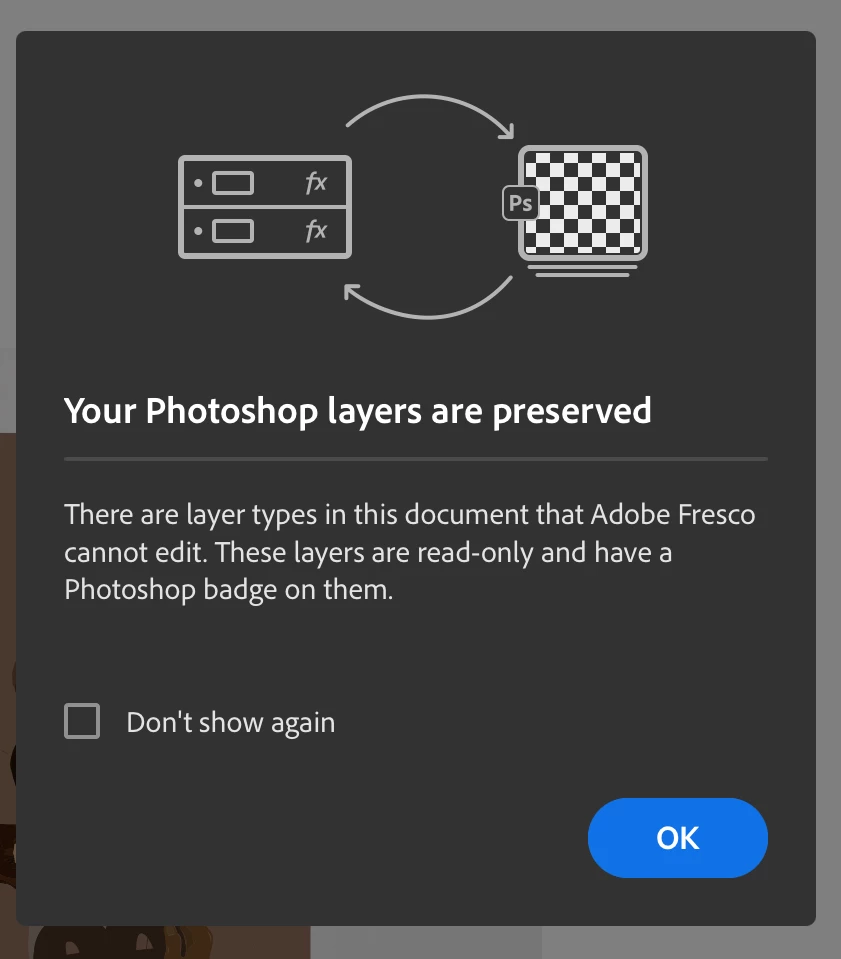
I've been working on Adobe Fresco on iPad for a couple of months. Just today when I opened a project that I have been working on for the past weeks, my screen pops up with a window saying "Your Photoshop layers are preserved. There are layer types in this document that Adobe Fresco cannot edit. These layers are read - only and have a Photoshop badge on them." (screenshot included below) 


I have never even used photoshop before, and did not actively convert these layers. 

I want to convert my project BACK to vector / pixel layers, so I can edit my work on Fresco. 


The app converted the project to photoshop layers automatically, and I am struggling to figure out how to convert it back. Has anyone had this issue? How do I change the layers "back" to editing within Fresco?


Thanks!  
Correct answer Victor36424429uv3l

I discovered if you click on your project "...", there is an option to see previous version.  Fresco appears to save a backup of all previous versions. You can go back to a previous version before the alteration of hue/saturation/etc was made, and the layers are still separate.

11 replies

Bhoomika_ydv
Participant
January 29, 2026

What if u did not make any alteration I just made a simple animation in vector layer but when I reopen my file after closing the project vector layers automatically converts to ps layer

Participant
December 15, 2024

This now happens to me since a week or so. Is there a solution for this?

I have not done anything different from what I've always done. Tried to update everything - nothing works...


Participant
January 27, 2025

This has just happened to me, am I going to lose all my work? Is it fixable? Going back to old versions did not work - as soon as I opened the new (old) version the same thing happened.  I don't have Photoshop, is there going to be a way of converting the now Photo shop layers back to their individual vector layers? The original posts on this thread are from 2023, am wondering if Adobe has a more reent fix?

Participant
April 23, 2024

It's a bit tedious but locking all your layers before saving prevents this 


Participant
December 15, 2024

Did not help... 😞

Victor36424429uv3lCorrect answer
Participant
March 30, 2024

I discovered if you click on your project "...", there is an option to see previous version.  Fresco appears to save a backup of all previous versions. You can go back to a previous version before the alteration of hue/saturation/etc was made, and the layers are still separate.

Participant
October 21, 2023

This is NOT okay. Just had this happen on Illustration and interior design files I've been working on throughout the ENTIRE year. Including illustrations for books and clients. This makes no sense and going in to flatten effects in PSD isn't an option here because of ongoing changes. Effects as a tool exist within Fresco itself--if they require flattening in Photoshop that renders the program entirely useless. 😳


Adobe, whatever happened in your latest update needs to be rectified.

Participant
June 8, 2023

So I figured it out! When you add effects like “brightness” etc to your Fresco layers it seems to turn your pixel/vector layers into PS Layers - meaning you can’t edit you layers. I opened PS and merged the effects to the particular layer, opened it up in Freaco and I was able to edit all the layers again..

Thank you again for always messaging me back! Much appreciated!

Participant
June 8, 2023

Any solution to this? This literally just happened to me. I spent hours working on layers and now they're converted to Photoshop layers and I have no way of converting it back. Super annoying.

Participant
May 21, 2023

Yep, it has happened to me too! We need a solution to convert those layers back to editable files in Fresco???


Participant
May 17, 2023

Just happened to me. Never used Photoshop and can't ungroup layers with the PS icon loosing hundreds of hours of work.

Participant
May 10, 2023

Same issue here... I need my file back to what it was, tried to open it in photoshop but the app just collapsed.