Participant
July 5, 2023
Answered

Peinture sur photo

  • July 5, 2023
  • 2 replies
  • 335 views

j'essaie de peindre sur une photo, par ex en aquarelle. Je veux ne pas mettre de couleur sur mon pinceau mais qu'il utilise celle de la photo directement.

Or si je mets l'opacité à zéro alors rien ne se passe sur ma photo. 
This topic has been closed for replies.
Correct answer Sjaani

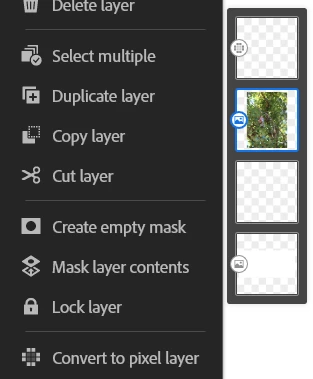
Convert your image to a Pixel layer.

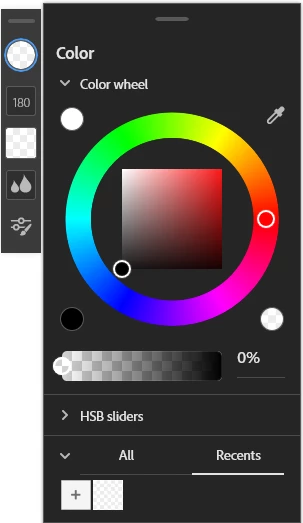
Set your colour to Transparent

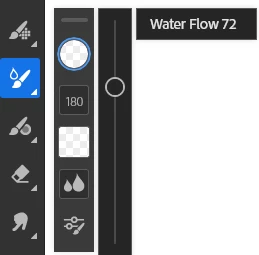
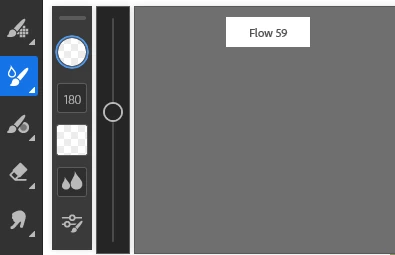
and the Flow to what ever strength you want.
Remember there are two different Flow options


Adjust brush size as well


2 replies

Anubhav M
Community Manager
Community Manager
July 7, 2023

Hello @allison30904601c3i2,


Thanks for reaching out. I hope the suggestions shared by Sjaani helped resolve the trouble you're having with Fresco. If not, kindly share more details, like the exact version of Fresco/OS installed, device make/model, link to a sample file (https://helpx.adobe.com/fresco/using/cloud-documents.html#:~:text=Your%20files.-,Share%20a%20link,-You%20can%20now) with Copy to your work enabled, and a screen recording of the problem (https://community.adobe.com/t5/illustrator-discussions/screen-record-an-issue-on-windows-amp-macos-for-sharing/td-p/12967727), so we can better assist you.


Looking forward to hearing from you.


Thanks,

Anubhav

Sjaani
Community Expert
SjaaniCommunity ExpertCorrect answer
Community Expert
July 6, 2023

Convert your image to a Pixel layer.

Set your colour to Transparent

and the Flow to what ever strength you want.
Remember there are two different Flow options


Adjust brush size as well


Participant
July 13, 2023

Merci mille fois !