
Known Participant
October 24, 2021
Question

Problemas para iniciar Adobe Fresco en Windows 10

  • October 24, 2021
  • 2 replies
  • 4291 views

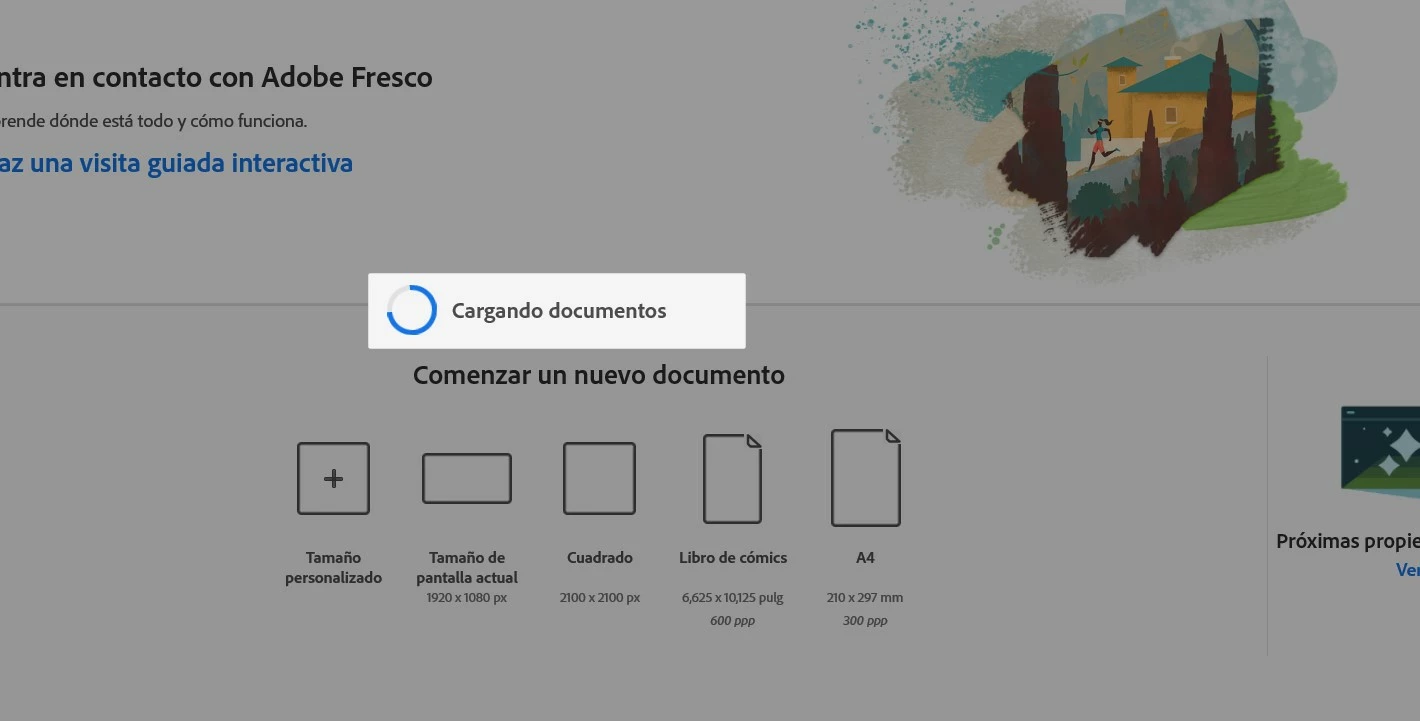
Buenas, acabo de instalar adobe fresco en mi Notebook Aspire 5, pero por alguna razón no me accede, se queda colgado al principio y luego se cierra. Los requisitos de mi notebook son 8 GBde memoria, Intel Core i7, Intel HD Graphics 620, tengo entendido que no deberia tener problemas al usar. Por favor si me pueden ayudar. Cuento con un plan de empresa.
 

2 replies

Participant
October 15, 2022

Hola Diego cómo estás? Tengo el mismo problema con Adobe fresco, encontraste una forma de resolverlo? Ya intenté de todo, tu respuesta me ayudaría mucho, desde ya muchas gracias!

Anshul_Saini
Community Manager
Community Manager
October 26, 2022

Hi @Eli26607724r579,


Sorry to hear about the trouble. I will try my best to help you out. Would you mind trying the steps suggested and sharing the information as asked above?


In addition to the steps shared above, you may also try resetting & repairing Fresco from Windows settings.


Let us know how it goes. I will be looking forward to your response.


Regards,

Anshul Saini

Community Expert
October 26, 2022

Exactly, and as you said before, upgrading the drivers helps immensely. I don't use Windows myself, but in my experience, out of date drivers can give a lot of headaches 

Anshul_Saini
Community Manager
Community Manager
October 25, 2021

Hi there,


Sorry to hear about your trouble. I request you open the Task Manager, go to Performance > GPU > and check the DirectX version. If it is 12.1, then Adobe Fresco will run. Otherwise, it will not run as your GPU is not compatible with Adobe Fresco.


Regards,

Anshul Saini

Known Participant
October 31, 2021

Buenas, verifique lo que usted me indico, mi versión de DirectX es 12.1. ¿Podria ayudarme a encontrar otra solución?


Anshul_Saini
Community Manager
Community Manager
November 1, 2021

Thanks for checking this. I would request you to update Fresco to v3.0 or try reinstalling it and see if that helps. If this doesn't help, please share your Device & Windows specification screenshot.


Also, you may try the suggestion shared on these community posts (https://community.adobe.com/t5/fresco-discussions/fresco-stuck-on-quot-loading-documents-quot/m-p/11...) (https://community.adobe.com/t5/fresco-discussions/stuck-on-quot-loading-documents-quot/td-p/11972791) and let us know how it goes.


I will be looking forward to your response.


Regards,

Anshul Saini