

Answered
Adobe Illustrator 2017 JPG export CMYK to RGB bug
Hi! There's a problem I've found today.
After editing a CMYK document I was trying to export a JPG preview in RGB mode through Export As (and then Export for Screens as well) - but Illustrator was still exporting in CMYK! And it was reseting exporting settings to default (it's strange, but it even reseting the image quality to 0). Checking Embed sRGB profile doesn't have any effect.
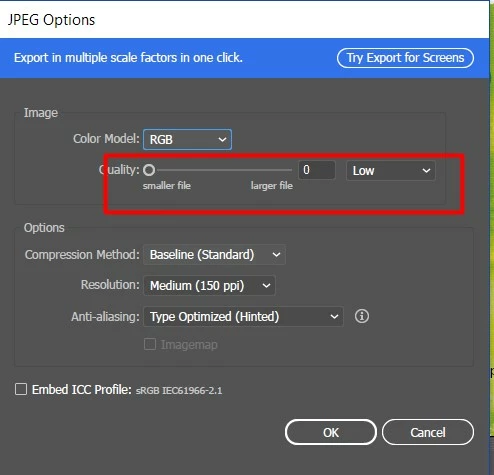
Exporting to PNG is a small desicion of the problem - but I need JPG.
The was no such a problem in previous verison of Illustrator.
Any ideas? Thanks!
 AdChoices