Answered
Adobe Illustrator CC crashing on loading
Hello, what can i do to fix this? On loading screen it freezes on Updating font menu...

If i click in the loading section it will just stop responding.
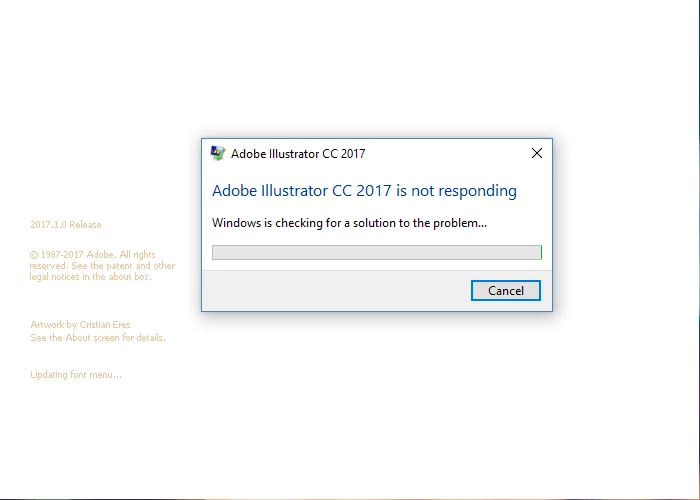

Hello, what can i do to fix this? On loading screen it freezes on Updating font menu...
If i click in the loading section it will just stop responding.
This is a work PC so i can't perform certain tasks without our Servicing Technician. I did however try everything you suggested except launching the app in safe mode because i can't acces that on my own.
What i did try is this: deleting ~FontCache~ files in FontCache folder. I could not delete them because they were in use. Don't know how because i went to that folder right when i restarted my PC. I could rename them and so i did. After rebooting PC and starting Illustrator from CreativeCloud app the fonts were loading in percentages, and the loading screen crashed on "initialization...".
Reseting preferences for Illustrator manually - still nothing.
I can't create new user but i can log in with coworker's network username that creates a new temporary user on my PC and there the Illustrator was working without any problems.
Hi aviioncc02,
It seems that there is a problem with your user account. You should contact your office IT Team for permission issues.
Regards,
Srishti
Already have an account? Login
Enter your E-mail address. We'll send you an e-mail with instructions to reset your password.
 AdChoices