tomaszkkk
Known Participant
March 9, 2019
Answered

Ai 2019 Problem With The Strokes

  • March 9, 2019
  • 3 replies
  • 3332 views

Dear Community,

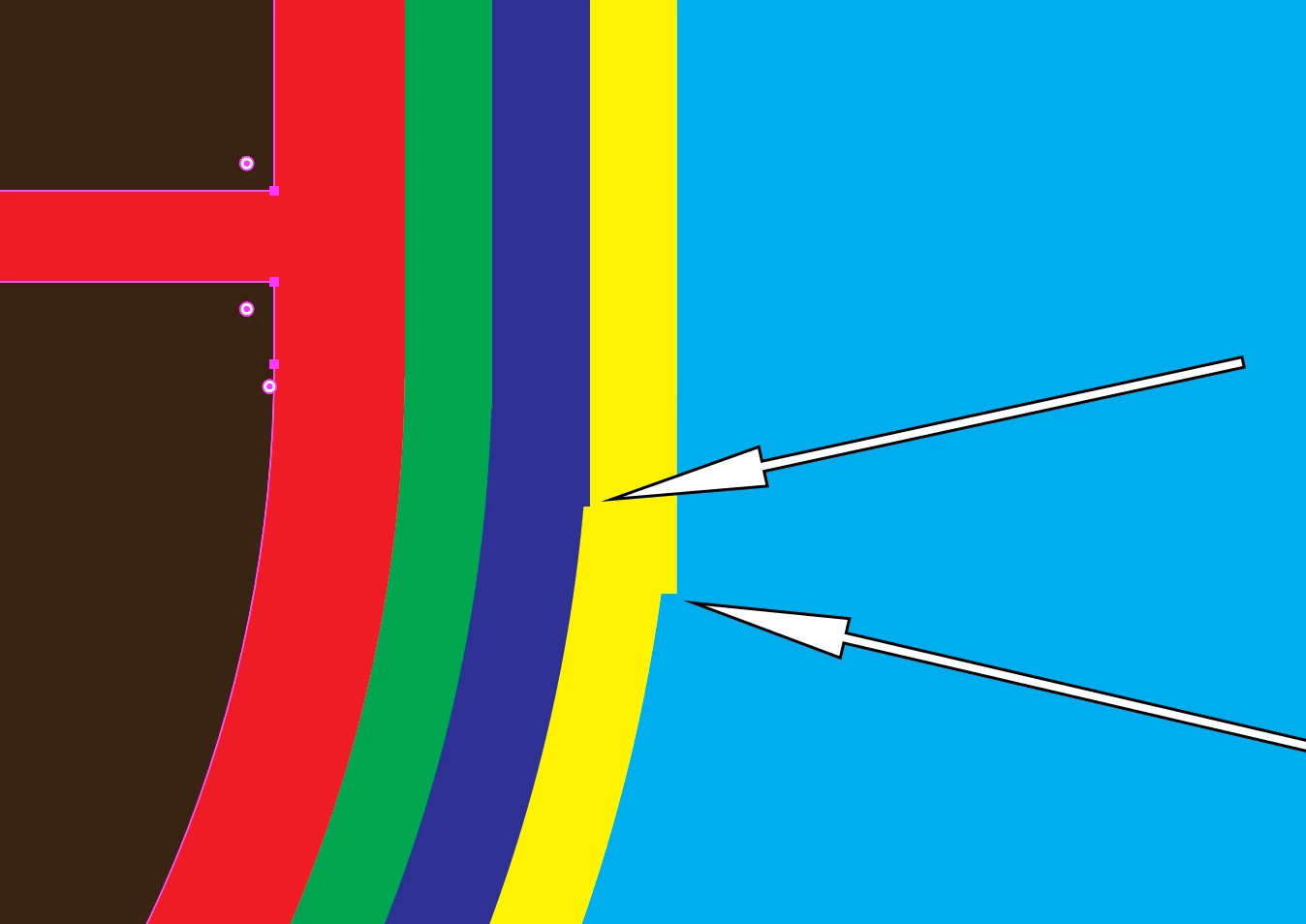
Two additional strokes, added to a shape, look strange. The curvature is somehow faulted. Any idea why? Take a look at the screenshot (arrows point to the questionable spots) and try to help me, please.

Best regards,

Tomek

    This topic has been closed for replies.
    Correct answer Larry G. Schneider

    tomaszkkk  schrieb

    Duly noted. The question is: What's wrong exactly? I freely moved corner widgets and then the faults disappeared. However I don't understand the correlation between the actual position of corner widgets and the im/proper curvature of the strokes...

    The corner widgets look like there's something wrong with the anchors. And when the anchors are wrong then it will cause what you see with your strokes.

    I can't tell you what exactly, because I don't have your file.


    Agree with you, Monika. It seems that the questionable anchor point should be a smooth point instead of a corner.

    3 replies

    ceyhun_akgun
    Legend
    March 9, 2019

    Şunu mu demek istediniz: Outline modeçizgileri inceleyin. Hatayı göreceksiniz.

    Examine the lines in Outline mode. You'il see the error.

    Graphic Designer Educator / PrePress Consultant
    tomaszkkk
    tomaszkkkAuthor
    Known Participant
    March 9, 2019

    Here's the outline mode screenshot. I don't see anything wrong apart from the bizarre locations of the two corner widgets...

    Monika Gause
    Community Expert
    Community Expert
    March 9, 2019

    Please check if there is really only one anchor point or maybe two on top of each other.

    tomaszkkk
    tomaszkkkAuthor
    Known Participant
    March 9, 2019

    There's no additional anchor point...

    Monika Gause
    Community Expert
    Community Expert
    March 9, 2019

    The position of this corner widget looks really weird, so there's definitely something wrong with that anchor.

    jane-e
    Community Expert
    Community Expert
    March 9, 2019

    Hi Tomek,

    Confirming: these are four strokes on the same path, correct?

    Can you show your Appearance panel with the path selected? Make it as tall and wide as you need, and expand the Appearance for the yellow stroke.

    Jane

    tomaszkkk
    tomaszkkkAuthor
    Known Participant
    March 9, 2019

    Hi Jane,

    tomaszkkk
    tomaszkkkAuthor
    Known Participant
    March 9, 2019

    And the path looks this way: