
Ai2025 - The Pencil tool has become unusable again! There's no accuracy—it’s too smooth! SOLVED!
UPDATE!!!
ADOBE HAS FIXED THIS BUG
Hi folks
Adobe has been quick and responsive and fixed this bug in the version 29.0.1 update
Go to you CC app and you should see the version there under the update section.
Thanks everyone for the team effort voting and posting to solve this bug.
--- ------ --------- --- ------ --------- --- ------ --------- --- ------ --------- --- ------ ---------
I’m here to post about the same issue I did in 2014.
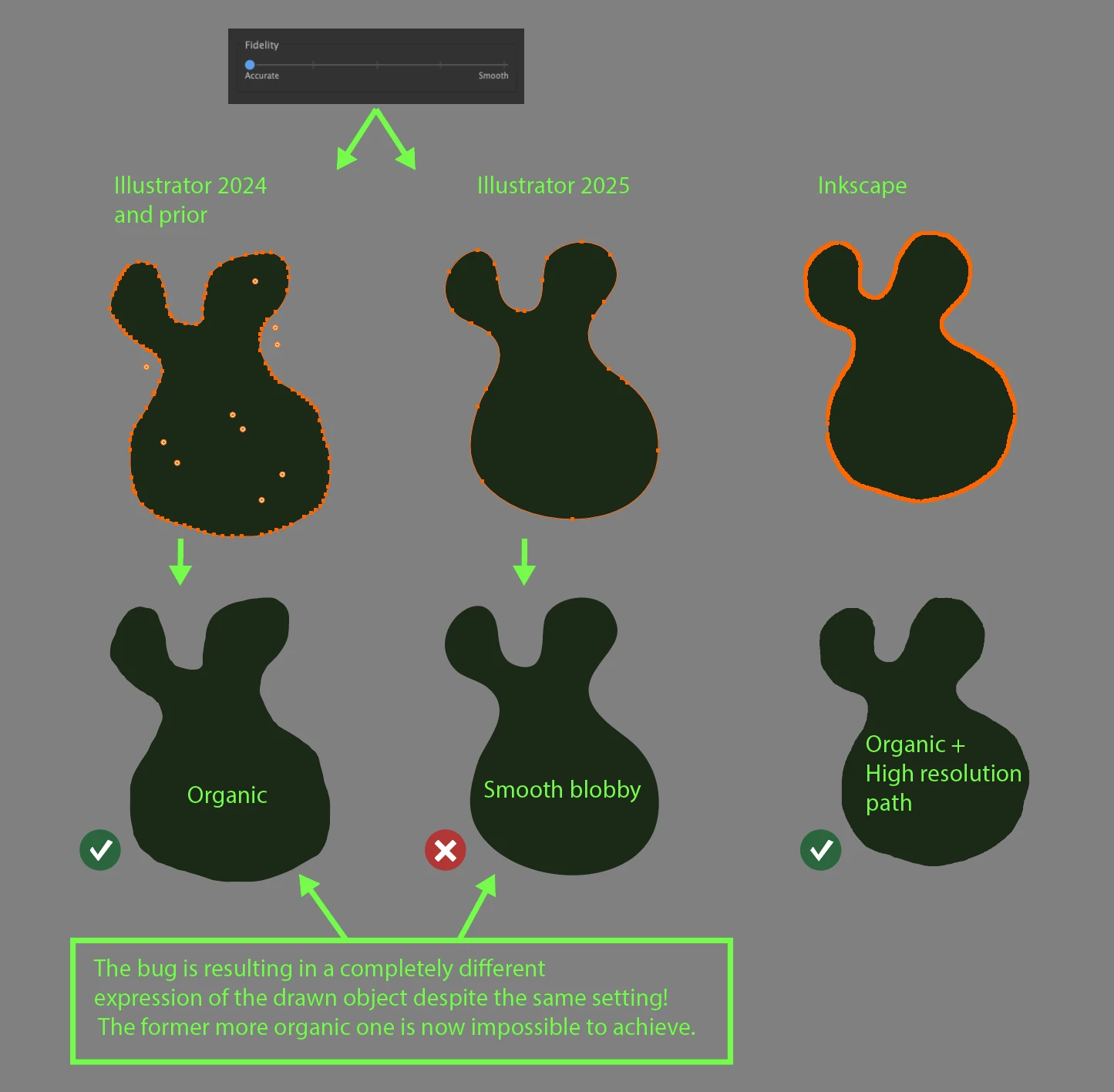
The Pencil tool has become unusable once again! It’s smoothing too much, even on the maximum accuracy setting (left first slider tick).
Back in 2014, when Adobe rewrote the Pencil tool, you removed the previous numeric settings and replaced them with four ticks. All of them were too smooth and took too much control over the path, leading to imprecise bubbly and smooth drawings.
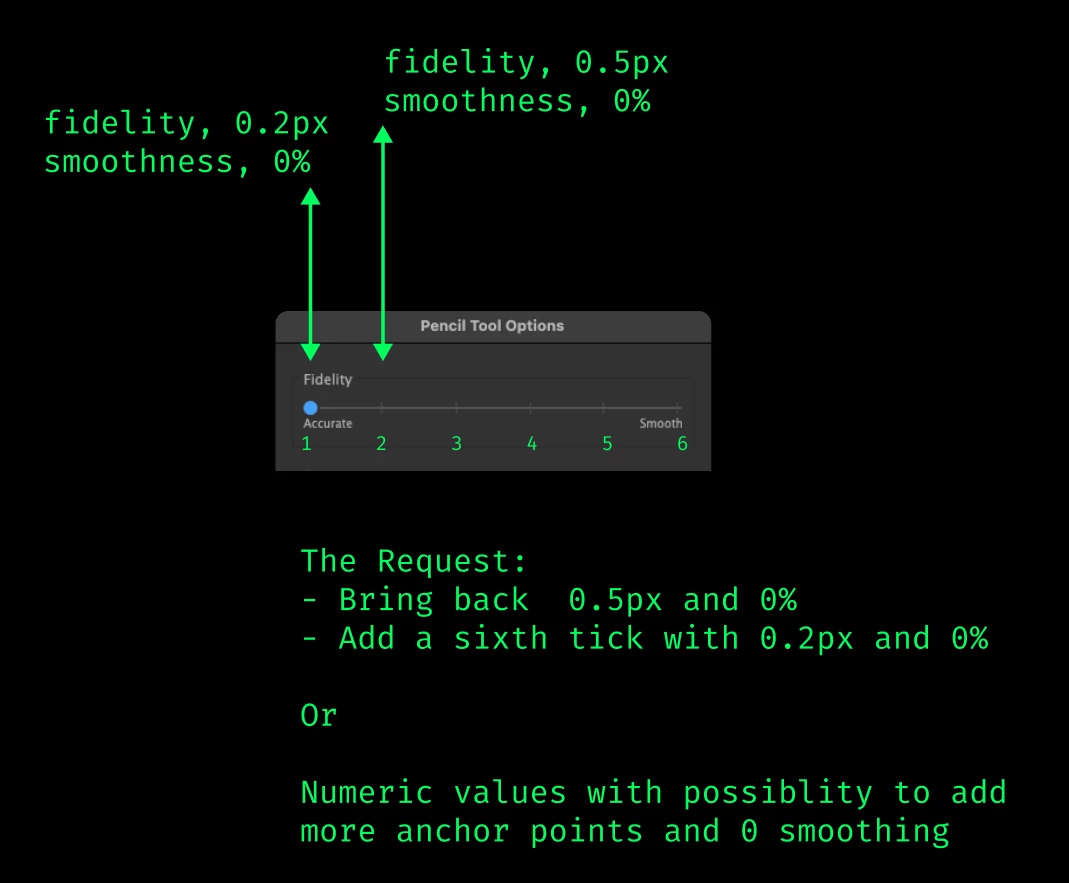
I made a post about this back then, and Adobe was super nice to respond by adding a fifth lowest left tick with the previous lowest accurate settings, which I’ve been using for nearly 20 years now: "fidelity[0.5px], smoothness[0%]".
Here is the post I made in 2014:
PLEASE PLEASE adobe. The new pencil tool has become unusuble to me
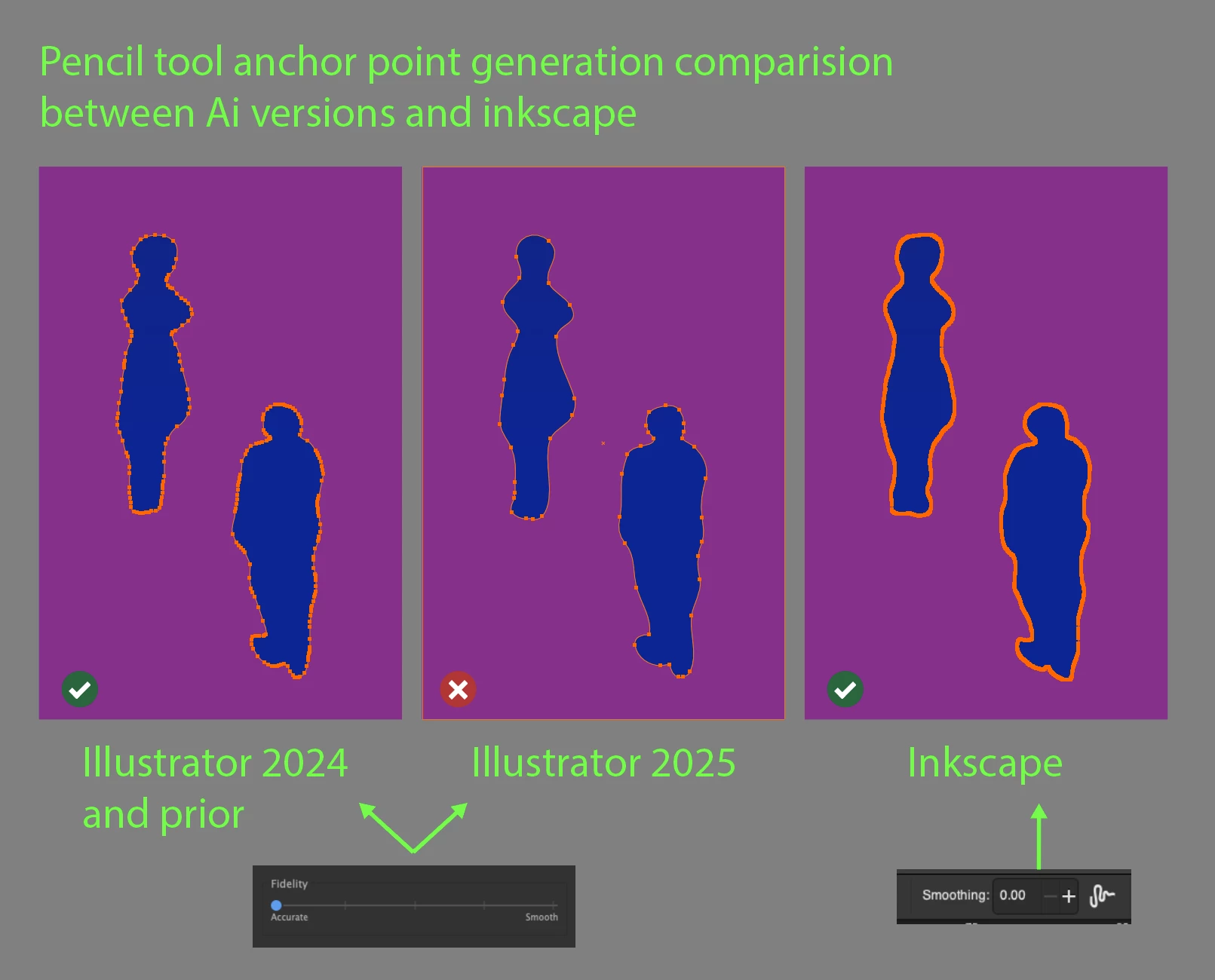
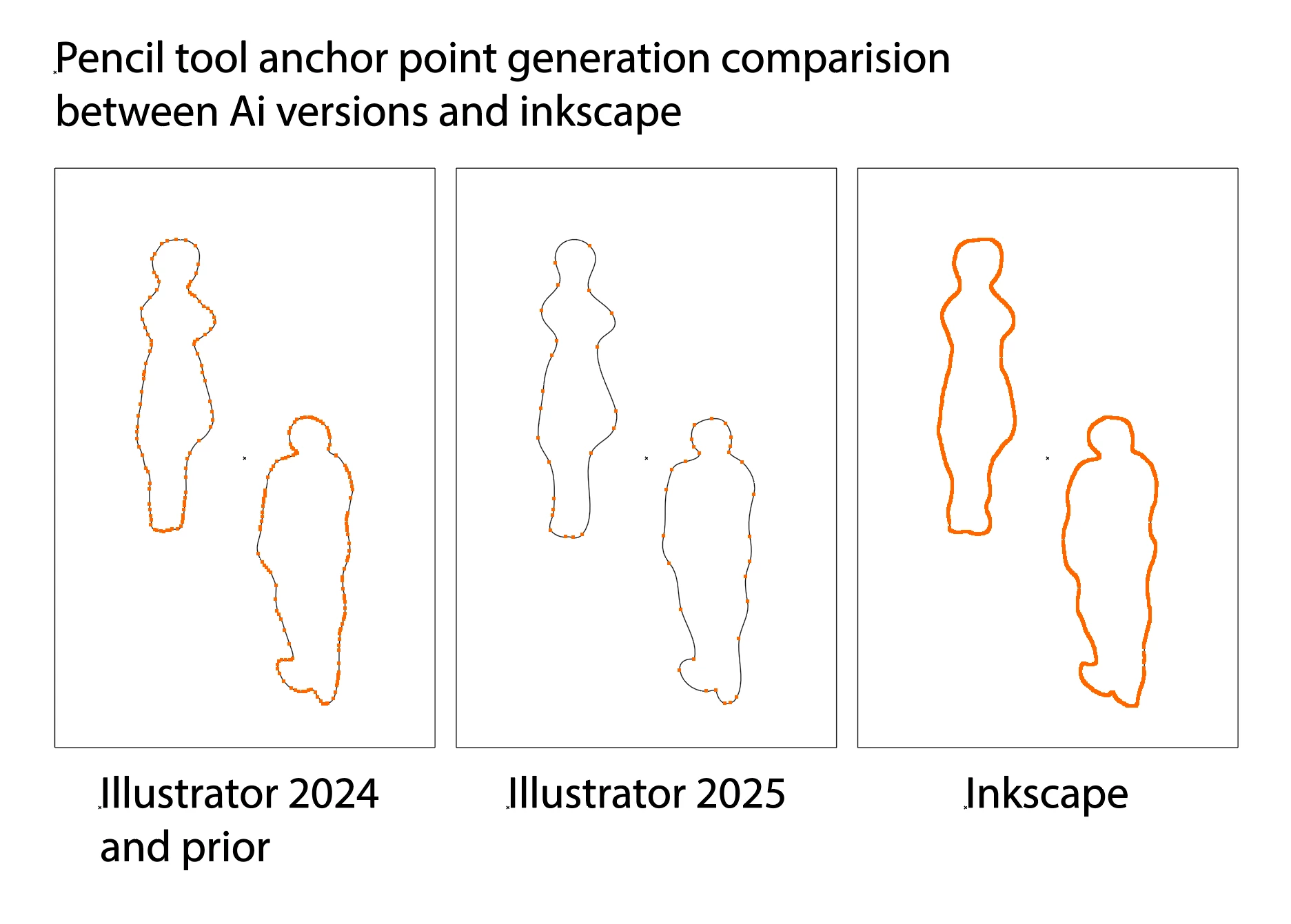
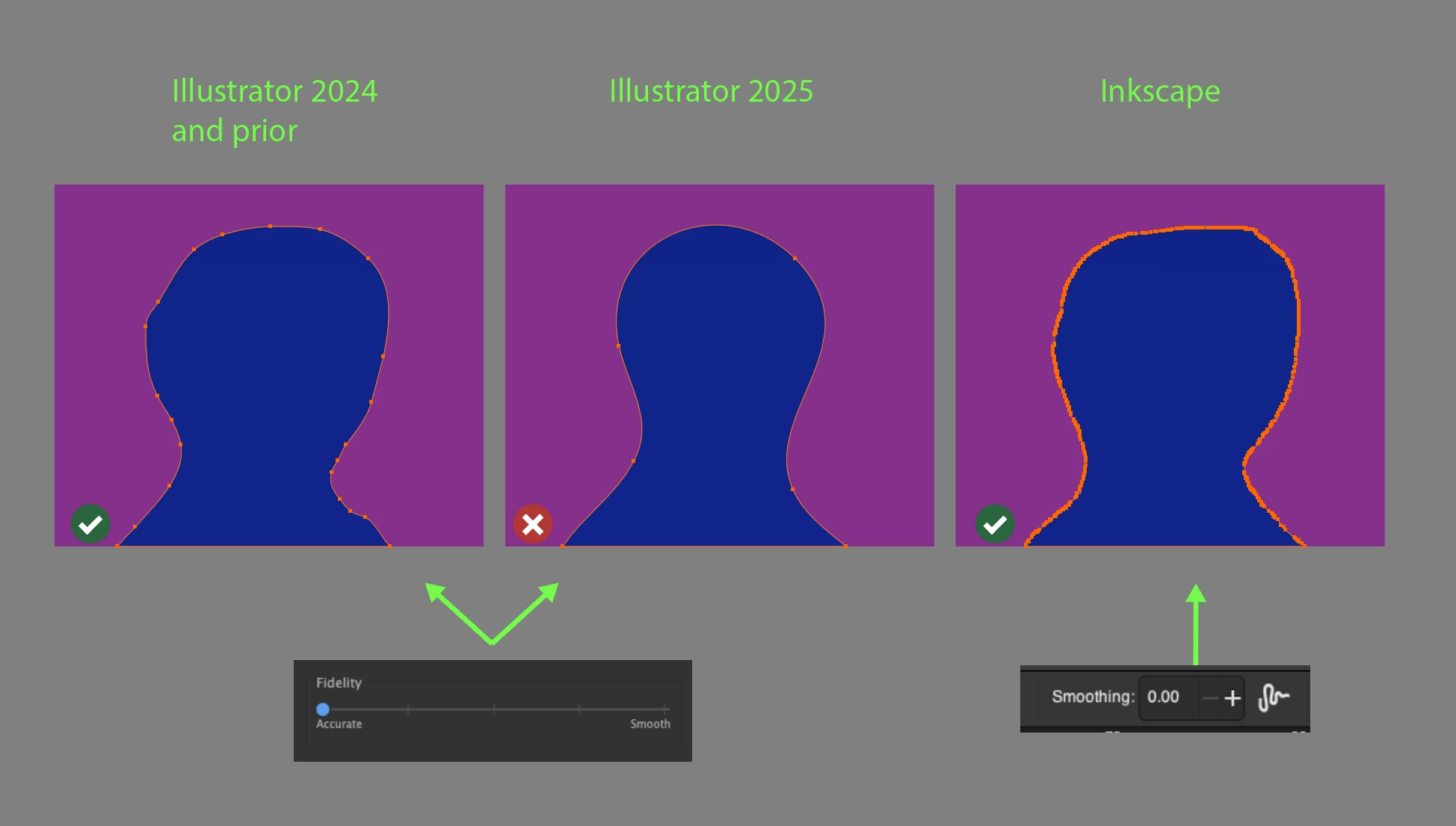
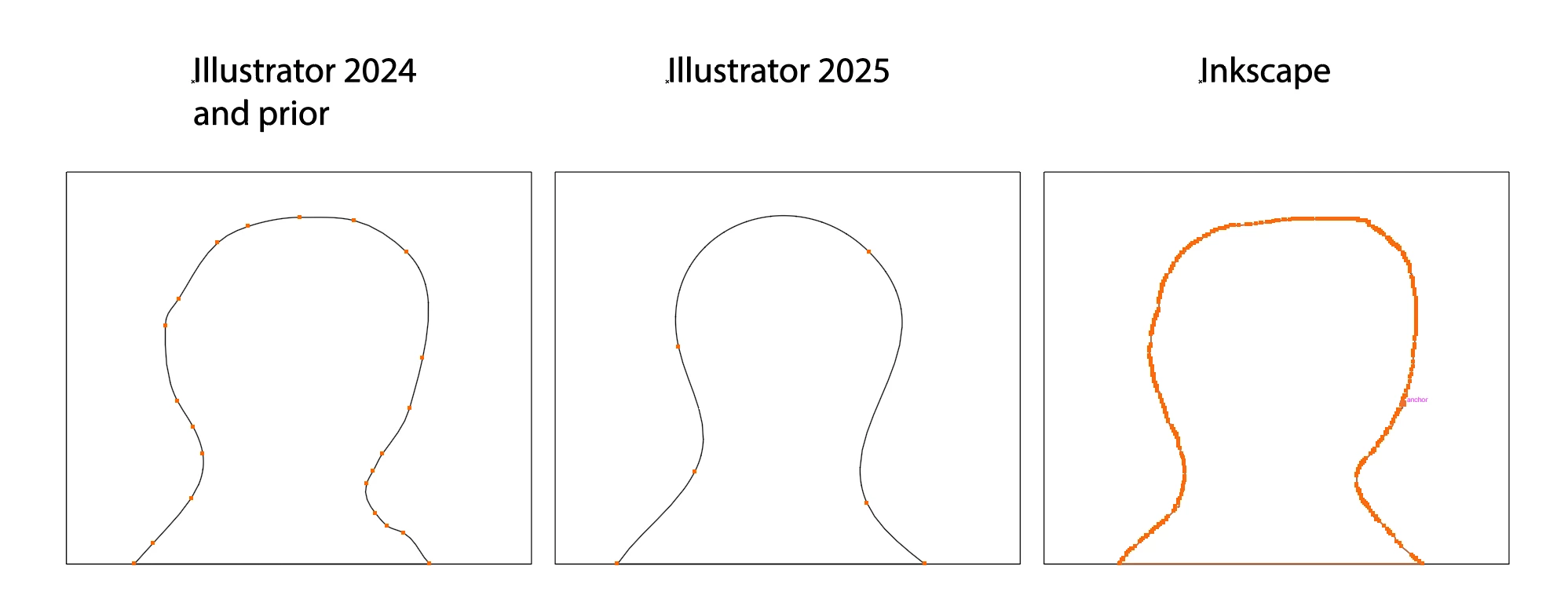
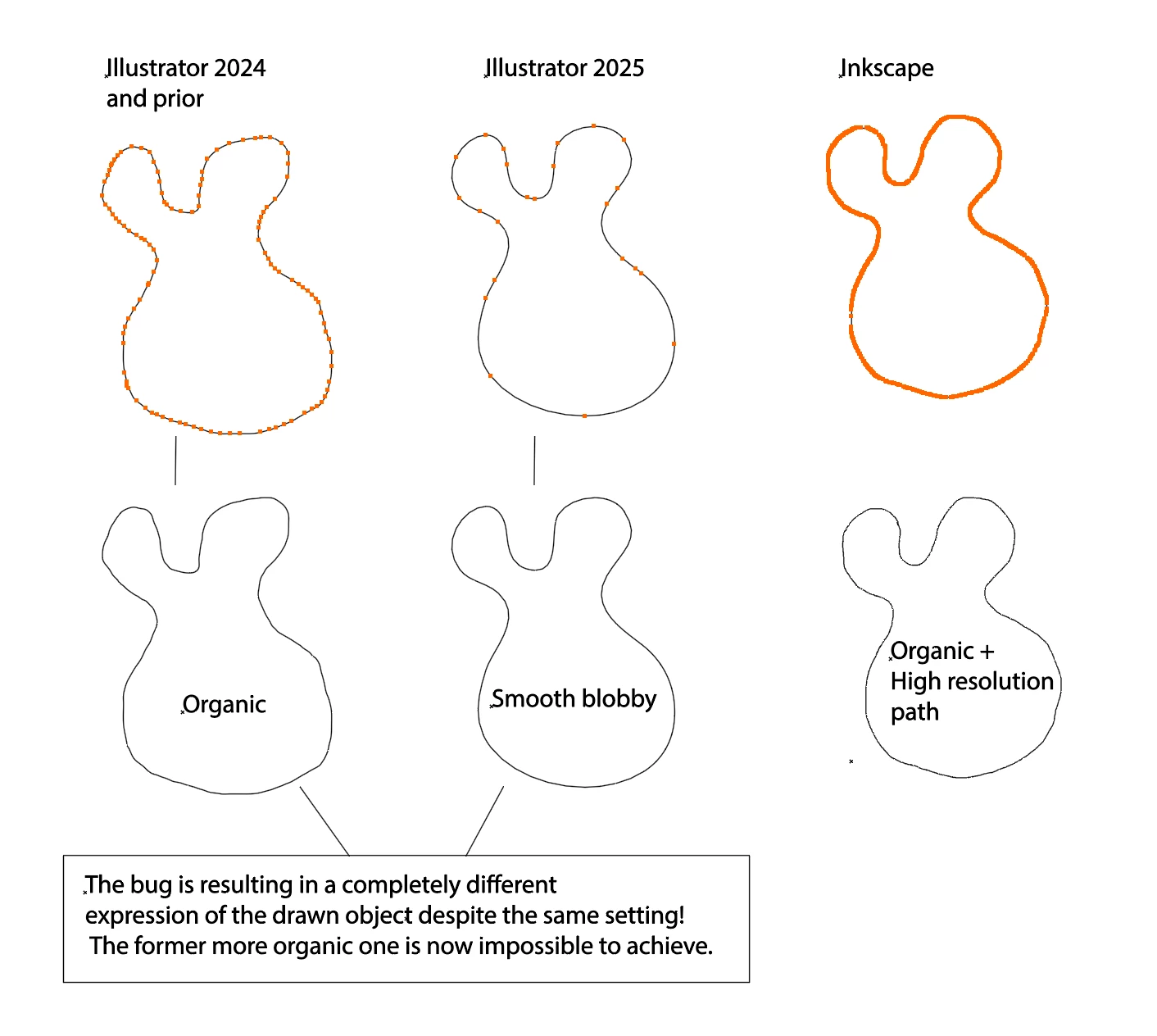
Now, after the 2025 update, the pencil tool once again is smoothing too much, even on the lowest accuracy setting. This is making mine and my colleagues work impossible because the tool doesn’t generate enough anchor points to create the detailed and organic edge illustrations we need. Not everyone is looking to draw smooth, bubbly shapes!
This is crucial in an free hand drawn operation such as the pencil tool because anchor points act as the resolution of the path, determining the type of edges you want to express in your drawings. The character of the edge is essential for the final look.
Why shouldn't we have more control over the path resolution, allowing for higher values? Currently, Illustrator seems to be leaning towards reducing the resolution of our paths, limiting our creative control leaning towards more smooth bubbly or geometric style.
Inkscape is fantastic in this regard as it doesn't limit the resolution the artist gets to add to the path. It has a numeric setting where you can set what you need. Unfortunately inkscape falls short on other aspects of the freehand pencil drawing process, for instance you can't redraw over and over again and sculpt your path with the pencil tool as you can in illustrator.
With this post I’m requesting:
(1) To fix the bug and bring back the ability to generate more anchor points on the path for accuracty on the lowest tick with "fidelity[0.5px], smoothness[0%]"
(2) I'm also making an additional feature request for the ability to add even more anchor points than that by adding an even lower sixth tick that generates even more anchor points, with a setting like "fidelity[0.2px], smoothness[0%]"
Alternatively, and idealy, please bring back the numeric values like you had before that allow us to set the path resolution more precisely, similar to how Inkscape still handles it.
This won’t slow down the application in any significant way—today's machines can handle it. I've pushed Illustrator to its limits for many years, and higher resolution paths have never been an issue. There's no reason to hold back on giving users more control over the paths and the style of their illustrations.
I would love to assist in testing it out.
Please Adobe.
Thanks
MacBook Pro Apple M1 Max PRO 64GB RAM.
macOS Sonoma 14.7 (23H124)
Here follows some comparisons of anchor point generation to show the bug and the feature request on the bottom:
(Please click the images to see the anchor point amount better, thanks)
BUG IMG 1:1
BUG IMG 1:2
BUG IMG 2:1
BUG IMG 2:2
BUG IMG 3:1
BUG IMG 3:2
ADDITIONAL FEATURE REQUEST IMG 4:1:



 AdChoices