Known Participant
December 5, 2024
Question

Alignment help

  • December 5, 2024
  • 2 replies
  • 163 views

Hi, 

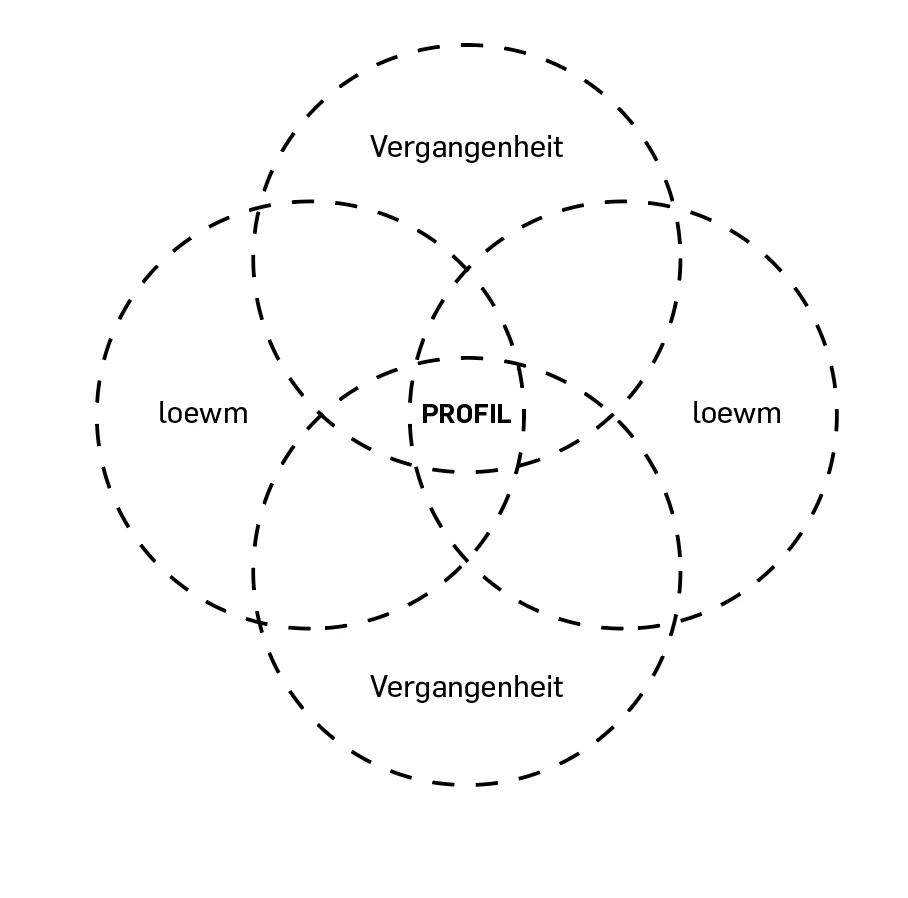
How can I ensure the text is aligned as accurately as possible in this graphic? Is there a technique, or is it just done by eye? Thank you.

 

This topic has been closed for replies.

2 replies

Community Expert
December 6, 2024

The process I would use for vertically aligning the text objects within the overlapping areas of those circles is a little complicated to describe. First, I would set the "Align to Glyph Bounds" function in the Align palette. Then I would create "dummy" capital letters, such as "E", in the desired size and vertically align it to the desired positions. Then I would type in the words over the dummy letter. Even if the words are mixed case they're still going to be vertically aligned according to the cap letter height. That's what will look visibly correct.


Aligning letters in the vertical middle of the overlapping circles is easy enough. The outer areas (top, bottom, left and right) are a little more complicated. Using Smart Guides I'd create temporary boxes as targets to align the dummy letters. I'd create one box at the very top of the circle group, aligning it with the top edge, then I would drag the bottom edge of the box to snap to the top edge of the next level of circles. I'd create 3 copies of the box, rotate 2 of them 90 degrees and then align them to the four outer edges of the circle group. Then I would align the dummy "E" letters in those boxes. Then I would delete the boxes and type in the words over the dummy letters. I know it sounds complicated, but the process can go by pretty fast.

Jacob Bugge
Community Expert
Community Expert
December 5, 2024

teoMateo,


"Is there a technique, or is it just done by eye?"


The long answer is yes.


Some partial answers, based on live Type:


This thread with links further tells something about getting the right basis for an accurate or close to accurate geometric aligning
https://community.adobe.com/t5/illustrator-discussions/adjusting-bounding-box-size-of-text/td-p/12469625


With regard to final fine tuning visual appearance of alignment when different: what looks right, is right.


In the case shown by you, PROFIL and 2 x Vergangenheit can be (initially) aligned horizontally as described in the thread linked to, and PROFIL and 2 x loewm can be (initially) aligned vertically, with each pair of opposite circles.


Then you can fine tune the visual appearance of the horizontal/vertical alignments, and fine tune the purely visual appearances in the other direction for each.