gretac29310284
Participant
January 12, 2023
Question

Area Type Tool

  • January 12, 2023
  • 3 replies
  • 356 views

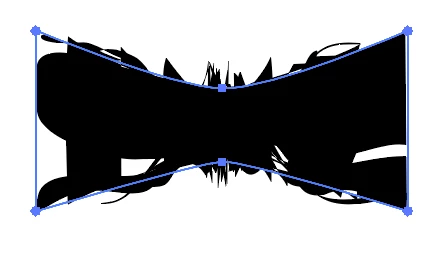
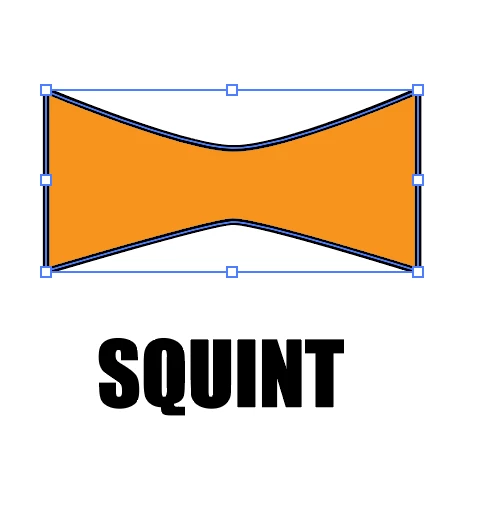
here's what happens when  I try to make the type fit in an area tool. 2 photos.


This topic has been closed for replies.

3 replies

Anubhav M
Community Manager
Community Manager
January 25, 2023

Hello @gretac29310284,


Thanks for reaching out. I hope the suggestions shared by Doug helped resolve the problem.

Feel free to reach out if you have more questions or need assistance. We'd be happy to help.


Thanks,

Anubhav

Doug A Roberts
Community Expert
Community Expert
January 12, 2023

I've seen this case before, but never an explanation. Something about that shape generates a mesh with three sets of points on top of each other:

https://community.adobe.com/t5/illustrator-discussions/envelope-distort-issues/m-p/12857581


See here also:

https://community.adobe.com/t5/illustrator-discussions/how-do-i-make-this-smoother/td-p/12857134


You could create a mesh from the object in advance -- by selecting the four corner points, going to Object > Create Gradient Mesh, then using that as the Envelope.

Or you could use Warp wth Mesh, 1 row and 2 columns, and pull the central points towards the centre of the shape.

gretac29310284
Participant
January 12, 2023

How do I turn the shape I created into a usable path for the Area Type Tool?

and/or: Is there a text warp tool for the bowtie shape I used without having to use the Area Type tool? And how come the outlines text is grayed out? I thought I could use that to warp the text, although that would be very time consuming.

Thanks! Greta