


Legend
February 3, 2021
Answered

Can't save file 'this file cannot be found' error

  • February 3, 2021
  • 52 replies
  • 119539 views

Hi There,


I've been working on a file for a cople of days that's on my desktop. Today I opened the file, made some edits and hit CMD + S and saw this error...
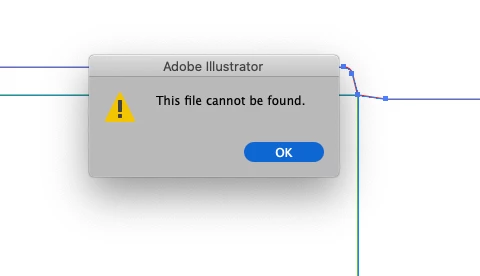
 

Things I've tried...

  1. Copying the art into a new document and saving
  2. Saving the new document to different disks (all local, no servers)
  3. Creating a blank document with nothing in it and saving


Bascially, I can't save anything - has anyone else seen this?

Cheers

Ben

Correct answer maryannr44378043

I had the same issue and instead of double clicking the document, I dragged it down to the Illustrator icon in my Dock and it opened up just fine. I hope I don't have that issue again though. 

52 replies

Participant
July 24, 2021

So I found a very strange solution not sure if it will help anyone else. When you go to save as there is an option to click save on Cloud. Click  on that option and name your document file and then once it is saved to the name you want go back to save as and click the file folder you want to save it too. It works like a charm. No need to click out or exit illustrator.

klnothstine
Participant
December 16, 2021

This same error just started happening to me.  This solution of saving to the cloud then to my hard drive worked.


Very frustrating.

Known Participant
July 19, 2021

This just happened to me too. My workaround was saving as an .eps file, which worked, then shutting down illustrator and re-starting. 

mattl63375823
Known Participant
June 23, 2021

I think I know why this is happening. I have 2 Adobe accounts - one that has full access and one that only has free access. A mistake I made a while back was setting up an adobe stock account using my free account instead of my paid account, so to buy stock images, I have to log out of the account that my Illustrator, Photoshop, etc programs are connected to, log into my free one, get the images I want, save, and log out.


When this same issue happened to me, I was logged into the free account that doesn't have access to programs. As soon as I remembered this, I signed back into my pro account and the issue was solved. So double check that you're signed into your Adobe account.

ranp10
Participant
July 8, 2021

Yep, great, that worked! Sign out, sign in and voila!

Participant
June 13, 2021

The same thing just happened to me. The task manager trick worked but I had to cross my fingers, say a prayer and say ten Hail Marys while I waited for it to reload. What a gamble!

Inspiring
June 10, 2021

Happend to me as well. First Adobe breaks "save as" in Photoshop and now saving in Illustrator doesn't work at all.  What's happening over there?

Monika Gause
Community Expert
Community Expert
June 10, 2021

Which version, which system, exactly where are your files located?


How often do you reboot the computer?

Can you "Save as" the file elsewhere?

Participant
May 28, 2021

This just started happening to me as well.

Participant
October 15, 2021

This has happened to me, and sadly quitting the app and hoping it would be there in file recovery, but it wasn't. Lost 2 hours of work, thanks Adobe. Your software is become worse with the increase in prices. Angry.

emmab22547833
Participant
May 26, 2021

This happened to me when I attempted to clear my temp files (Photoshop would edit the smallest thing due to space). I've just uninstalled all my apps and reinstalled them - so far so good. might be worth a try. 

denisewiles
Participant
May 18, 2021

I just started having the same issue, both times it was with the first file I worked on after opening AI.


Terry

Participant
May 19, 2021

Same thing just happened to me.  I was able to save as an .svg first then I tried again as an .ai and it just suddenly worked.  

Participant
May 27, 2021

That just worked for me - thanks!


Inspiring
April 12, 2021

Same here.  Happened a few days ago and now.  Created new file, added some shapes, file Save to a folder on my data drive, type in name and AI type same error.  Tried Save As same result.


Monika Gause
Community Expert
Community Expert
April 12, 2021

Where are you trying to save?

Does the file or folder name contain any special characters?

Is it very long?

Inspiring
April 13, 2021

The file name is Arches.ai

markhedinger
Participant
February 19, 2021

Same. Drives me crazy. This is my workaround, but it's always risky: Quit illustrator via the task manager. This will (most of the time) generate file recovery information. When I open illustrator again, I can save the recovered file.

Adobe pls fix this. Your prices are awfully steep considering you make your software worse and our work harder with every update.

Participant
May 28, 2021

This worked for me, but was definitely a roll of the dice