Participant
Jul 28, 2024 9:56 PM UTC
Answered

Change text direction in adobe illustrator 2024 arabic

Hi there ,
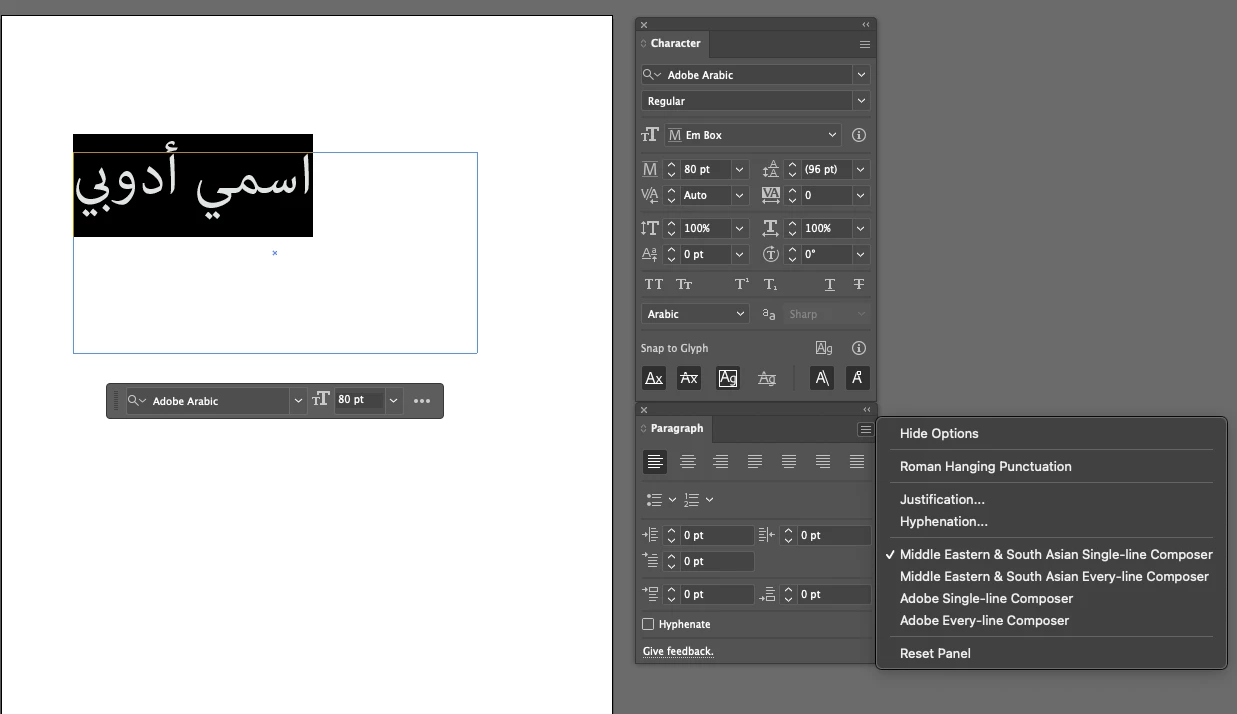
any one can help me to change text direction in adobe illustrator 2024 it's hidden from new versions or I just installed north version ?

This topic is closed to new replies. Start a new post to keep the conversation going.
justlearn
justlearnCorrect answer
Community Expert
Jul 29, 2024 8:34 AM UTC

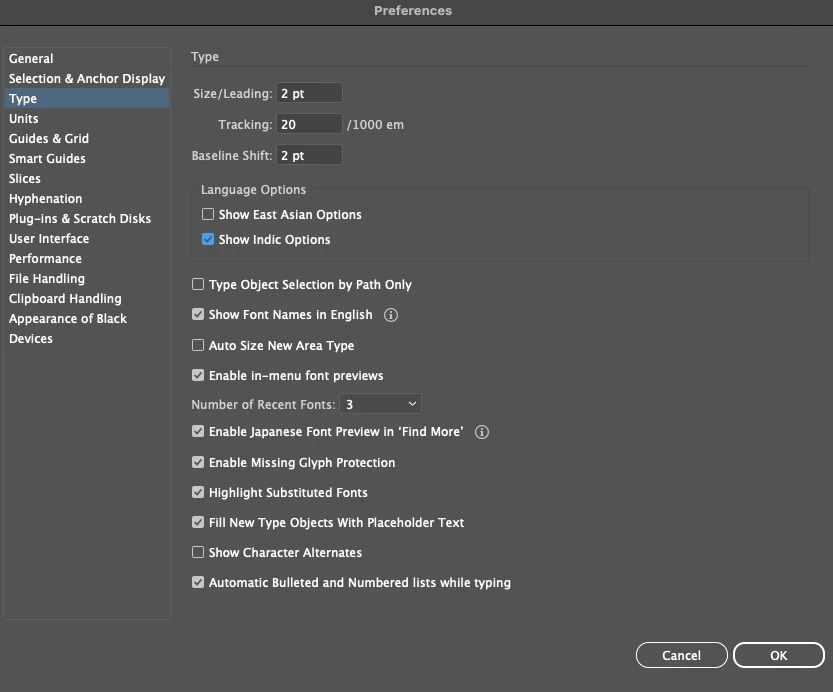
@Aintelligence go to the Illustrator Preferences, Keyboard shortcuts, Command K (Mac) or Control K (PC). Click to 'Show Indic Options.' I tend to do this before I open any document. Since the beginning of time, whenever I do a change in Preferences, I restart the application. 


Previously answered post: https://community.adobe.com/t5/illustrator-discussions/middle-eastern-and-south-asian-type-options-not-visible-in-character-and-paragraph-panels/td-p/11643106


m

2 replies

justlearn
Community Expert
justlearnCommunity ExpertCorrect answer
Community Expert
Jul 29, 2024 8:34 AM UTC

@Aintelligence go to the Illustrator Preferences, Keyboard shortcuts, Command K (Mac) or Control K (PC). Click to 'Show Indic Options.' I tend to do this before I open any document. Since the beginning of time, whenever I do a change in Preferences, I restart the application. 


Previously answered post: https://community.adobe.com/t5/illustrator-discussions/middle-eastern-and-south-asian-type-options-not-visible-in-character-and-paragraph-panels/td-p/11643106


Translate
m
Monika Gause
Community Expert
Community Expert
Jul 28, 2024 10:53 PM UTC

Did you install an Arabic version?

You can have some options in other languages as well by activating the Indic options in the Preferences.

Translate