



Answered
EDIT SOLVED: Select tool showing little box
NVM SOLVED! Needed to turn on bounding boxes.
https://community.adobe.com/t5/illustrator-discussions/selection-tool-not-showing-anchor-points-for-resizing/td-p/15536521
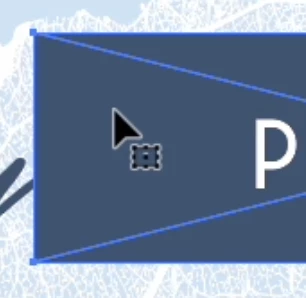
When I'm using the select tool this little box has appeared next to my cursor. When this is active the select tool is behaving strangely - I can't resize or adjust the object. I have to use the direct select tool which isn't helpful when I want to maintain the scale of the object.
 AdChoices