
Exported Colors don't match Preview Colors - RGB
I've been looking for answers for a while now, but nothing seems to work or address my problem specifically.
The exported colors in illustrator DO NOT match the preview, whatever I do.
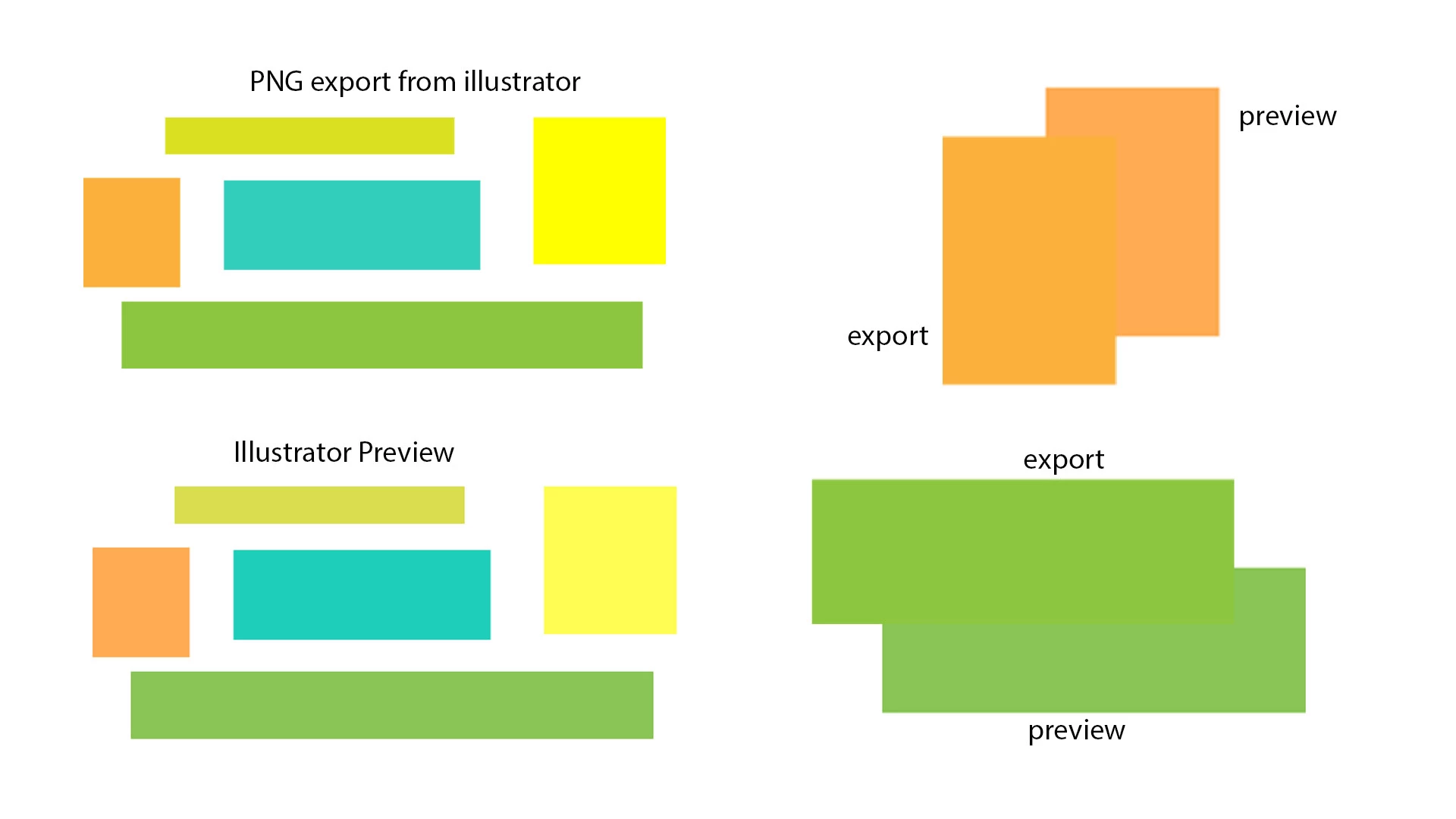
The image above comes from:
- creating a NEW illustrator project, RBG color.
- My color mode is on sRGB IEC61966-2.1 (if this is a bad choice please let me know)
- all shapes were made inside illustrator
- I captured the illustrator preview using the built-in screenshot feature in windows 10 (PNG)
- the PNG export comes straight from illustrator (file > export > export as... > PNG)
- the comparison image above was assembled in photoshop using the screenshot and export from illustrator
So what is going on?
Document Color Mode: RGB
Color Settings: sRGB IEC61966-2.1
File Type: PNG
Version: Adobe Illustrator CC 2018
 AdChoices