DRock22
Inspiring
January 12, 2021
Answered

Eyedropper tool missing

  • January 12, 2021
  • 15 replies
  • 16522 views

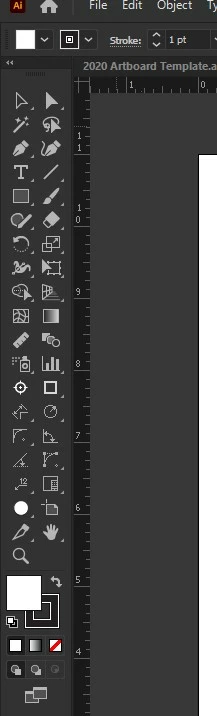
Wondering if anyone else is having this issue with the latest Illustrator update (25.1) on windows 10. 
My eyedropper tool is completely gone. When I go to edit the toolbar, the eyedropper tool does not show up in the list. I can't even use the keyboard shortcut to activate it. 
Correct answer HeatherS87

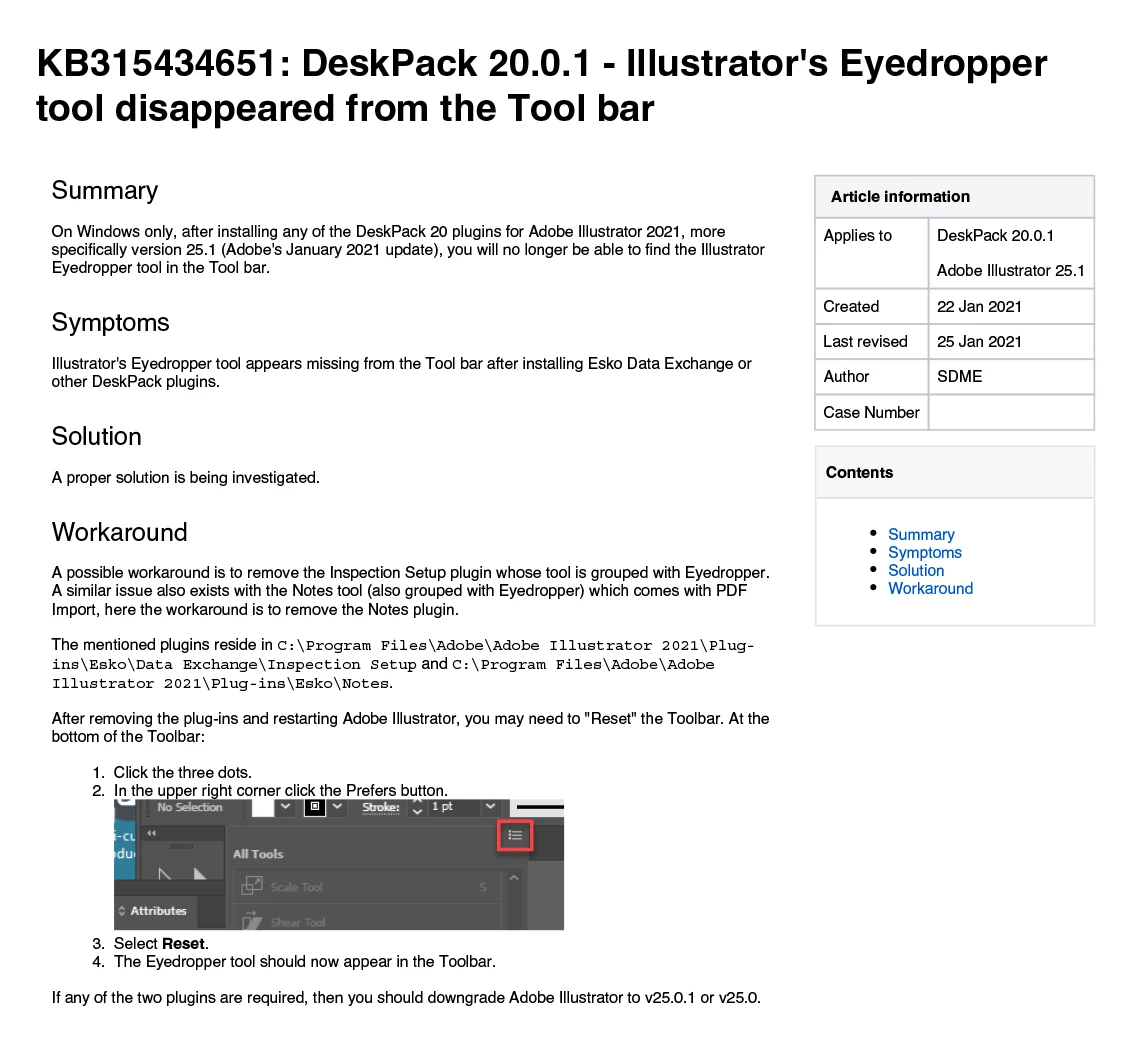
I can't upload their PDF file with instructions, so I'm uploading a jpg of it, and including the text from the workaround here.


The mentioned plugins reside in C:\Program Files\Adobe\Adobe Illustrator 2021\Plugins\
Esko\Data Exchange\Inspection Setup and C:\Program Files\Adobe\Adobe
Illustrator 2021\Plug-ins\Esko\Notes


15 replies

Participant
June 2, 2021

I had the same issue with a vanished-eyedropper. I saw in the replies that it could have something to do with the Esko plug-ins.  After I deleted Esko and restarted my laptop, the eyedropper was back. 

Image212
Participant
March 24, 2021

Mine has been doing this for a long time now. if I reinstall AI it works for a day. like magic, it's gone the next day.

even after all updates. 

HeatherS87
Participating Frequently
March 25, 2021

If it was like mine, the eyedropper tool will disappear the 2nd time you open Illustrator after doing the upgrade. Looks like Adobe hasn't fixed the bug yet. 

Have you tried doing the workaround in the answer above? (The post should be from January 27th of this year.)

Image212
Participant
March 1, 2021

Same. It is a very important tool for it to be missing. It needs to be fixed ASAP!!

HeatherS87
Participating Frequently
March 1, 2021

Are you running the latest upgrade (25.2) that just came out? I'm running that and haven't had a problem with the eye dropper tool disappearing this time. I did do the work around that Esko found, but with the latest update, I haven't had to do anything. I think Adobe may have fixed whatever thing they did that made 3rd party add-ons not work properly.

Image212
Participant
March 1, 2021

I got it. I had to reinstall 25.2. for the 2nd time lol

DRock22
DRock22Author
Inspiring
January 28, 2021

You are awesome! 

HeatherS87
Participating Frequently
January 27, 2021

Okay, they have a work around that we've tested now on 3 different computers.

There will be a fix most likely in the next version. However, if you all want to help speed the process along, you can contact ESKO support and let them know that you're having the same problem. If they realise this is a universal issue, they may fix it faster.


The work-around is as follows.

1. Update to Illustrator 25.1 if you haven't already. (Test and see if the eyedropper tool disappears after opening, closing, and opening Illustrator 25.1. If it does disappear, close Illustator.)

2. Open a folder on your desktop, navigate to "This PC" then the Windows (C:) drive.
3. Got to Program Files -- Adobe -- Adobe Illustrator 2021 -- Plug-ins -- Esko -- Data Exchange -- Inspection Setup

4. Delete the .aip file in the Inspection Setup folder. (Should be just one file in there.)

5. Open Illustrator 25.1 (if in Basic view, you may need to navigate to the eyedropper tool in the "Modify:" section of All Tools then click and drag the tool where you want it on your toolbar).

HeatherS87
HeatherS87Correct answer
Participating Frequently
January 27, 2021

I can't upload their PDF file with instructions, so I'm uploading a jpg of it, and including the text from the workaround here.


The mentioned plugins reside in C:\Program Files\Adobe\Adobe Illustrator 2021\Plugins\
Esko\Data Exchange\Inspection Setup and C:\Program Files\Adobe\Adobe
Illustrator 2021\Plug-ins\Esko\Notes


milesh63228915
Participant
January 27, 2021

This worked for me - Thanks so much!!!!!

DeadMoroz1
Participating Frequently
January 27, 2021

This is ridiculous! How on Earth you can lose an essential tool after updating your software? Not a cheap one for that matter. It's a couple of weeks now and nothing is fixed. The only option is to revert to older version. Adobe, fix it please! 

HeatherS87
Participating Frequently
January 27, 2021

If you'll read some of the comments above, this is not an Adobe problem. This is an Esko plug-in problem. I'm in contact with Esko support and have a meeting later today to trouble shoot some things with their R&D department. 


If you are NOT running any Esko plug-ins in Illustrator, then I suggest contacting Adobe support.

milesh63228915
Participant
January 26, 2021

Same issue here, with Esko installed

HeatherS87
Participating Frequently
January 20, 2021

I'm in contact with Esko Support, if they come up with a solution, I'll pass along the information here.

DRock22
DRock22Author
Inspiring
January 20, 2021

You're the best! Thank you! 

HeatherS87
Participating Frequently
January 26, 2021

I was just informed by Esko Support that they have been able to duplicate the problem on one of their own machines. Support has now escalated the issue to the R&D department. (I'm assuming that means it is now with people able to manipulate the code as needed.)

Participating Frequently
January 20, 2021

Same problem!

Participant
January 20, 2021
To restore the Eyedropper tool as the default one in your InDesign, just open the program, without a document open. Then in your Tools bar, choose the eyedropper. it will stay as the default for future files you start. (Click on the big ID logo at left below the menu bar to open ID with no document).
 
DRock22
DRock22Author
Inspiring
January 20, 2021

This is for Illustrator. 

Inspiring
January 15, 2021

Have you tried to go back to a previous version of illustrator ? 

DRock22
DRock22Author
Inspiring
January 15, 2021

Yes. Unfortunately I was forced to. I use the eyedropper tool often, so I had to roll back to version 25.0.1

Inspiring
January 15, 2021

It's maybe a good idea to contact the adobe support to let them know the excistance of this bug/ issue. 

https://helpx.adobe.com/contact/what-contact-options.html


i've also had a bug , that they're going to fix with the upcomming update