Participant
July 13, 2021
Question

Help! How to get rid of Target/Transparency

  • July 13, 2021
  • 3 replies
  • 693 views

I like to work with this type of view for my projects (dark grey, plain background with a plain, white artboard and the rulers enabled):
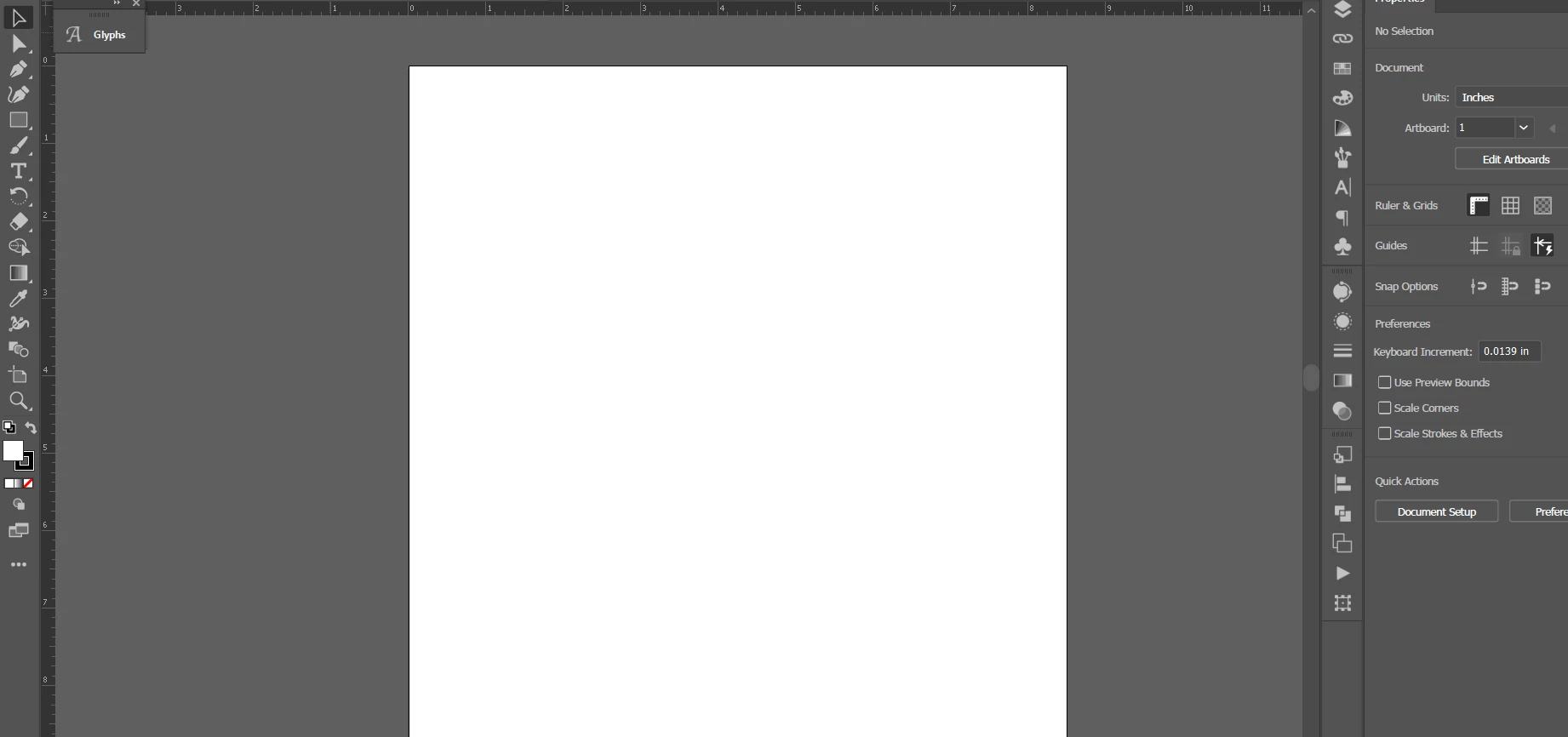
But I think I may have accidentally hit some buttons when I was typing really fast and now, every time I start a new file in Illustrator, it looks like this:
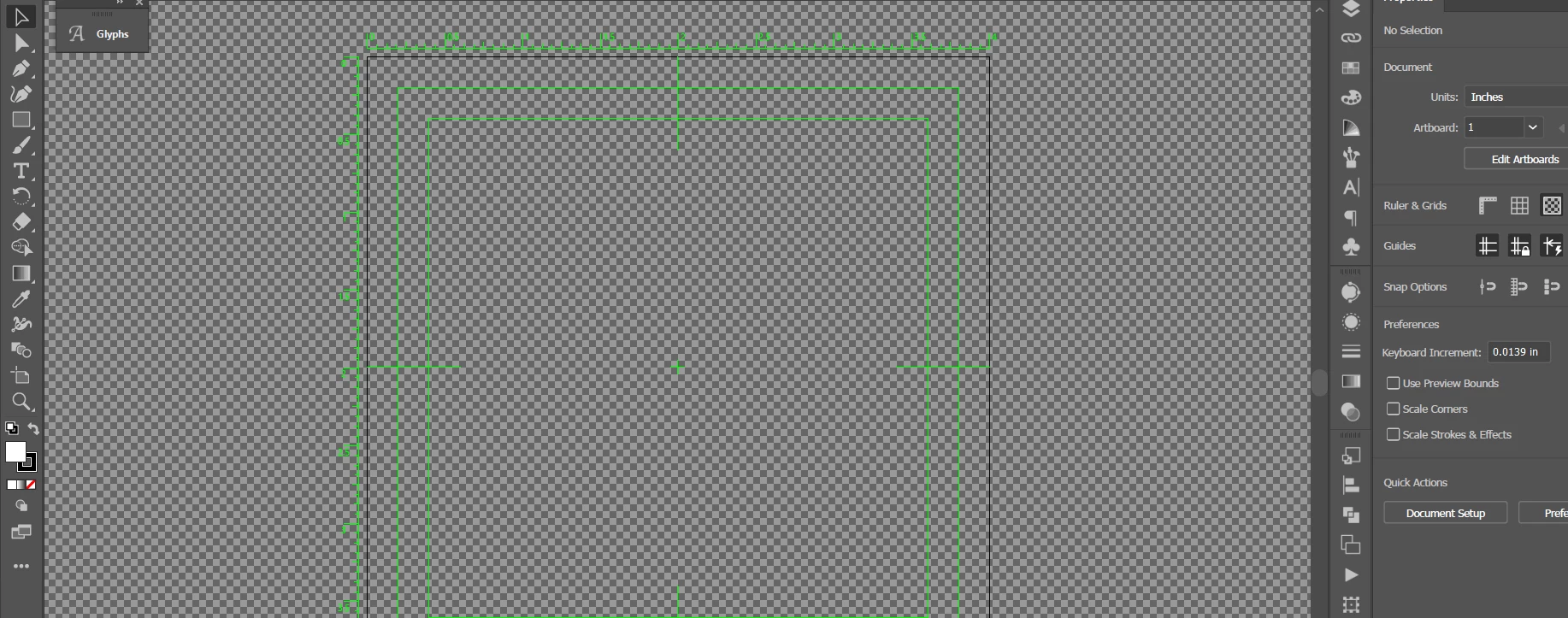
I know I can get rid of the checkerboard background by doing Ctrl + Shift + D but 1) that makes the background white, not dark grey, 2) it doesn't get rid of the "target" (the green measurements and lines), and 3) if I start a new file (even if I've turned the transparency grid off), the new file will open with the checkboard background and green target again.


What did I do? And how do I get my normal view back?!


*Note: I did not change anything in Preferences before this happened and to fix it, I've tried changing to Trim, Pixel, and Overprint view and none of them have worked.

This topic has been closed for replies.

3 replies

Mike_Gondek10189183
Community Expert
Community Expert
July 13, 2021

You must have chosen a Film & Video tab or profile  when making new documents. 

You can fix here


Participant
July 14, 2021

Thanks everyone! That helped!


What's really strange is that I've never touched the Film & Video tab before in my life. And when you look at the New document window, you can see that everything I've done is using a Print artboard. So I'm still not sure how that happened but at least it's fixed now.

pixxxelschubser
Community Expert
Community Expert
July 13, 2021

Hi @kateg45599375 

your screenshot shows a new document based on a video preset (for Video and Film document). Use a web or a print preset if you want the "normally" displayed (RGB or CMYK) document.


Or do the following:

see post #13 here: Re: Starting with Illustrator, problem with background and artwork


Have fun

😉

Community Expert
July 13, 2021

At some point, your New dialog got the Film and Video profile chosen, and it now comes up each time you make a new document. 

Change that profile in the New dialog to keep those guides from appearing in new docuemnts.

There may be a way to change this after a document is created, but I don't know it.