
HELP!! Scaling pieces of a shape/ arching without manipulating size/etc./etc.
I am quickly running out of time, and have a lot of problems to tackle. So I figured I'd reach out.
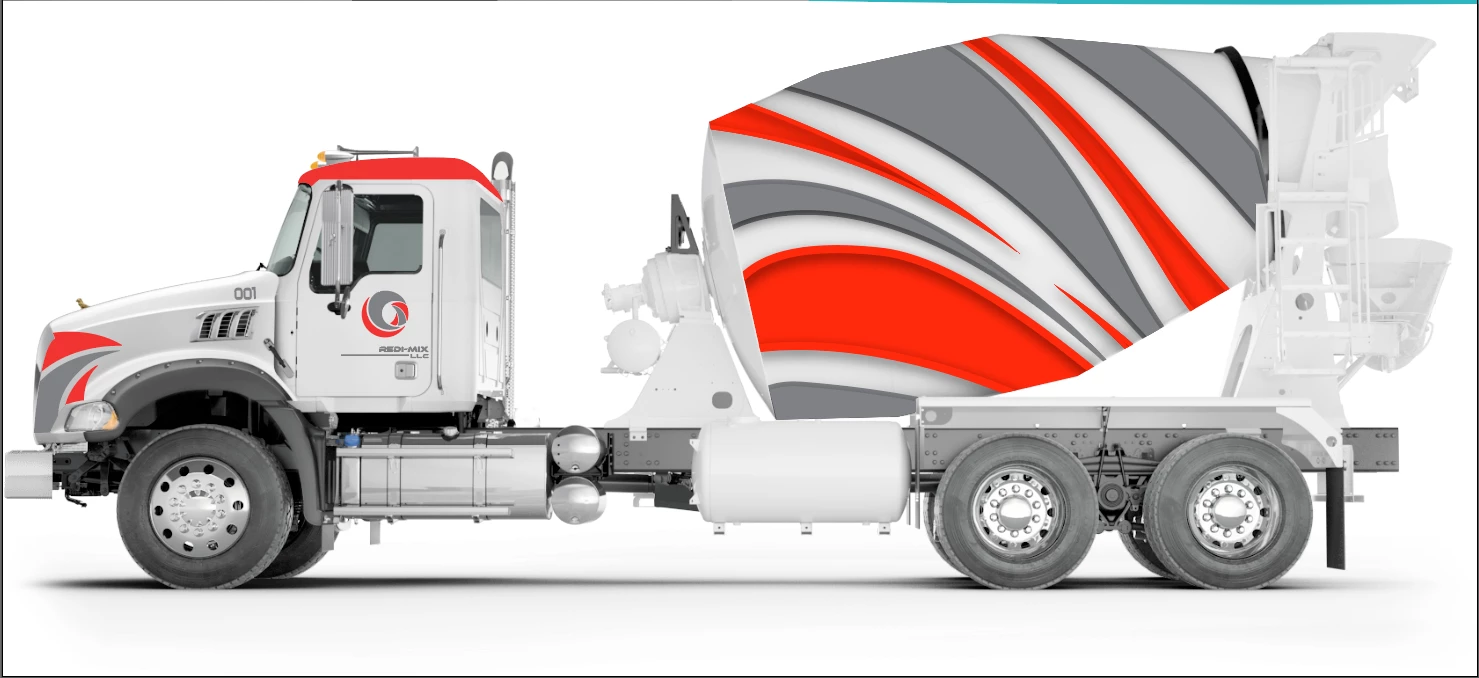
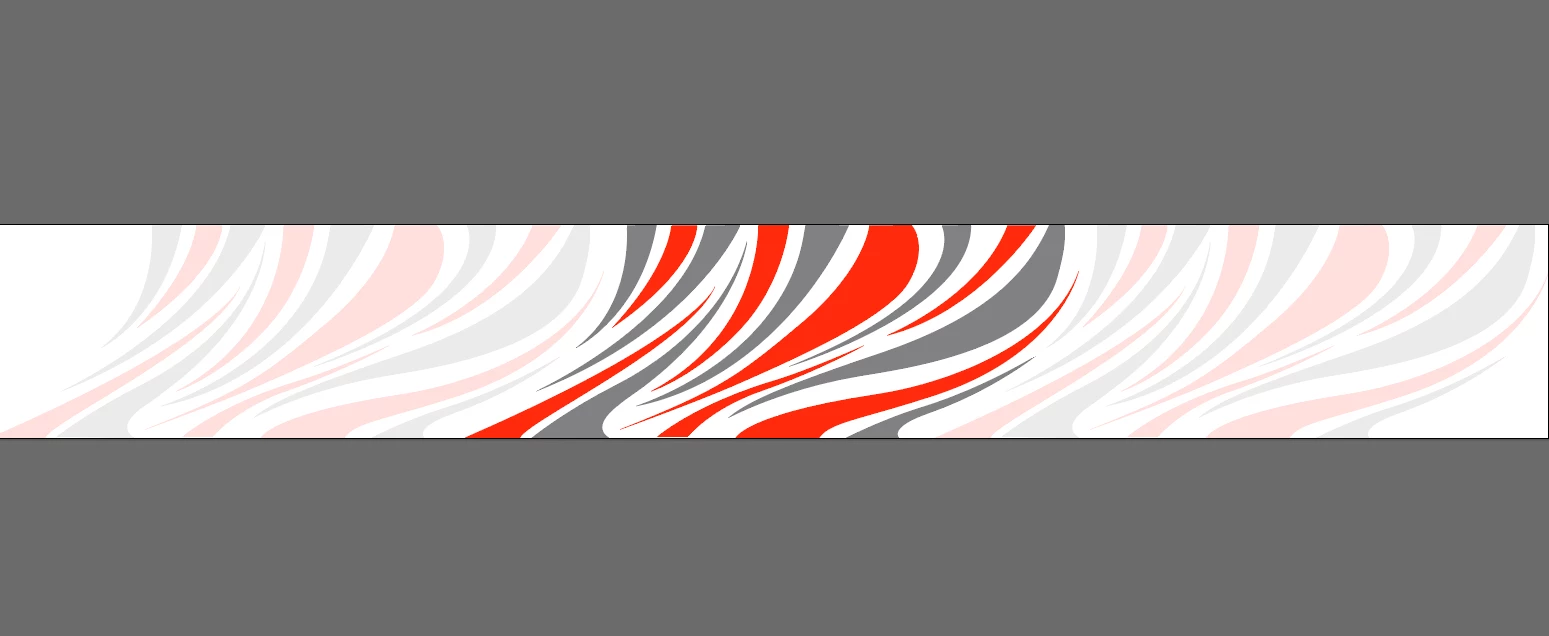
I am creating print files for a wrap that will be applied to cement mixer drum. It's shaped kind of like an egg, and will be almost 100% covered. Ive taken measurements and created a 2D template to work on. The template is displayed as if you stood the drum up on its back end and then split it open like an orange. The design is oriented in the same way. Ive attached photos for reference.
In order to make this work, I will have to chop the design up so that it fits within the template and all of the stripes align on the edges, without losing any parts of the design. Though, because the drum is tapered the art has to scale proportionately so that once wrapped around fully, the art will be seemingly endless.
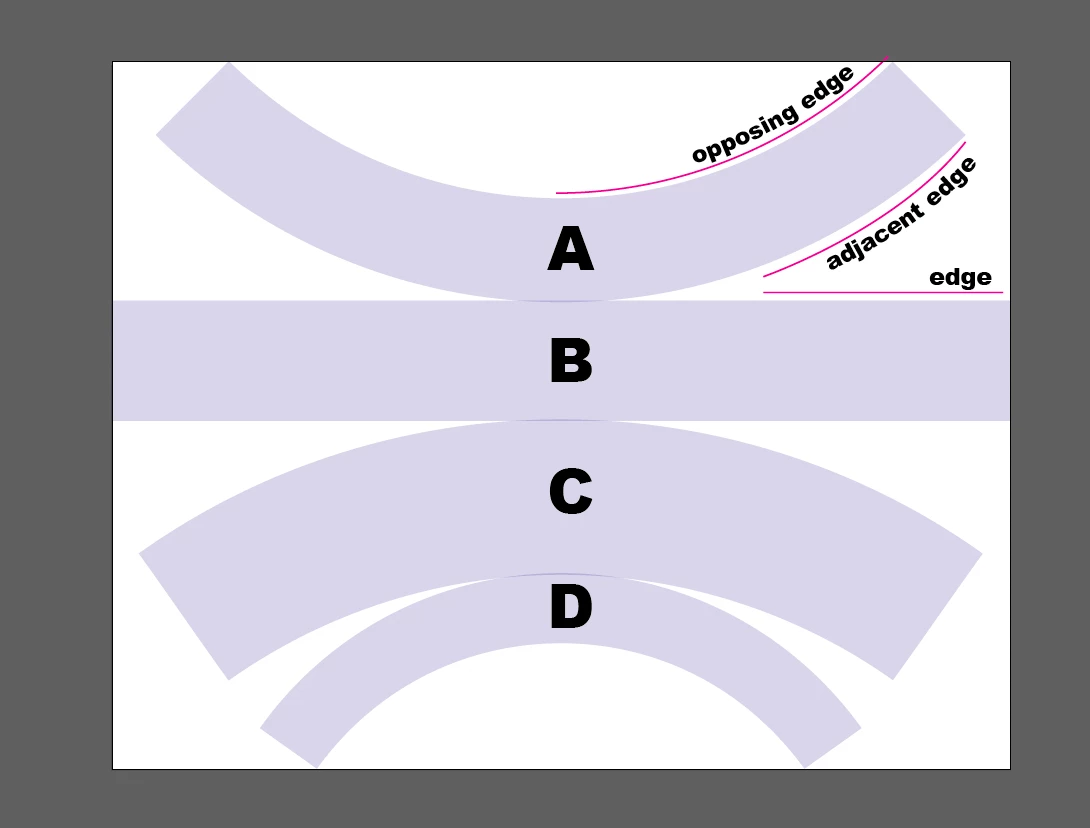
The easy part is Panel B, it is a normal rectangle. Though when we move onto the others, it gets a little hairy.
In the photos, you can see that the other three panels are arched to accommodate the bi-directional curve of the drum. Problem 1: Now if I take a clipping mask of the part of the design that I need and then use envelope distort to arch it, then it does just that. It arches it AND distorts it, so that the end of my stripe no longer aligns with the stripe on adjacent edge. (Question 1) Is there another way to manipulate the design to where it doesn't distort the distance between anchor points? I would venture to say no, and that it would have to be created at the desired orientation from the get go. But I don't want to underestimate the power of the program. Plus, it would make life a little bit easier.
Because they are arches, the length of the top arch is longer than the bottom arch. So as the design moves across a panel to the opposing edge, it has to scale down. (Question 2) Is there a way to transform whats in my bounding box in a way that allows me to tell illustrator, I want to scale the bottom down by x% while leaving the top as is, and Is this possible within the free transform tool?
I hope that this makes some sort of sense to some of you. Let me know if I can fill in any gaps for you. I would say question 2 is more important that question 1, as I don't think it would be too difficult to rotate each piece of the art at the proper degree to achieve the right orientation.
 AdChoices