


hedger
Known Participant
August 5, 2017
해결됨

How to add all of the colors from a library to a folder in the swatches panel?

  • August 5, 2017
  • 1 답변
  • 898 조회

Another question for the community as I learn Illustrator.

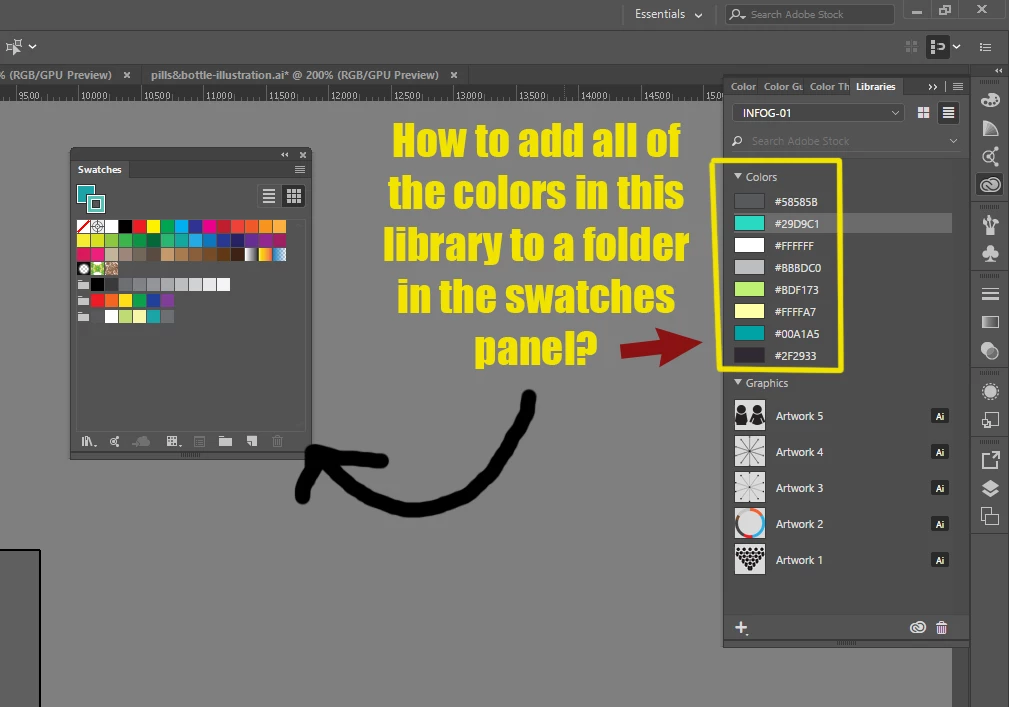
Is there a way to easily add all of the colors that I have in a library to a folder in the swatches panel? (see attached image)

Do I have to manually add each color one by one? I would have thought I could just select all of the colors in my library and drag them to a new folder in the swatches panel, but apparently I cannot do that.

Thanks to everyone for helping me to quickly learn this software.
이 주제는 답변이 닫혔습니다.
최고의 답변: Kurt Gold

Select all swatches in the Library palette, right click on the crowd of swatches to open the contextual menu, choose the Add to Swatches command to transfer them to the Swatches palette and finally drag them to a colour group.

Probably a bit complicated, but it works.

1 답변

Kurt Gold
Community Expert
Kurt GoldCommunity Expert답변
Community Expert
August 5, 2017

Select all swatches in the Library palette, right click on the crowd of swatches to open the contextual menu, choose the Add to Swatches command to transfer them to the Swatches palette and finally drag them to a colour group.

Probably a bit complicated, but it works.

hedger
hedger작성자
Known Participant
August 7, 2017

Thank you so much! This worked perfectly. I knew there had to be a way to do this.