


Participating Frequently
December 21, 2021
질문

How to add picture to checked picture placeholder in AI template

  • December 21, 2021
  • 2 답변들
  • 1414 조회

Hi guys, Im in AI and using a downloaded template for a flyer Im making. The template has a checked area for a photo to be inserted, and I have successfully added a picture to this area previously...but dont know how I did it and now cant replicate that! You can see the checked area in the screen shot below, and it has an angled edge that automatically shapes my rectangle picture to this same edge shape. When I 'place' an image there it just pastes as a rectangle shape and I cant trim it to match the shape of the checked area.

Does anyone know how I can paste my own picture in the checked area so it automatically takes the cheque shape and shapes my pictures edge to match?

Thanks heaps if you can help.
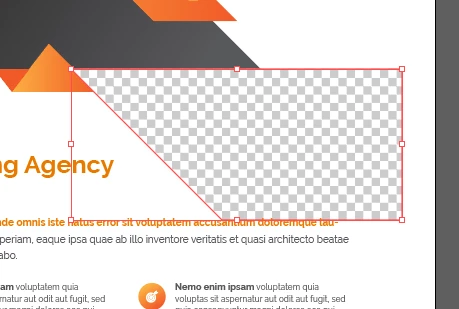


이 주제는 답변이 닫혔습니다.

2 답변

Ton Frederiks
Community Expert
Community Expert
December 21, 2021

It does not look like a placeholder, more like a transparent area.

If you position your image in a layer below it, it would show in that area.

Participating Frequently
December 21, 2021

Thanks a lot Ton!!!!

Next question...dare I ask...how do I position my image in a layer below the transparent area? 😕😕


Participating Frequently
December 21, 2021

As it's transparent, put it on the very bottom

Close the "Design" layer stack (just for ease of use), create a new layer under it, place your image on the new layer.


Thanks Met1 i will give that a go. im starting to understand how this works thanks to your explanation. thanks heaps, much appreciated, youve given me some hope at 3:20am!!!  🙂

Doug A Roberts
Community Expert
Community Expert
December 21, 2021

If the checked area is in a clipping mask, you could paste your image into the mask. But without seeing the layer structure I can't know if this is the case.

Participating Frequently
December 21, 2021
Hi Doug, thanks so much for your reply. I must confess Im not sure how to check if its in a clipping mask? (total rookie learning here!)

Can I send you another screen shot to help see whats what?

Cheers