
Participant
November 20, 2022
Answered

How to change Preferences size

  • November 20, 2022
  • 2 replies
  • 1351 views

Hi, 

I have recently downloaded and started using Illustrator CC 23 and messed around with Icon sizes in the User Experience tab in Preferences - I increased the size of the icons but I can no longer change the size back to the defualt size. 
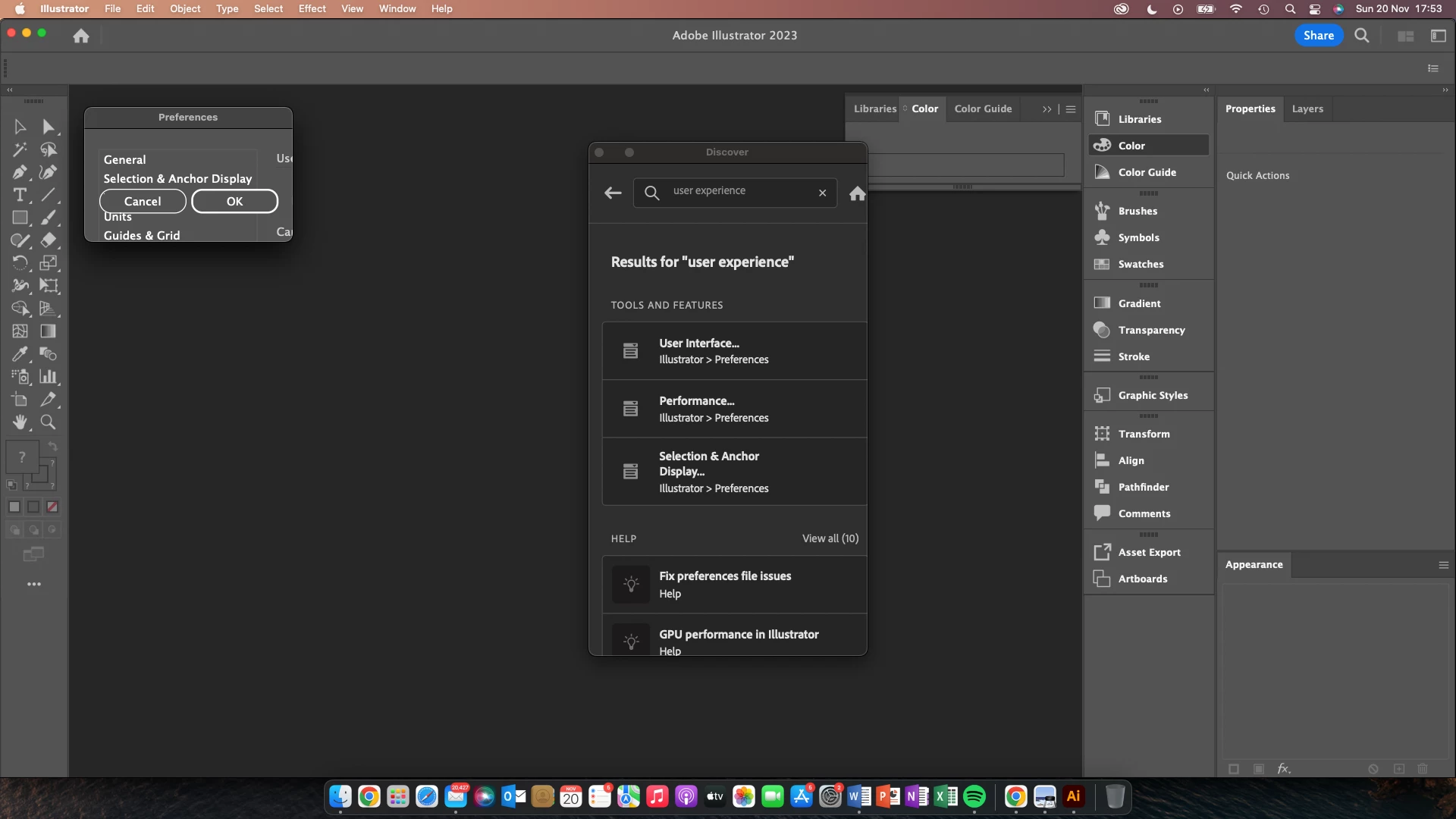
 

When I click on preferences -> User experience the typograhpy is too large, meaning I cannot see the full tab and change it back to the original.. please help! 


Thanks,

This topic has been closed for replies.

2 replies

Ton Frederiks
Community Expert
Ton FrederiksCommunity ExpertCorrect answer
Community Expert
November 20, 2022
Sea SaltAuthor
Participant
November 20, 2022

Thanks! 

Ton Frederiks
Community Expert
Community Expert
November 20, 2022

Hope that it solved your problem.

Sea SaltAuthor
Participant
November 20, 2022

Sorry i mean User Interface not User Experience!