December 18, 2014
Answered

How to extract images from adobe illustrator using extended javascript

  • December 18, 2014
  • 3 replies
  • 5816 views

hi,

I am working on adobe extended javascript , and I need to extract all the images from artboard(adobe illustrator).and save co-ordinates of the images in the artboard to a text file.

Thanks

This topic has been closed for replies.
Correct answer CarlosCanto

From existing art board , I am duplicating a image which is in path item, to a new document as below
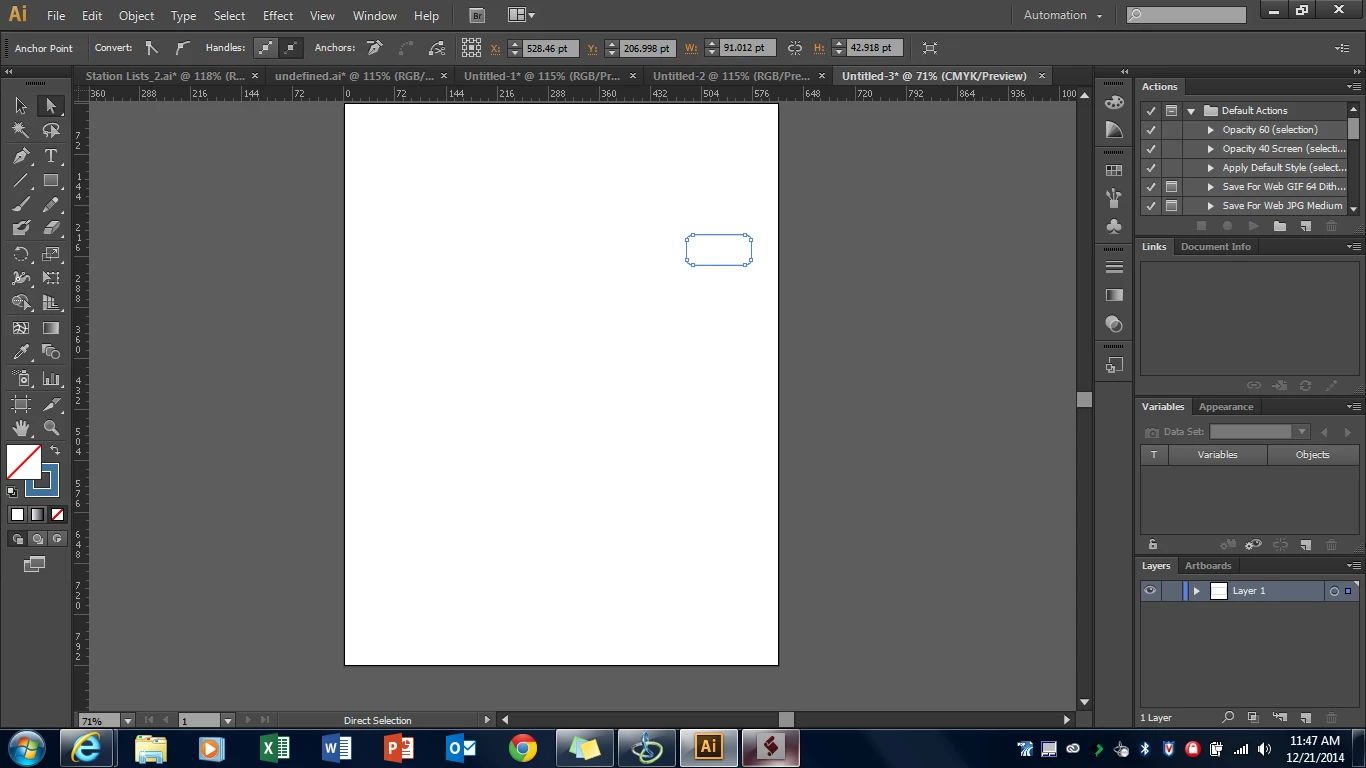
rounded rectangular box is extracted to a new document.

now I need to resize art board , exact best fit of single image .

after that artboard should look like below
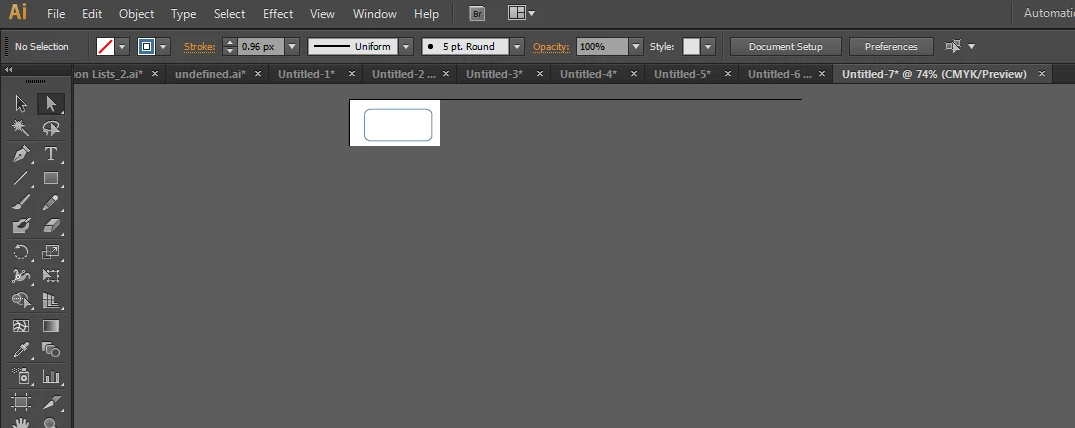
I am find difficulty in resizing artboard ,           CommunityMVPas

            var artboards=newDoc.artboards;
            var rect=artboards[0].artboardRect;
           
            $.writeln ("rect[0]   :"+rect[0]+"rect[1]   :"+rect[1]+"rect[2]   :"+rect[2]+"rect[3]   :"+rect[3]);
            rec[0]=newItem.position[0];
            rec[3]=newItem.position[1];
            rec[1]=newItem.width;
            rec[2]=newItem.height;
            app.redraw();

but artboard size is not changed, remained as its original size


in your sample, rect refers to a variable in memory, not to the actual artboardRect values

this sample resizes the artboard to the size of the selected object

var idoc = app.activeDocument;

var sel = idoc.selection[0];

var ab = idoc.artboards[0];

ab.artboardRect = sel.geometricBounds;

3 replies

February 19, 2015

This below code is solving problem

var rec=sel.geometricBounds;

var rec1=[];

rec1[0]=rec[0]-1;//-1 incresing left margin

rec1[1]=rec[1]+1;//+10 increasing top margin

rec1[2]=rec[2]+1;//+10 increasing right margin

rec1[3]=rec[3]-1;//+10 decreasing bottom margin

ab.artboardRect = rec1;

February 2, 2015

Hi,

In image extraction I am getting following problem.

I am extracting above image from illustrator file, using adobe extended javascript.and pasting extracted

image in another illustrator new document. and resetting new document size to extracted image size.

then exporting new new document as PNG File

the above image is perfect circle, but extracted image top bottom left right is coming with some what of cut.

but I need image as it is from original document.

code I am using

var newDoc;

               newDoc[=app.documents.add();
              

                newItem = docSelectedPageItems.duplicate( newDoc,  ElementPlacement.PLACEATBEGINNING );
               
                //my image is in doc

 
var myVisibleBounds = newDoc.visibleBounds; //Rect, which is an array;

 
myVisibleBounds[0] -= 2*mm; //left coordinate (use negative values to add artboard) 
myVisibleBounds[1] += 2*mm; //ltop coordinate 
myVisibleBounds[2] += 2*mm; //right coordinate 
myVisibleBounds[3] -= 2*mm; //bottom coordinate (use negative values to add artboard) 
 
newDoc.artboards[0].artboardRect = myVisibleBounds;

newDoc.selectObjectsOnActiveArtboard();

var item=newDoc.selectObjectsOnActiveArtboard();

var sel =  newDoc.selection[0];

var ab =  newDoc.artboards[0];


ab.artboardRect = sel.geometricBounds;

then I have some code to export newly created artboard with extracted image to PNG

but in image extraction , image is coming with somewhat of cutting on all sides

Qwertyfly___
Legend
February 2, 2015

what happens if you switch neg and pos for left and top?

myVisibleBounds[0] += 2*mm; //left coordinate (use negative values to add artboard) 

myVisibleBounds[1] -= 2*mm; //ltop coordinate 

February 5, 2015

myVisibleBounds[0] += 2*mm; //left coordinate (use negative values to add artboard) 

myVisibleBounds[1] -= 2*mm; //ltop coordinate 

changing  them will not affecting extracted image.

these values are for image external boundary i think

if I replace 2*mm with 20*mm in above code transparent boundary around image is increasing ,

these values are for boundary of image, but not associated with imagewidth or height

Inspiring
December 18, 2014

The ExportOption objects in the Illustrator Javascript reference have a property called artboardClipping. Set it to 'true' to export to the size of a placedItem.

The coordinates of an image are stored in an array called position (e.g. placedItem.position).

If you want to save them to a file use the File object as described in the bottom of the Extension SDK doc under 'File I/O'

Cheers

December 18, 2014

yes , I am tried this , but it is giving me screen shot of art board as it is .

but I need some thing different. like

let us suppose one I am opened one artboard in illustrator ,

it contains 5 different images, so I need to extract them to a folder in harddisk.

Inspiring
December 18, 2014

The document object has a property called placedItems (document.placedItems). It's an array of all of the images in the document. Hope that helps!