January 15, 2020
Answered

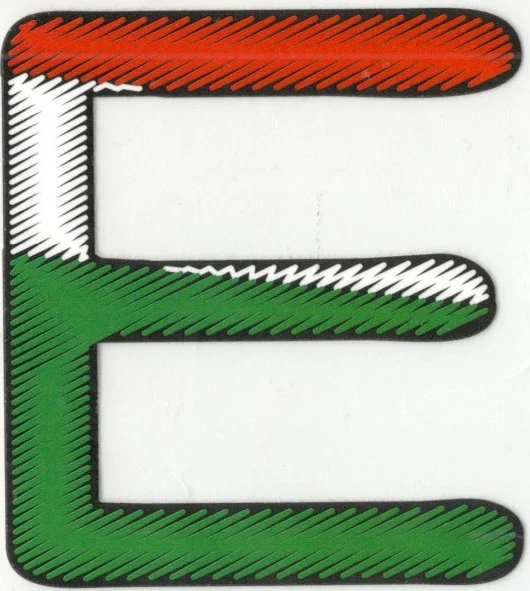
How to make this effect in Photoshop or illustrator or using filter or plugin?
  • January 15, 2020
  • 4 replies
  • 1519 views

This topic has been closed for replies.
Correct answer davescm

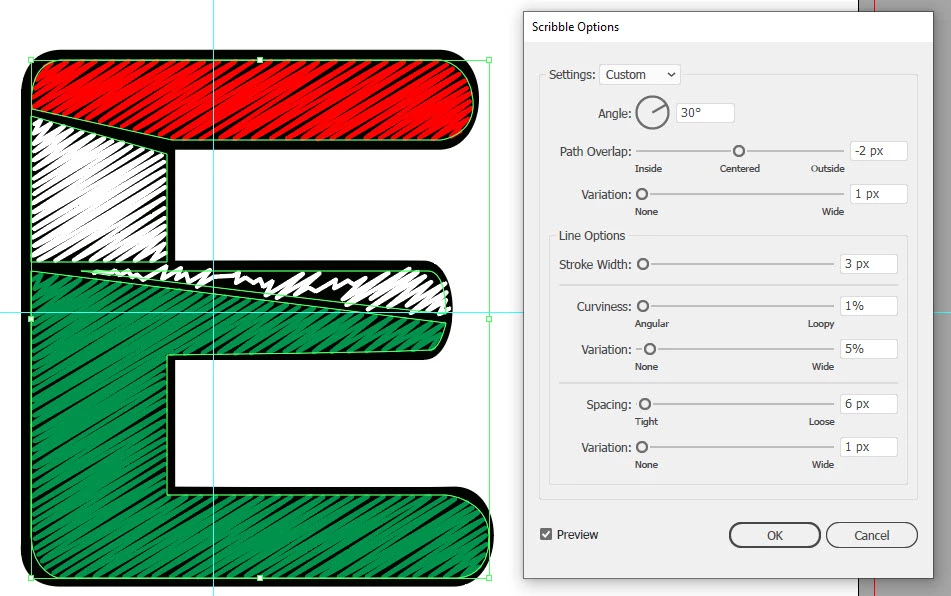
Take a look in Illustrator at effects >Stylize >Scribble which turns a solid fill into a "scribbled " fill
 

Dave


Dave

4 replies

January 16, 2020

Thank you so much for guidance. 

davescm
Community Expert
davescmCommunity ExpertCorrect answer
Community Expert
January 15, 2020

Take a look in Illustrator at effects >Stylize >Scribble which turns a solid fill into a "scribbled " fill


Dave


Dave

jane-e
Community Expert
Community Expert
January 15, 2020

Hi

Dave has the right answer to use Scribble in Illustrator to turn a Fill into a Stroke as an Effect. I'd like to add one thing to it. If you go to Object > Expand Appearance, you will convert the Effect into an actual Stroke, which you can then cut with the Scissors tool "C" wherever you want to change the color of the Stroke.

~ Jane


January 15, 2020

99jon
Legend
January 15, 2020
99jon
Legend
January 15, 2020

Moved from Photoshop Elements forum.

January 15, 2020

Thank you so much for your quick reply.
