Known Participant
May 8, 2024
Question

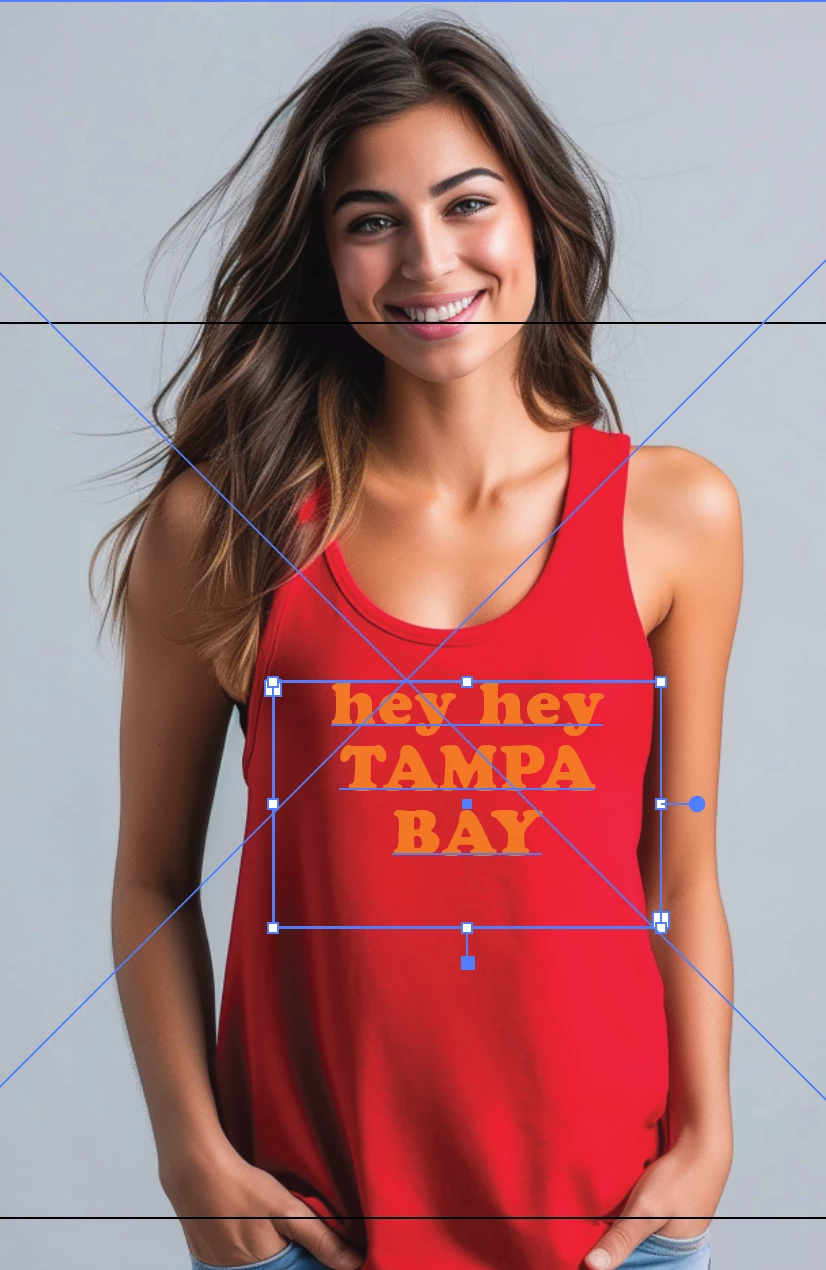
How to make words the same width?
  • May 8, 2024
  • 5 replies
  • 3598 views

I tired this, Type > Fit Headline, but there is still so much adjusting to do after the fact.  Just seeing if there is a better way.  Thanks so much in advance!

This topic has been closed for replies.

5 replies

Participant
June 25, 2024
Screenshot_(188).png
kphotopage
Legend
May 10, 2024

Here is a similar thread from the past.

https://community.adobe.com/t5/illustrator-discussions/resize-and-fit-text-automatically/m-p/13859217#M369935


I started with 3 area text boxes then used TextBlock script by

CarlosCanto


K

Jacob Bugge
Community Expert
Community Expert
May 9, 2024

Kathryn, if I may ask, why a desire for a shape different to a heart?


Community Expert
May 8, 2024

With a graphical object like that it's usually easier to use three separate lines of point text and resize the individual lines of text as desired. Some people may choose to convert the text objects to outlines in order to get more fine tune control of letter sizes and spacing.


Variable fonts that have weight and width axes can be pretty handy for these kinds of projects. The boldness and widths of letters can be changed more naturally than the old bush league tactic of artifically squeezing or stretching the letters. Variable fonts can preserve the harmony of vertical and horizontal letter stroke thickness. The results look more professional. If I was using a variable font with a width axis I'd probably still put "Tampa Bay" on one line and simply make the letters taller to fill the vertical space.

Known Participant
May 9, 2024

Ah I love that idea, thanks for your help!! 🙂

Kurt Gold
Community Expert
Community Expert
May 8, 2024

What's your desired result?

Known Participant
May 8, 2024

For all three lines to be the exact same width- so obviously Tampa and Bay would be a larger font and with more spacing in between letters.

Kurt Gold
Community Expert
Community Expert
May 8, 2024

Assuming there are always just two or three lines of text, I'd just do it manually in the Character palette.


If that is not desired, you may have a look at a post from yesterday. Adobe Express is recommended (specifically its dynamic text frames).


https://community.adobe.com/t5/illustrator-discussions/auto-size-text-but-opposite-in-2024/td-p/14595288