How to save Swatch Library in Illustrator?
Hello,
I am trying to figure out how to keep the "swatch" window persistant with my custom colors.
I have worked with this work flow in the past, however I have forgot how to set the "Swatch" window up so that every time I open Ai it will remain persistant so I wont have to keep deleting the system colors every time as well. My workflow is simple. I use a "Library" window (PANTONE Solid Coated), to FIND my products colors. The, I used to use the "Swatch" window to maintain color organization for the project. (ie. "selecting unused" colors from the workspace or to view all of my nessesary custom colors, 'Coin Metal Colors' (Gold metal, Silver metal...) --- I need these in the swatch window every time I open Illustrator CC.
I'm sure it's an easy fix, but I have tried virtually everything and can't seem to find the correct way to keep my custom colors persistant in the Swatch window.
Thanks in advanced. - Nikko 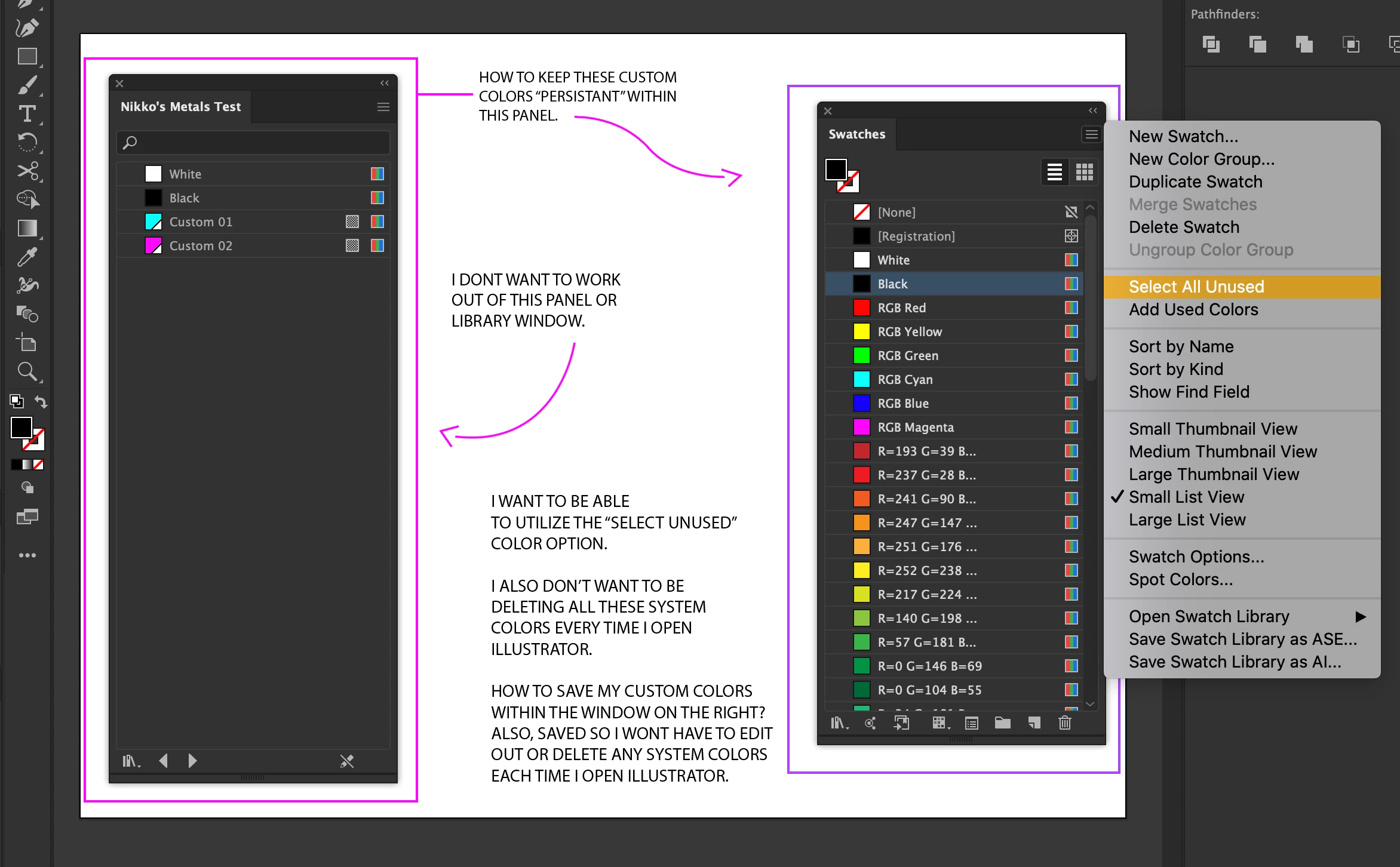
{Renamed by MOD}
 AdChoices