
Participant
May 16, 2020 12:09 AM UTC
Answered

Images are distorted when open/placed in Illustrator 2020 on MAC

When I open any image in illustrator it comes up like this 
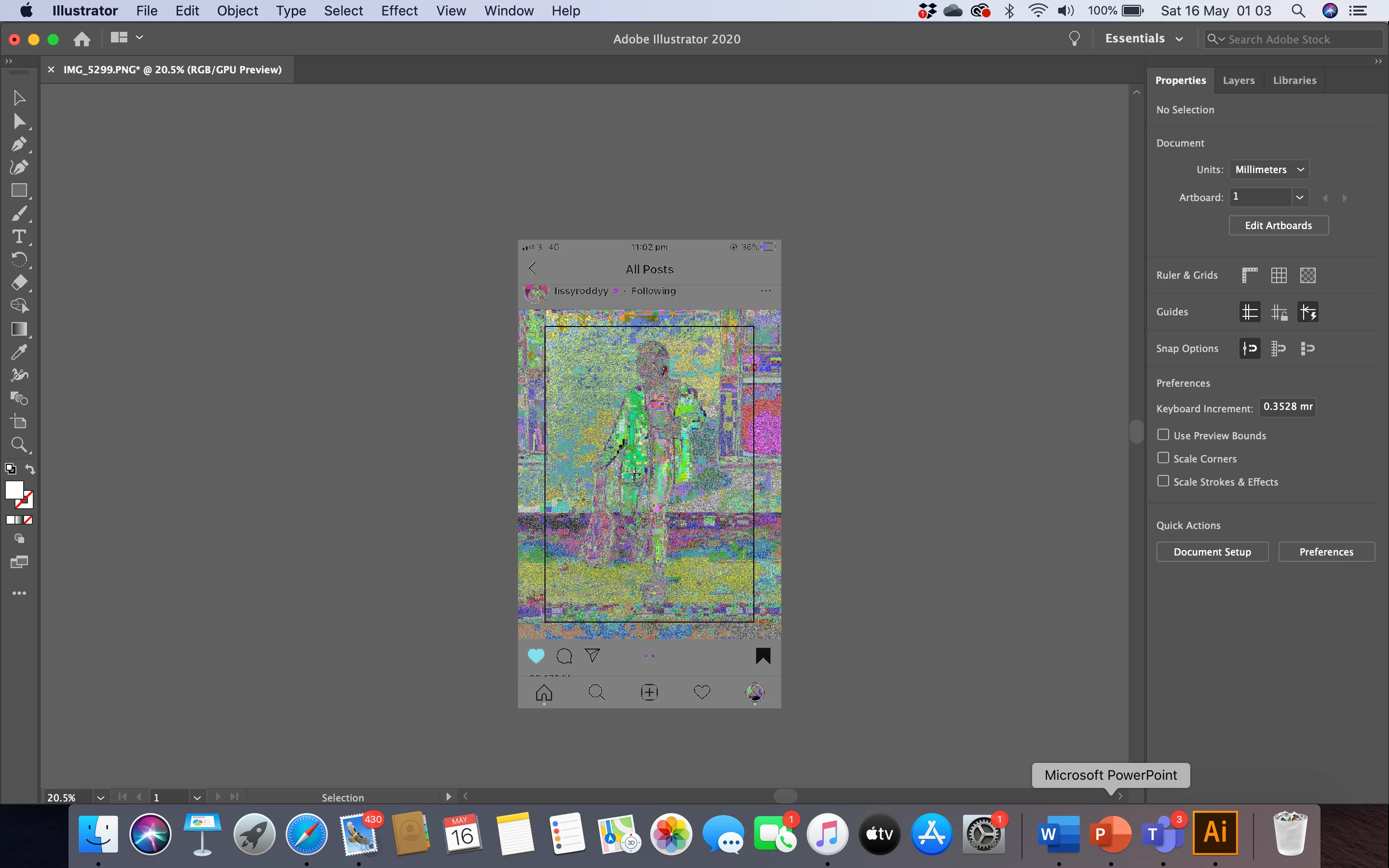
I have tried opening other images

I have restarted illustrator and my computer 

But it does the same thing I have also tried placing images but nothing changes, maybe I have accidentally changed a setting. 

please could someone help!


{Renamed by MOD}

This topic is closed to new replies. Start a new post to keep the conversation going.
Srishti_Bali
Srishti_BaliCorrect answer
Legend
May 16, 2020 12:32 AM UTC

Hi Eve,


Sorry to hear about this issue. Looks like you are placing 16 bit images in Illustrator. I am afraid, it doesn't support 16 bit images as of now.

In addition to the suggestion shared by Jonathan, please try the steps shared on this similar discussion (https://community.adobe.com/t5/illustrator/screenshots-clicked-on-ios-are-distorted-when-open-placed-in-illustrator-on-mac/m-p/10562177?page=1) and let us know how it goes. 


Regards,

Srishti


7 replies

Srishti_Bali
Srishti_BaliCorrect answer
Legend
May 16, 2020 12:32 AM UTC

Hi Eve,


Sorry to hear about this issue. Looks like you are placing 16 bit images in Illustrator. I am afraid, it doesn't support 16 bit images as of now.

In addition to the suggestion shared by Jonathan, please try the steps shared on this similar discussion (https://community.adobe.com/t5/illustrator/screenshots-clicked-on-ios-are-distorted-when-open-placed-in-illustrator-on-mac/m-p/10562177?page=1) and let us know how it goes. 


Regards,

Srishti


Translate
Participant
May 16, 2020 12:36 AM UTC

Thank you!


Translate
Ton Frederiks
Community Expert
Community Expert
May 16, 2020 12:28 AM UTC

Iphone 16 bit png files are currently not supported in Illustrator.

Resave them as 8 bit in Photoshop.

Translate
Participant
May 16, 2020 12:33 AM UTC

thank you! It was a screenshot off my phone!

I opened it in photshop and saved it and opened the new photo and it worked!

Translate
Ton Frederiks
Community Expert
Community Expert
May 16, 2020 10:01 AM UTC

Good to hear that helped.

You may add your vote here for a fix in the future:

https://illustrator.uservoice.com/forums/333657-illustrator-feature-requests/suggestions/37137061-png-16bit-color

Translate
JonathanArias
Legend
May 16, 2020 12:19 AM UTC

What format are you placing?

can you try opening the image in photoshop, export to web back to the same format?

Translate
Participant
May 16, 2020 12:24 AM UTC

Photoshop opens it fine. 

im quite new to illustrator so when you mean format what do you mean?

Translate