
Participant
August 19, 2025
Answered

Issue: Object dimensions become huge after reopening a file, affecting tools and workflow

  • August 19, 2025
  • 22 replies
  • 5429 views

Hi everyone,

I’m experiencing a serious issue in Illustrator.

When I create a new document, everything works fine: objects display at the correct size on the artboard, and their dimensions in the Properties/Transform panel are accurate.

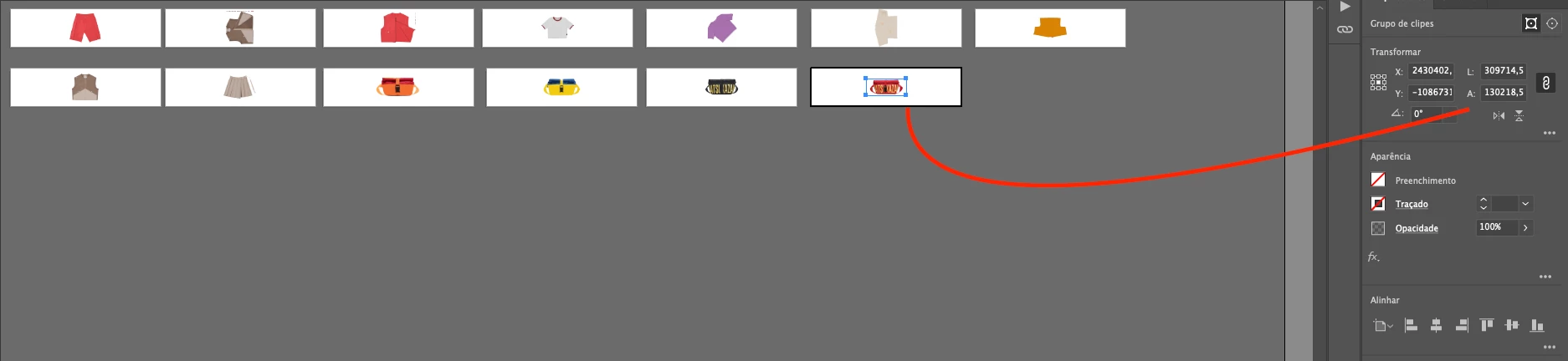
But after I save the file, close Illustrator, and reopen the same document, the objects still look visually correct on the artboard. However, in the Properties/Transform panel their dimensions suddenly become extremely large.

The problem is that once this happens, all Illustrator tools (transform, align, distribute, scaling, etc.) start following these incorrect giant dimensions, which makes it impossible to keep working normally in the same file. It also affects zoom and scroll performance, which become very slow or freeze.

So visually the artwork looks right, but Illustrator is treating it as if it were scaled to enormous values.

Has anyone else faced this? Could it be a units/scale mismatch or a known bug in how Illustrator handles saved files? Any workaround or fix would be greatly appreciated.

Thanks in advance!

Correct answer Abhishek Rao

Hi @efficient_portfolio6777,


I know how disruptive this issue can be, especially in the middle of important projects. The good news is that the team has already rolled out a fix for this in Illustrator 29.8.1, which is available now. Please give the suggestions shared in the pinned replies a try and update Illustrator to the latest version to see if that resolves it for you.


If you're still running into trouble after that, let me know here, so I can check back with the team.

Abhishek

22 replies

Ton Frederiks
Community Expert
Community Expert
August 19, 2025

What units are you using?

Is it a Large Canvas document you are working on? If you zoom in as much as you can, what is your maximum zoom percentage?

Participant
August 19, 2025

I’m working with centimeters as my unit.

This is not a Large Canvas document, just a regular file.

When I zoom in as much as possible, the maximum zoom percentage I get is 3169.54%.

The selected item was originally created at around 20 × 9 cm, but after saving, closing, and reopening the file, its reported size in the Properties/Transform panel changed and became extremely large, even though visually on the artboard it still looks the same as before.

Ton Frederiks
Community Expert
Community Expert
August 19, 2025

You should be able to zoom from 3,1 to 64000% in a regular canvas document and from 0,31 to 6400% in a Large Canvas document. It looks like a Large Canvas Document, but obviously it is not.

Is the behaviour repeatable with new documents?

Usually when strange things start happening, Restarting the computer and Resetting your Preferences are the first things to try.

I never saw this reported before, so if this is repeatable, you may want to report it here: 

https://illustrator.uservoice.com/


Participating Frequently
August 19, 2025

I think it's just changed the units back to the default (points rather than mm). Check the units in prefs. There is another bug where occasionally it seems to revert the default unit when you perform certain tasks (I get it sometimes when I change my keyboard increment).