
Participant
October 26, 2022
Question

Issue with placing a file in Illustrator

  • October 26, 2022
  • 3 replies
  • 316 views

Hi, 

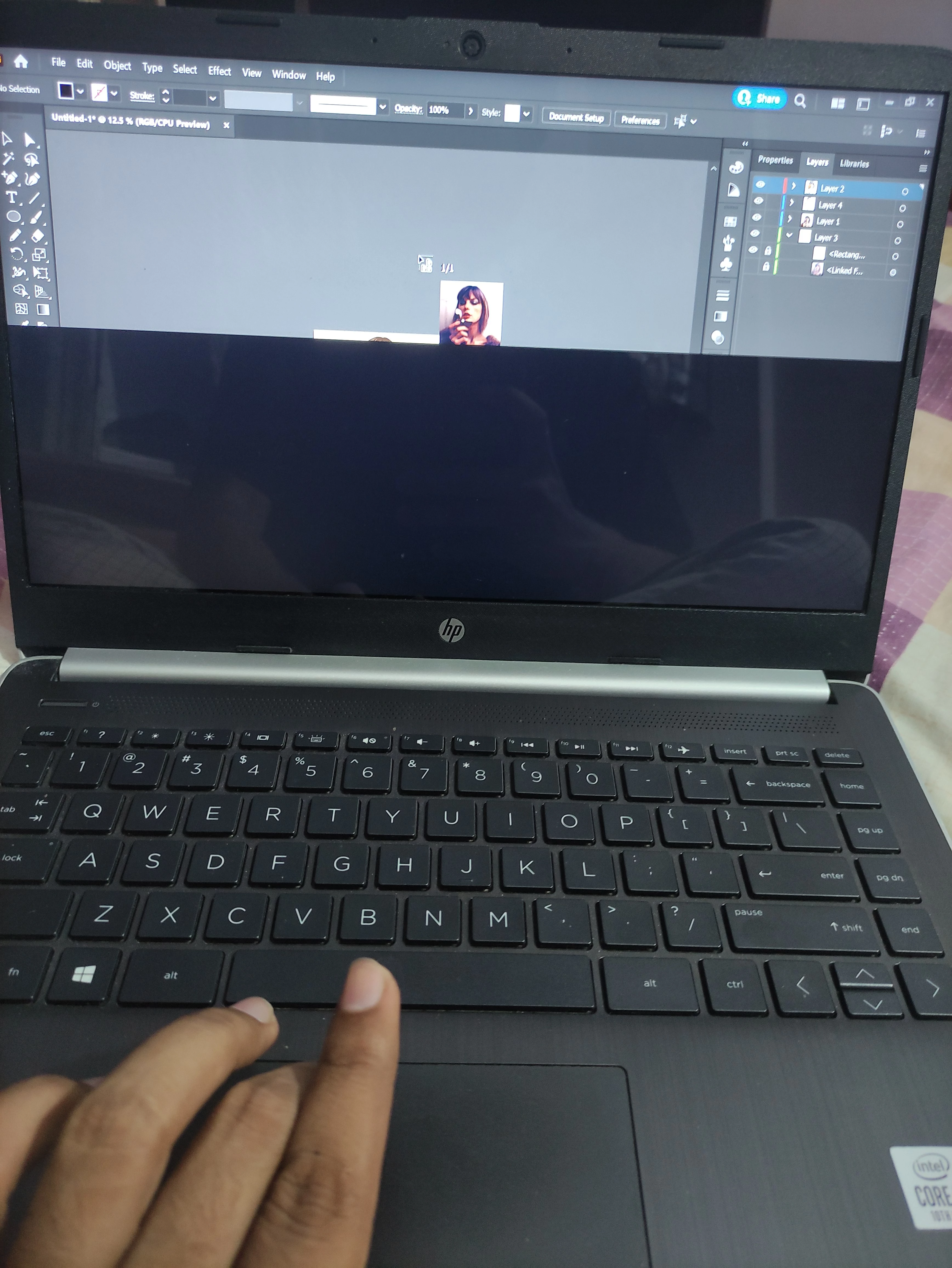
I hope you guys are doing well, i have been facing this issue for a long time, whenever i select a file to place in illustrator, as soon as the thumbnail of the file attaches to the cursor, the screen below my cursor turns black or glitches between black and the original display and the black part moves up and down with the cursor, i couldn't find anything helpful in the previously asked questions, if someone would guide me through this it'd be really helpful, Thanks!

(Here's an image of the issue, you can clearly see that the screen below my cursor is black, if i move the cursor upwards the screen starts blinking and if i move the cursor all the way up, the screen completely turns black)
This topic has been closed for replies.

3 replies

Anubhav M
Community Manager
Community Manager
October 26, 2022

Hello @TalalHaseem,


Sorry to hear about this experience. As suggested by Ton, would you mind trying to update the GPU drivers by following the steps shared in this help article (https://helpx.adobe.com/x-productkb/multi/update-graphics-driver.html) and checking if it helps?


If the issue persists, kindly share some more information, like the exact version of the OS and Illustrator installed on your computer, the configuration (CPU/GPU(s)), and a screen recording of the problem so we can investigate this further.


Looking forward to your response.


Thanks,

Anubhav

Ton Frederiks
Community Expert
Community Expert
October 26, 2022

And if you go to Preferences > Performance > and turn off GPU Performance?

Also, did you check if there are updates for your video card drivers?

Community Expert
October 26, 2022

If you change in the view menu view using cpu is this problem happening ?
And second is this problem happening only with illustrator? or with other programs as well


Participant
October 26, 2022
  • Hi! Thank you for helping me out! 
  • It happens in all 3 CPU, GPU and Outline. I have tried placing all file formats from pdf to jpeg, it happens everytime. 
  • I placed things in adobe acrobat, MS Word etc and no glitch occured, i remember disabling graphics acceleration in ms word way back to make it work faster  but i think it doesn't relate because it has started happening just a couple weeks ago, placing files was fine before that. 


Community Expert
October 29, 2022

Did you try to uninstall Illustrator restart your computer then install again illustrator?