
Inspiring
August 23, 2022
Answered

Paths and Compound Paths

  • August 23, 2022
  • 3 replies
  • 917 views

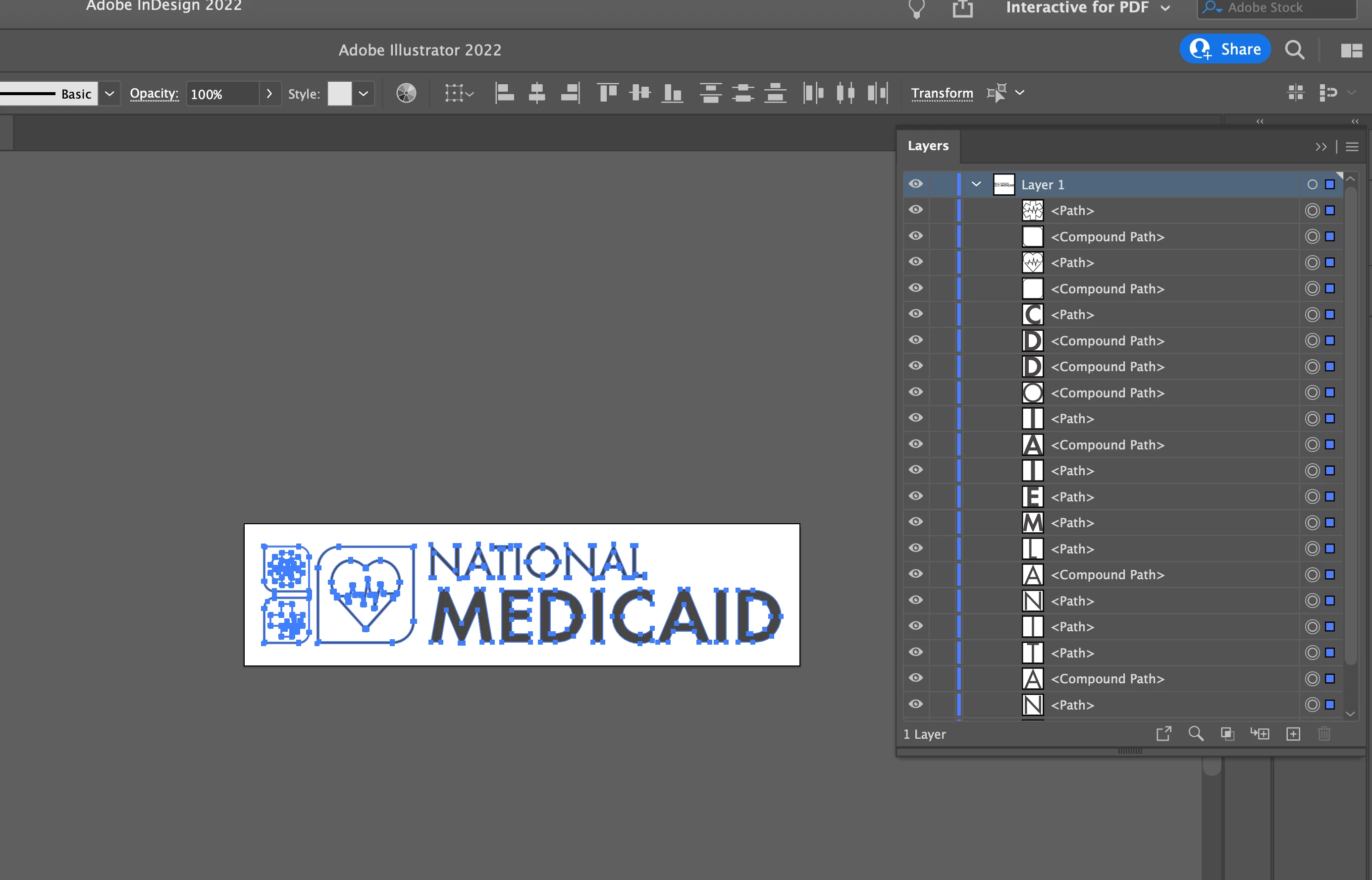
I have a logo which is a mix of paths and compound paths.

This is creating other complicated issues when pasting into indesign.


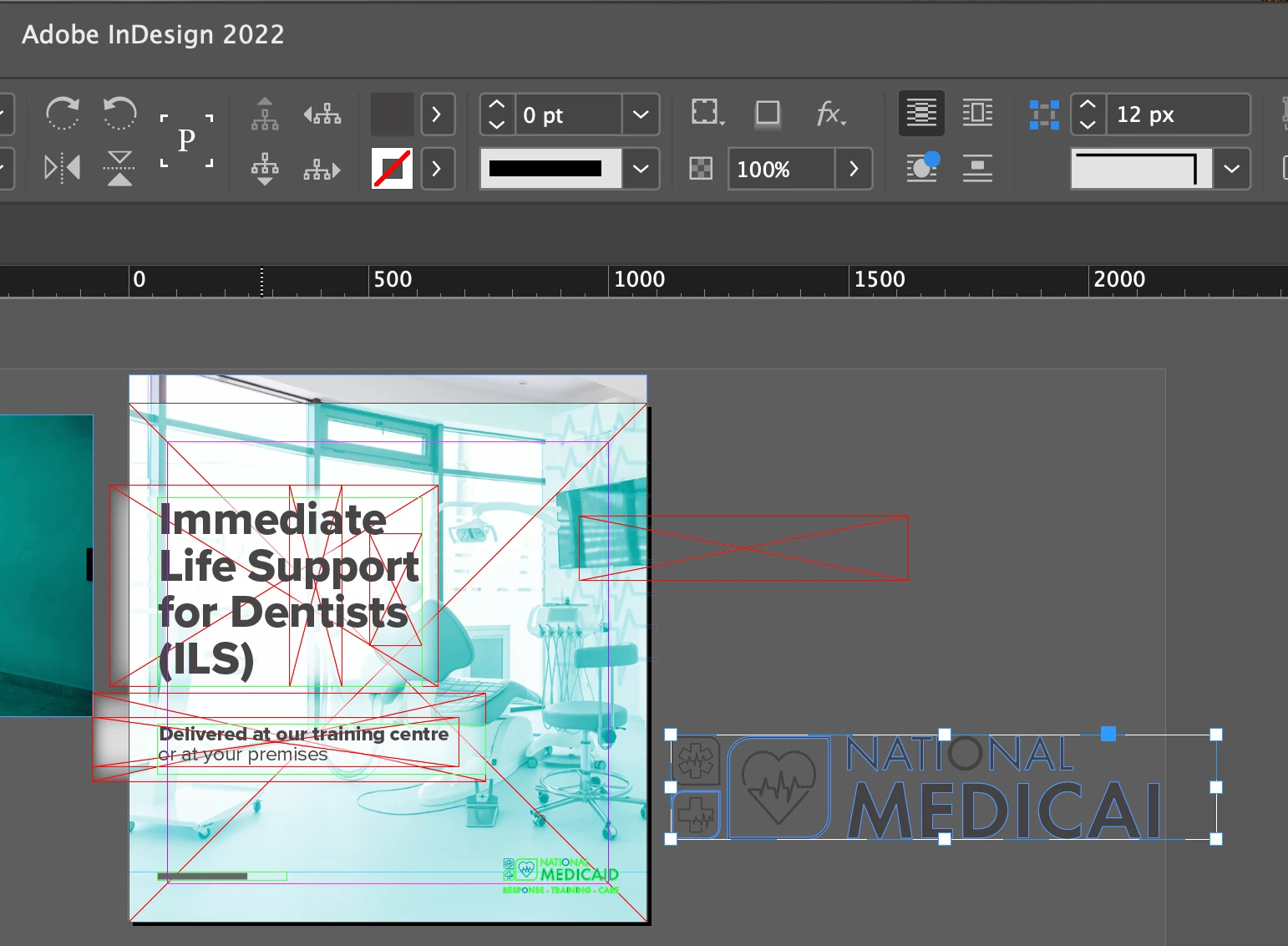
In InDesign (in the picture below) the letter O is not highlighted compared to the other letters?
 

This topic has been closed for replies.
Correct answer Monika Gause

That's just InDesign's way of treating compound paths.

Do the objects move when you move the group?

3 replies

michelew83603738
Community Expert
Community Expert
August 23, 2022

The whole is actually selected, just like the heart shape which is in the group. Is there something that you can't do or a specific problem that is occuring that you can describe or is it just the visual of the compound paths that concern you?

Inspiring
August 26, 2022

I haven't noticed a problem. It is just the visual that concerns me. I would like to know why it is happening to give me a better understanding.

Ton Frederiks
Community Expert
Community Expert
August 26, 2022

I would not worry about it. But since it is the display in InDesign that concerns you, maybe someone in the InDesign forum can help.

https://community.adobe.com/t5/indesign/ct-p/ct-indesign

Ton Frederiks
Community Expert
Community Expert
August 23, 2022

It looks correct in InDesign. What problems are you experiencing?

What happens if you place instead of copy/paste?

Laura Coyle.
Community Expert
Community Expert
August 23, 2022

In your Illustrator screenshot, it looks like all the letters are not grouped and are just sitting on Layer 1 individually. Could this be the problem? Select all letters in National, and group: Object > Group, and do the same for other words or icons, then select the groups and make another group for the whole logo. It will be easier to select and work with in InDesign this way. Hope that helps.

Inspiring
August 23, 2022

Thanks


I've done that and pasted it into indesign.


But as you can see in the image below. Why is the O and certain parts of the logo not highlighted?

The green isn't the outline. It's just the colour when you select the group.


Monika Gause
Community Expert
Monika GauseCommunity ExpertCorrect answer
Community Expert
August 23, 2022

That's just InDesign's way of treating compound paths.

Do the objects move when you move the group?