Participant
March 4, 2023
Question

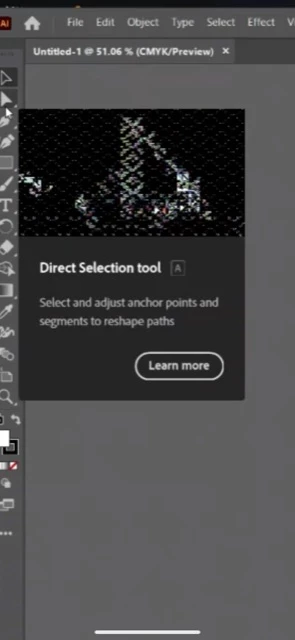
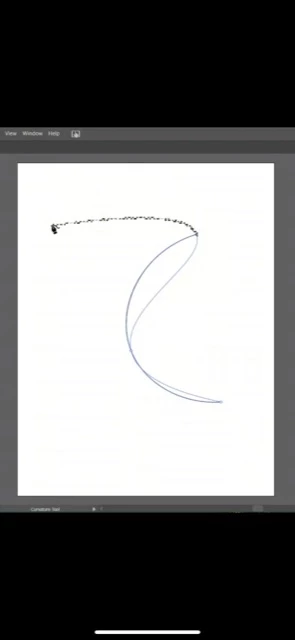
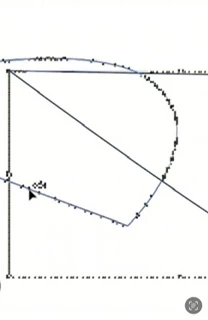
Pixelated smart tool preview and all elements
  • March 4, 2023
  • 3 replies
  • 1184 views

I recently had to upgrade to a Samsung laptop with Windows 11 OS. Download went smoothly,

or so I thought. The intro content was unrecognizably pixelated and now all elements and tool previews are as well. Attached are images of the error. I've uninstalled and reinstalled, turned the smart tools on and off, and used task manager to end everything and opened app again same issue. Anybody else having this issue or have a solution?


3 replies

Anubhav M
Community Manager
Community Manager
May 1, 2023

Hello @Pretty_wired,


We understand that encountering technical issues can be frustrating. I hope the suggestions shared by Monika to reinstall the GPU drivers (https://www.intel.com/content/www/us/en/support/articles/000057389/graphics.html) helped resolve the problem. If not, kindly share more details, like the System Report (https://nvidia.custhelp.com/app/answers/detail/a_id/2507/~/how-to-generate-a-microsoft-system-information-report-%28msinfo32%29) and a screen recording of the problem (https://community.adobe.com/t5/illustrator-discussions/screen-record-an-issue-on-windows-amp-macos-for-sharing/td-p/12967727) so that we can investigate this further.


Looking forward to hearing from you.


Thanks,

Anubhav

Participant
April 9, 2025

I am having this same issue and could only find this post that is having the exact same issues. Did you ever get a solution to this ?


Anubhav M
Community Manager
Community Manager
April 9, 2025

Hello @elizabeth_3060,

Could you share more details, like the version of the OS/Illustrator installed, if this happens with a single or all displays, if this happens when you press Cmd/Ctrl+E, and a small screen recording of the problem, so I can better assist you?

Looking forward to hearing from you.


Anubhav

Monika Gause
Community Expert
Community Expert
March 4, 2023

What kind of driver is installed for your graphic card? Gaming driver or studio driver? Illustrator doesn't like gaming drivers too much.

Participant
March 4, 2023

Not sure but it says Intel Iris Xe & Xe Max Graphic.

How do I determine what's what and can the drivers be changed from gaming to studio or am I sol?

Monika Gause
Community Expert
Community Expert
March 4, 2023

You might need to read the manufacturer's documentation.

m1b
Community Expert
Community Expert
March 4, 2023

Hi @Pretty_wired, yeah that's strange. I use MacOS, so I can't help, but just for getting some further information: do you notice any change when you choose menu View > View using CPU?

Participant
March 4, 2023

When I switched to this viewing mode there is no pixelation and rich tools are not showing at all solves one problem but what does this mean?