


Inspiring
January 12, 2025
Question

Reversing text in Illustrator within the text box (text flow)

  • January 12, 2025
  • 2 replies
  • 670 views

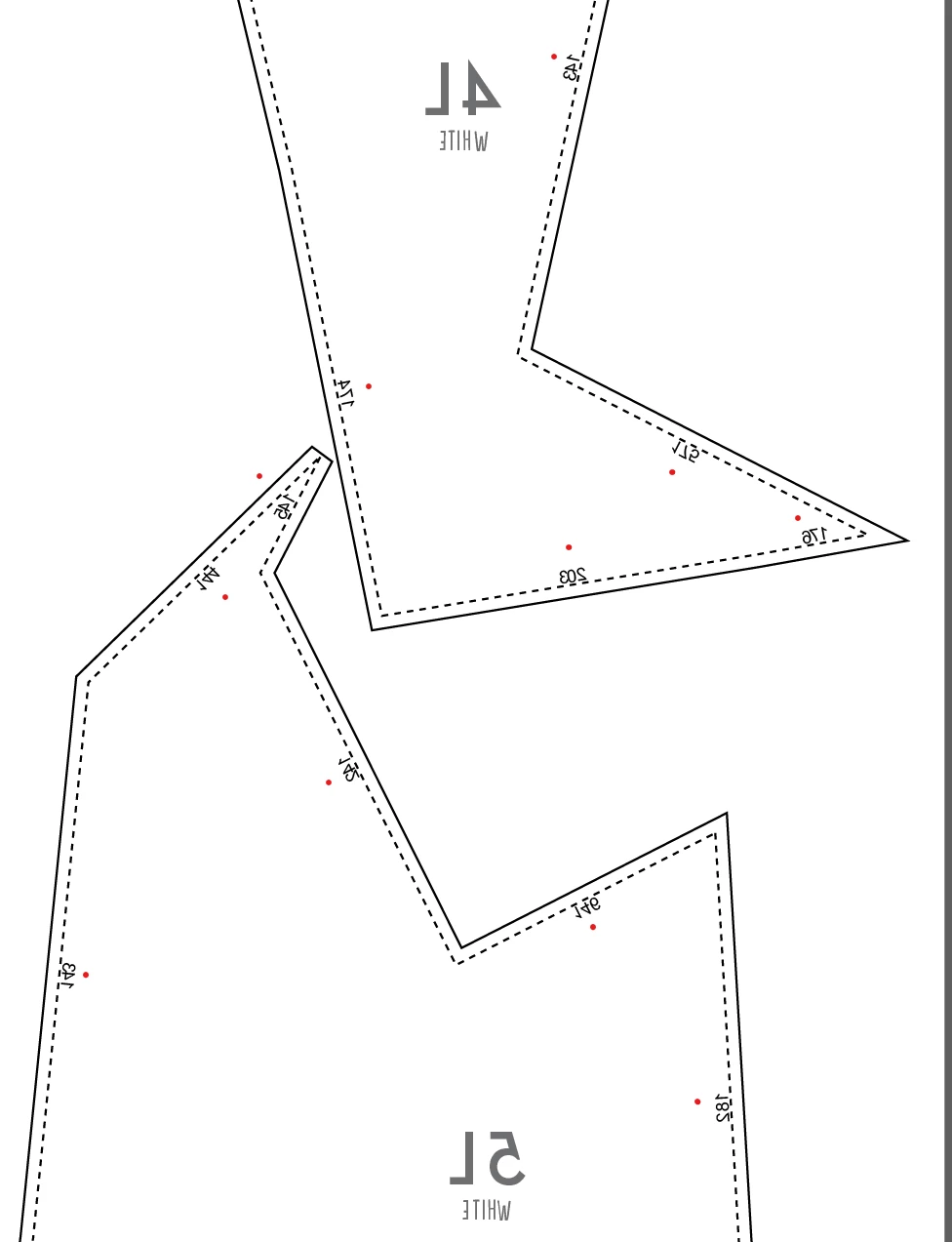
I am not sure if this is possible but I need to flip or reverse text in multiple textboxes.

This is a complicated pattern that had to be mirrored in the middle of working on it. It would be so much work if I had to export the pattern from the cad software again and start all over.

The problem is that the text is mirrored too now. There are hundreds of textboxes so it is not possible to flip them back individually by hand. I would love to Object select all text boxes and reverse them.
Any ideas how to approach this? Example below!

Thank you
2 replies

Participant
August 20, 2025

If you're deadset on solving this within Illustrator, you can try following this discussion and reinstall Illustrator in Arabic version. This will open up the option to choose text direction in the paragraph menu. Hope this helps!

S.K.
Monika Gause
Community Expert
Community Expert
January 12, 2025

You can select them via the Select menu. Select > Object >All Text objects

Then Object > Transform > Transform Each

WaMoAuthor
Inspiring
January 12, 2025

Yes but what transform command should I apply? If I flip them they are all over the place. They all have different angles. If they would be all horizontally aligned it would be easy.

WaMoAuthor
Inspiring
January 12, 2025

This is how the transform each command looks like. There are too many numbers (hundreds). I would like to mirror the flow of the text so that the mirror command is within the text box and does not mirror the text box itself.