

Saving Ai With Create PDF Compatible File Checked Not Working
Windows 10 64 bit - Ai CC 2019
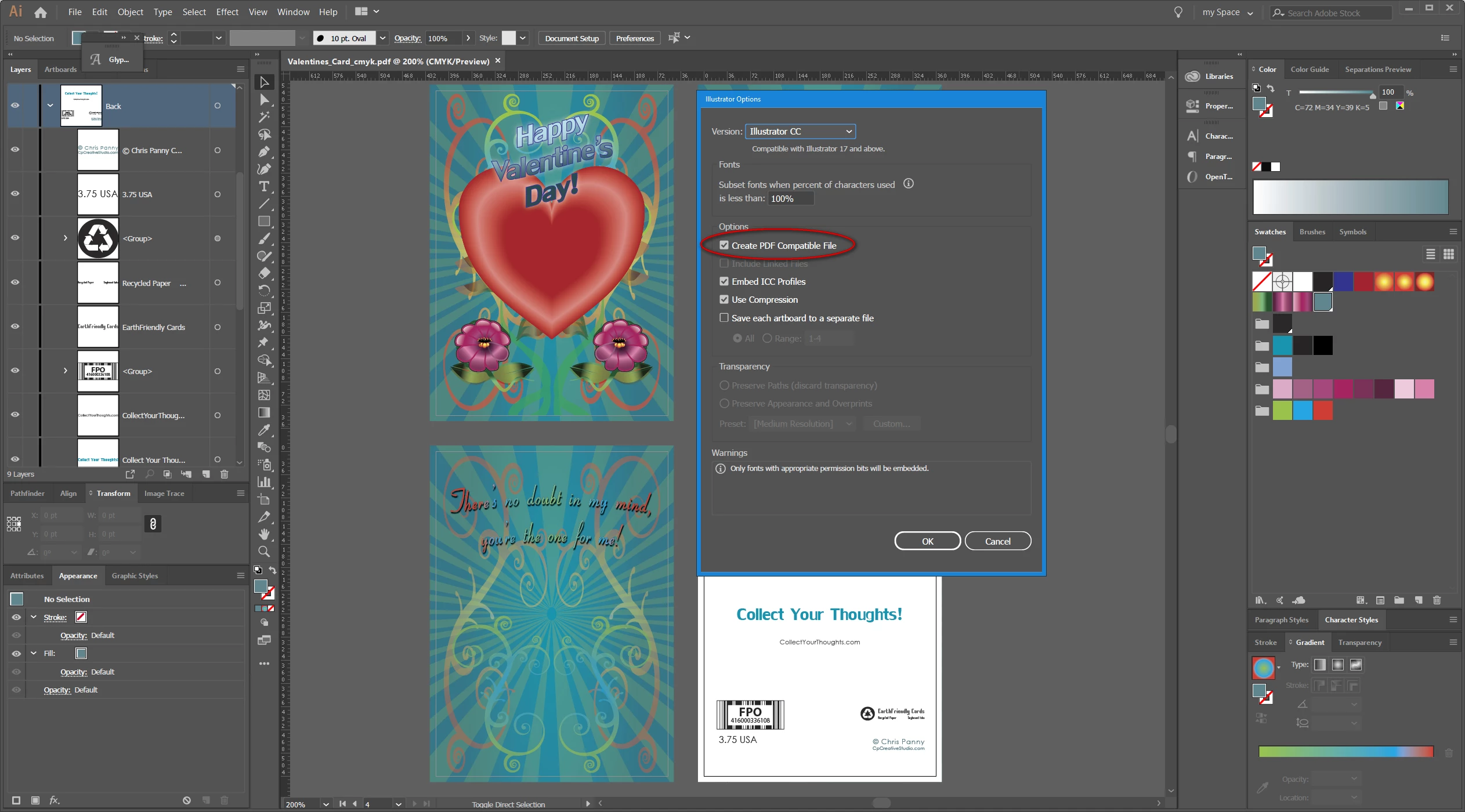
I'm having an odd problem with an Ai file. I save it with the Create PDF Compatible File checked . However when I save the file again to make a High Quality Print PDF, the pdf only displays text that says the file was saved without PDF content. Below is the text message I see when I open the PDF in Acrobat DC: The screenshot is how the Ai file is being save. The file was originally created in an older version of Ai - probably CS 5 or 5.5. I did some work on it today and then saved it to the current Ai version. It's all vector - no pixel-based imagery. I've also tried saving it to an older version - CS 6 and repeated the same steps, but I still get the same issue.
If anyone needs to see the actual PDF or Ai file, let me know and I'll share a folder out with it.
This is an Adobe® Illustrator® File that was saved without PDF Content. To Place or open this le in other applications, it should be re-saved from Adobe Illustrator with the "Create PDF Compatible File" option turned on. This option is in the Illustrator Native Format Options dialog box, which appears when saving an Adobe Illustrator le using the Save As command.


 AdChoices