


Elzo Smid Ontwerp
Participant
Dec 10, 2024 10:06 AM UTC
Answered

strange warning at safing file

Hi,
Every time I safe an Illustrator file with several pages, I get a warning saying "Maximale aantal knippaden bereikt voor TIFF-voorvertoning", in English that would be someting like "Maximum number of cutting paths reached for TIFF-preview". Dies anyone know what it means and how to prevent it or what I should do? There is no "Don't show again option".
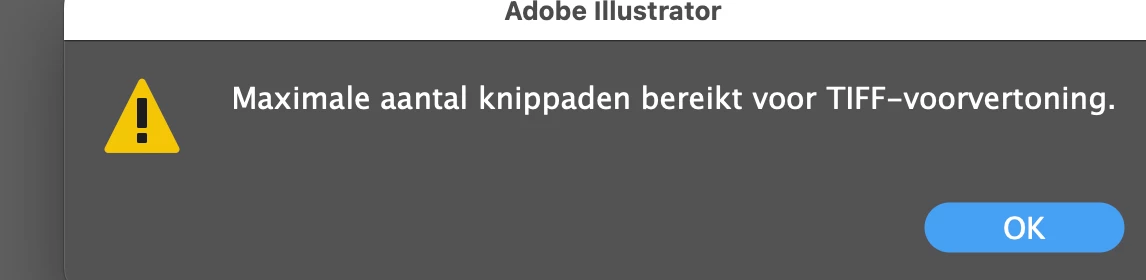

 

This topic is closed to new replies. Start a new post to keep the conversation going.
Ton Frederiks
Ton FrederiksCorrect answer
Community Expert
Dec 10, 2024 1:22 PM UTC

Thanks again. I am a bit old fashioned when it comes to Adobe software.
These aren't final files, just working files. I guess  .ai  would be just as good or even better.
For the final output (to printer, client, etc.) I indeed use PDF most of the time.


Yes, AI will be better.

If you currently save an EPS in Illustrator, it will also save an AI version in the file to be able to edit it with all the bells and whistles of the current version, so you are actually opening the .ai file instead of the .eps part.

6 replies

Ton Frederiks
Community Expert
Community Expert
Dec 10, 2024 10:35 AM UTC

Knippaden = clipping paths.

Do you use a lot of clipping paths in your document?

As it says it is used in building the preview. How do you save your files?

Translate
Elzo Smid Ontwerp
Participant
Dec 10, 2024 10:43 AM UTC

Thank you!
As far as I know, I use zero clipping paths.
But I do safe EPS with TIFF-preview and when I switch that off, it seems to solve the problem!!!


Translate
Ton Frederiks
Community Expert
Community Expert
Dec 10, 2024 12:53 PM UTC

Ah, EPS, I expected that. I would not worry about the preview.

Do you really need EPS? PDF is a more modern file format, but I guess you must have a good reason for using EPS.

Translate