


Participating Frequently
Oct 20, 2026 9:24 AM UTC
Question

turn around doesn't work

I’ve tried using the generative rotation tool, but nothing works—whether with complex or simple illustrations. It starts, then suddenly cuts out.___________________________________________________________

J’ai essayé d’utiliser l’outil rotation générative, rien n’y fait. Avec des illustrations complexes ET non complexes. Ca se lance, puis ça interrompt d’un coup. 
 

    15 replies

    Community Expert
    Oct 31, 2026 9:03 AM UTC

    Hi,

    One additional detail worth checking with your school administrator is whether your school's Adobe subscription includes access to premium generative AI features.

    Adobe classifies Turntable as a premium feature, while Text to Vector Graphic is a standard feature.

    Not all Creative Cloud education plans include premium generative AI access, so it's possible for Text to Vector Graphic to work while Turntable is unavailable.

    Since other students at your school are experiencing the same problem, I'd certainly ask your administrator to verify which Adobe plan you're assigned and whether premium generative features are included.

    There is also an existing bug report describing almost identical behaviour, where Turntable briefly starts and then closes without generating anything:

    https://community.adobe.com/bug-reports-655/turntable-feature-immediately-flashes-open-close-pop-up-and-fails-across-multiple-computers-1641533

    Adobe is investigating that issue.

    If your school confirms that premium generative features are included, I'd suggest referencing that report when contacting Adobe Support, as it may be related.

    Translate
    Participant
    Oct 27, 2026 5:44 AM UTC

    This sounds like a GPU or performance issue, or possibly a bug with the Generative Rotation tool. Try updating Illustrator, restarting it, and testing with a simple object in a new file. If it still cuts out, check whether GPU Performance is enabled and whether your system meets the tool’s requirements. Does it happen with every file or just one?

    Translate
    iris_7127Author
    Participating Frequently
    Oct 26, 2026 11:08 AM UTC

    Hi, 
    Yes, that’s exactly what i’m trying to do, but Illustrator won’t let me.

    Also, I have my license under my school, so maybe the error comes from the access of my school? Idk, cause i asked other students in my class to do the turntable and it doesnt work for them too

    Translate
    Anubhav M
    Community Manager
    Community Manager
    Oct 26, 2026 3:07 PM UTC

    Hello ​@iris_7127 


    Thanks for confirming. To get further help with this, please contact your admin: https://adobe.ly/3Yr57fT and ask them to create a ticket for this from the Admin Console.

    If you're the admin, you can get help here: https://adobe.ly/3Uowp5y


    Let us know how it goes.
    Anubhav

    Translate
    Abhishek Rao
    Community Manager
    Community Manager
    Oct 20, 2026 10:29 AM UTC

    Hi ​@iris_7127, 


    Thank you for confirming the details and sharing the screenshot. I'm sorry to hear you're experiencing this issue.

    Could you please confirm whether this happens with all objects or only specific artwork? To test this, please create a new vector illustration using the Text to Vector Graphic feature, select the generated artwork, and then try using Turntable on it. Let us know if it works or if you experience the same behavior.

    Also, please confirm the exact version of Illustrator you're using by navigating to Help > About Illustrator.

    In the meantime, try signing out of the Creative Cloud desktop app, signing back in, and restarting Illustrator. If the issue persists, please test using a different internet connection, such as a mobile hotspot, to rule out any network-related restrictions.

    Additionally, could you confirm your Windows version and whether other generative AI features, such as Text to Vector Graphic, are working correctly?


    Thanks!

    Abhishek

    Translate
    iris_7127Author
    Participating Frequently
    Oct 20, 2026 12:00 PM UTC

    Hi,

    I’ve tried text to vector, and it created an illustration as you can see :
     

    but as soon as i do turntable it does the same as before and doesnt work
    also i have this version 
     

    and I have Windows 11. Also, i try to log off and connect again but still doesnt work.

    Translate
    Harshika Verma
    Community Manager
    Community Manager
    Oct 20, 2026 12:39 PM UTC

    Hi iris_7127,

    Thank you for providing the requested information and attempting the suggested steps. We are unable to replicate the issue on our side. Could you please send me the file via a private message for further investigation? Additionally, please confirm if this issue occurs with a particular file or all files.
    It would also be beneficial if you could share your prompt.
    Are you connected to an external monitor?


    We will do our utmost to investigate the problem and offer you further assistance.


    Thank you,

    Harshika

    Translate
    iris_7127Author
    Participating Frequently
    Oct 20, 2026 10:11 AM UTC

    Illustrator 2026 btw

    Translate
    Monika Gause
    Community Expert
    Community Expert
    Oct 20, 2026 10:04 AM UTC

    This is Windows, right? Which one?


    Which version of Illustrator? Do you have to abort the process or does it stop at some time with an error message?

    Translate
    iris_7127Author
    Participating Frequently
    Oct 20, 2026 10:10 AM UTC


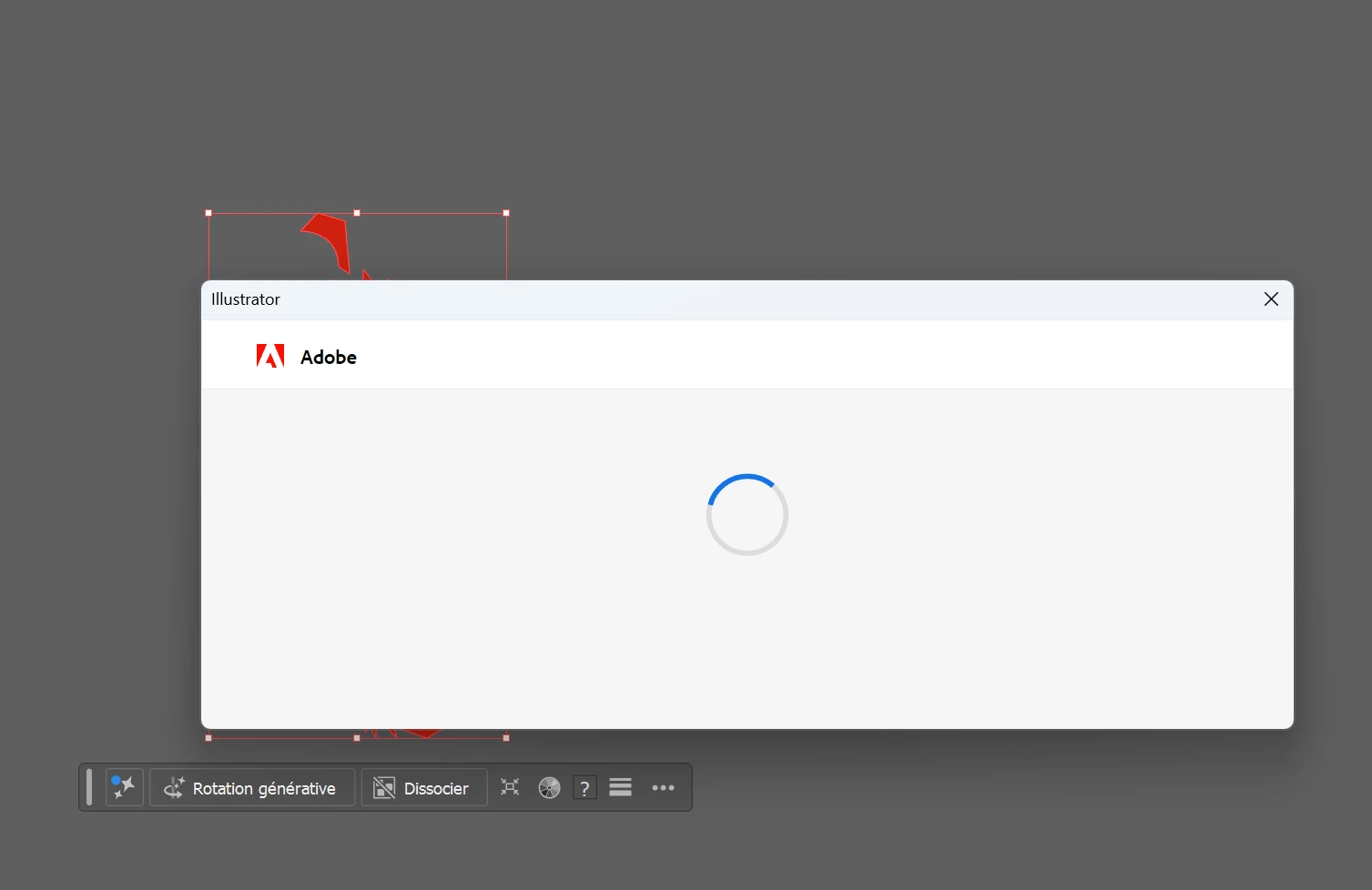
    Yes, I’m on Windows, and it shuts down on its own; it doesn’t display an error message—this appears, then the message disappears by itself, and nothing happens._____________

    Oui je suis sur Windows, et il s’arrête de lui même, mais il n’écrit pas de message d’erreur, il s’affiche ça et aprè

    s le message s’enlève tout seul et rien ne se passe

    Translate
    Monika Gause
    Community Expert
    Community Expert
    Oct 20, 2026 10:28 AM UTC

    This function needs internet access - is your connection working reliably? No aggressive firewalls stopping traffic?

    Translate